45
CONTROLLER
OPERATION
A
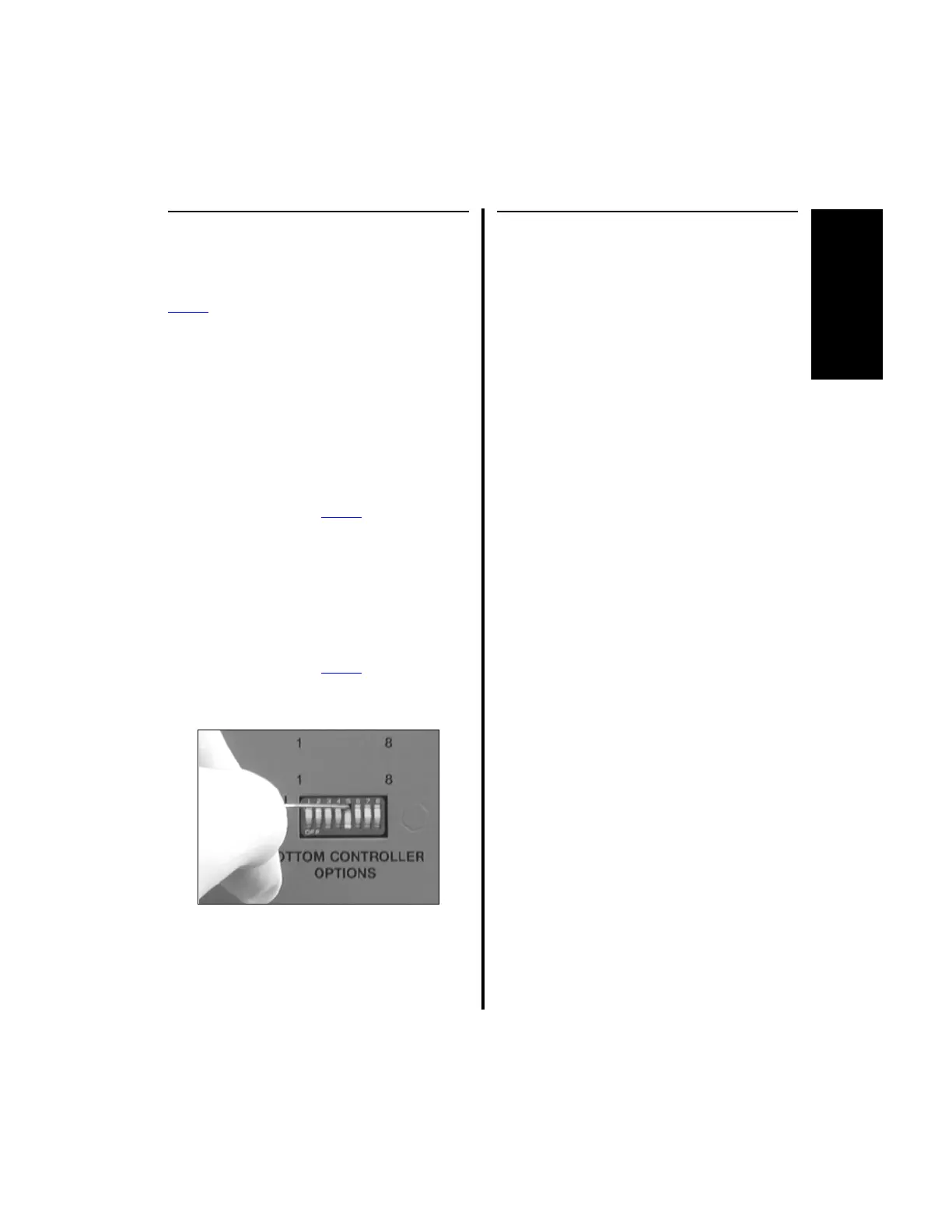
2.1.3.9 Switch 5 - Display Mode
Selection
NOTE: This switch applies only to the
Power
Pro controller and the bottom row of
the Advantage controller.
The position of this switch determines how
information is displayed on the controller, either
text or symbols.
1. When the controller is set to display
information in text mode, all information is
displayed in English text.
(a) To set the controller to Text mode,
place switch 5 (Power
Pro controller or
bottom portion only of the Advantage
controller) to the “OFF” position.
2. When the controller is set to display
information in Graphics mode, all
information is displayed with symbols.
(a) To set the controller to Graphics mode,
place switch 5 (Power
Pro controller or
bottom portion only of the Advantage
controller) to the “ON” position.
2.1.3.10 Switch 6 / Switch 7 - Shaver
Default Speed Setting
NOTES:
1. This description for switch 6 applies to
the E9000 controller and the top portion
of the Advantage controller.
2. This description for switch 7 applies to
the bottom portion of the Advantage
controller and the PRO2000 controller.
3. This option applies only to the
Advantage Basic (D9820/D9920) and
2-Button (D9824/D9924) Shaver
Handpieces.
This switch is used to set the default operating
speed of a high speed bur when used with these
handpieces.
1. When DIP switch 6 on the E9000 controller
or the top row of the Advantage controller,
or DIP switch 7 on the bottom row of the
Advantage controller are set to “ON” these
handpieces will default to their maximum
operating speed when a high speed bur is in
use.
2. When DIP switch 6 on the E9000 controller
or the top row of the Advantage controller,
or DIP switch 7 on the bottom row of the
Advantage controller are set to “OFF” these
handpieces will default to 7,000 rpm
operating speed when a high speed bur is in
use.















 To Next Page