6.4 Setting Group No. for Centralized Control 43
Fundamental of DIII-NET
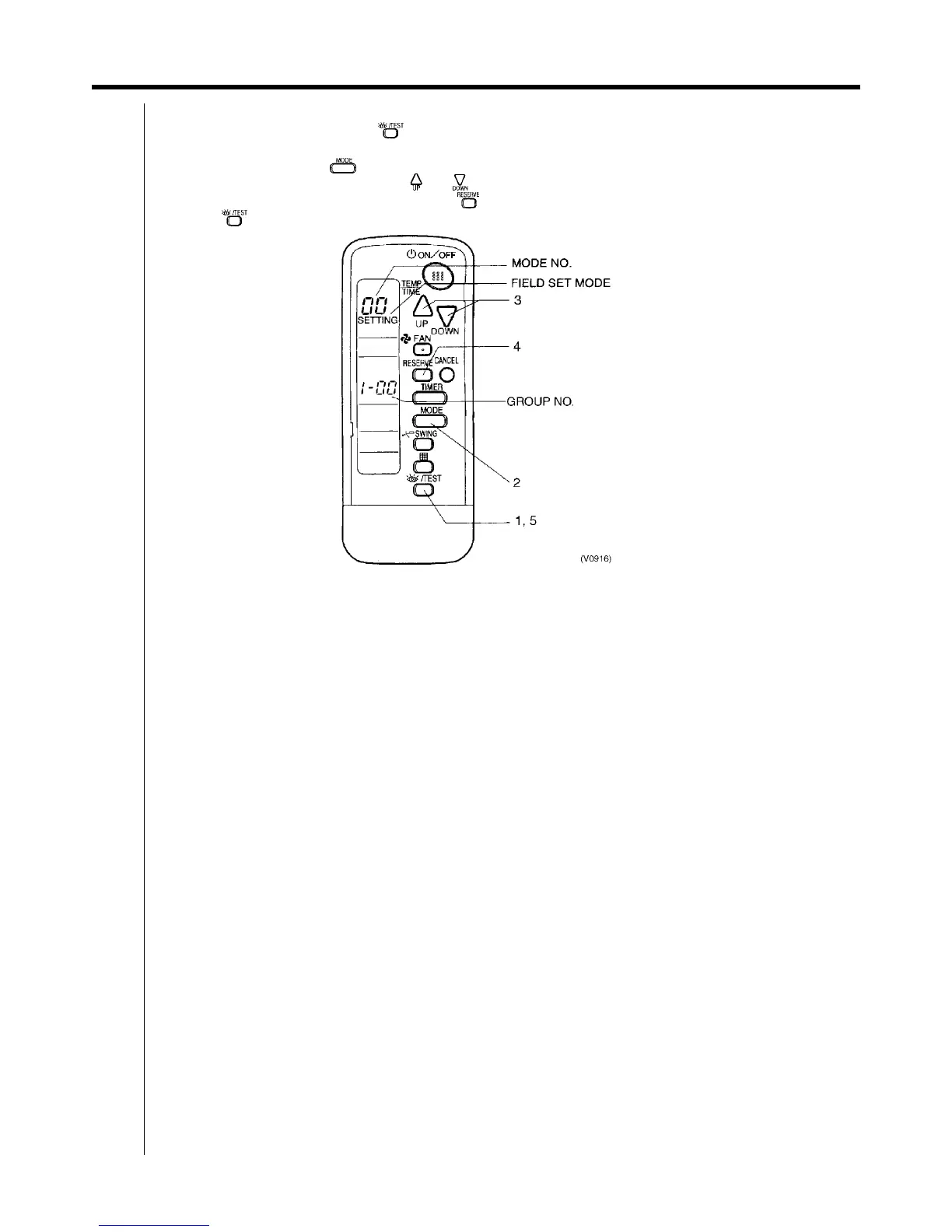
6.4.2 Wireless Remote Controller <BRC4C, 7C, 7E>
1. When in the normal mode, push “ ” button for 4 seconds or more, and operation then enters the “field set
mode.”
2. Set mode No. “00” with “ ” button.
3. Set the group No. for each group with “ ” “ ” button (advance/backward).
4. Enter the selected group numbers by pushing “ ” button.
5. Push “ ” button and return to the normal mode.



 To Next Page