•
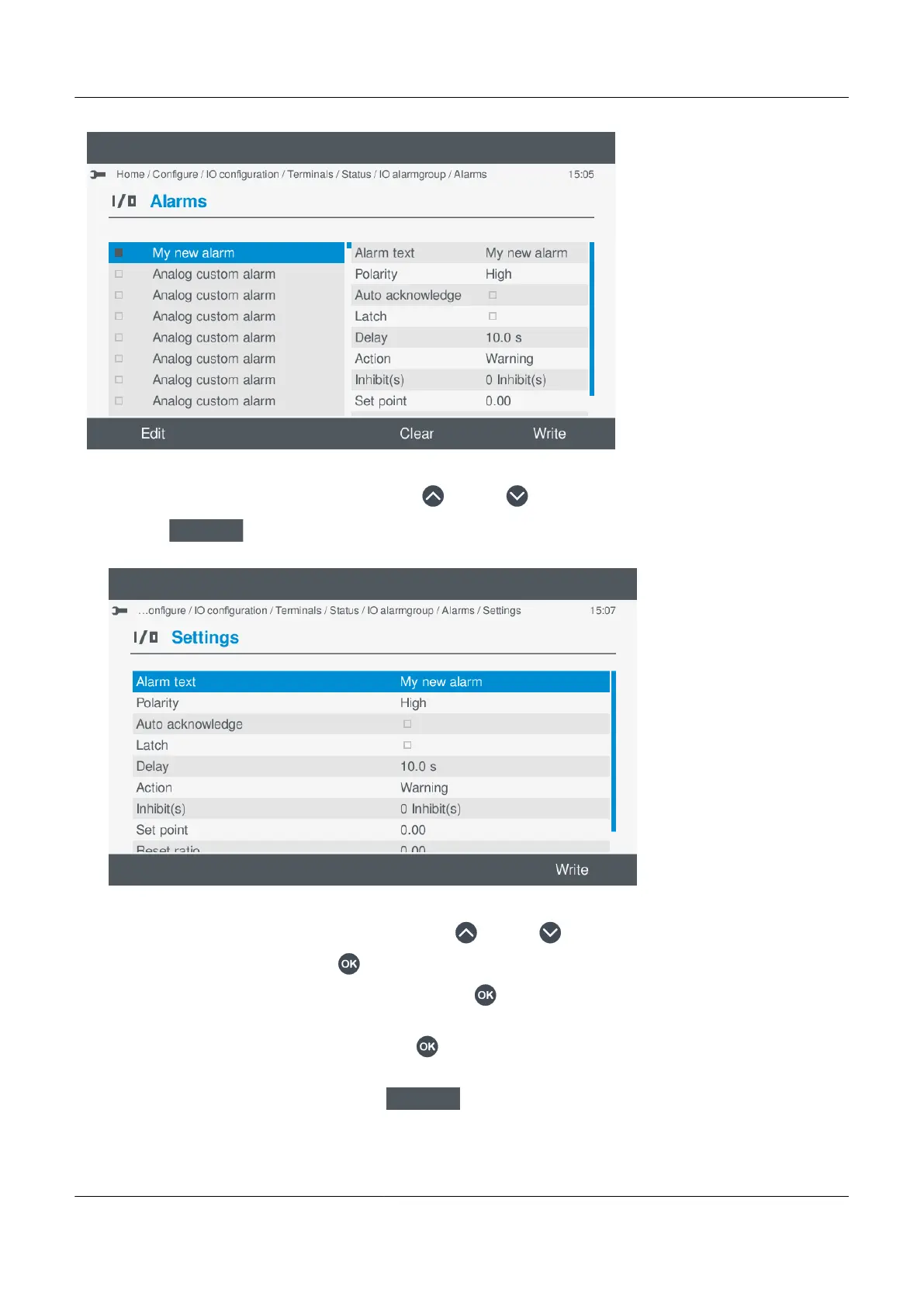
1. Highlight the required custom alarm, by pressing Up or Down .
2.
Select Edit
.
• Details of the alarm settings are shown on the display for you to configure.
•
a. Highlight the required alarm setting, by pressing Up or Down .
b. To change the setting, press OK .
◦ If the setting is Enable or Not enabled, pressing OK toggles either Enable or Not enabled.
◦ Enabled settings are marked with a solid box.
◦ If the setting is text or a value, pressing OK displays the virtual keyboard to alter the setting.
◦ Make the required changes using the virtual keyboard.
◦ To confirm the changes, select Next
.
PPM 300 Operator's manual 4189340910 UK
www.deif.com Page 87 of 157



 To Next Page