Dell Printer Configuration Web Tool 169
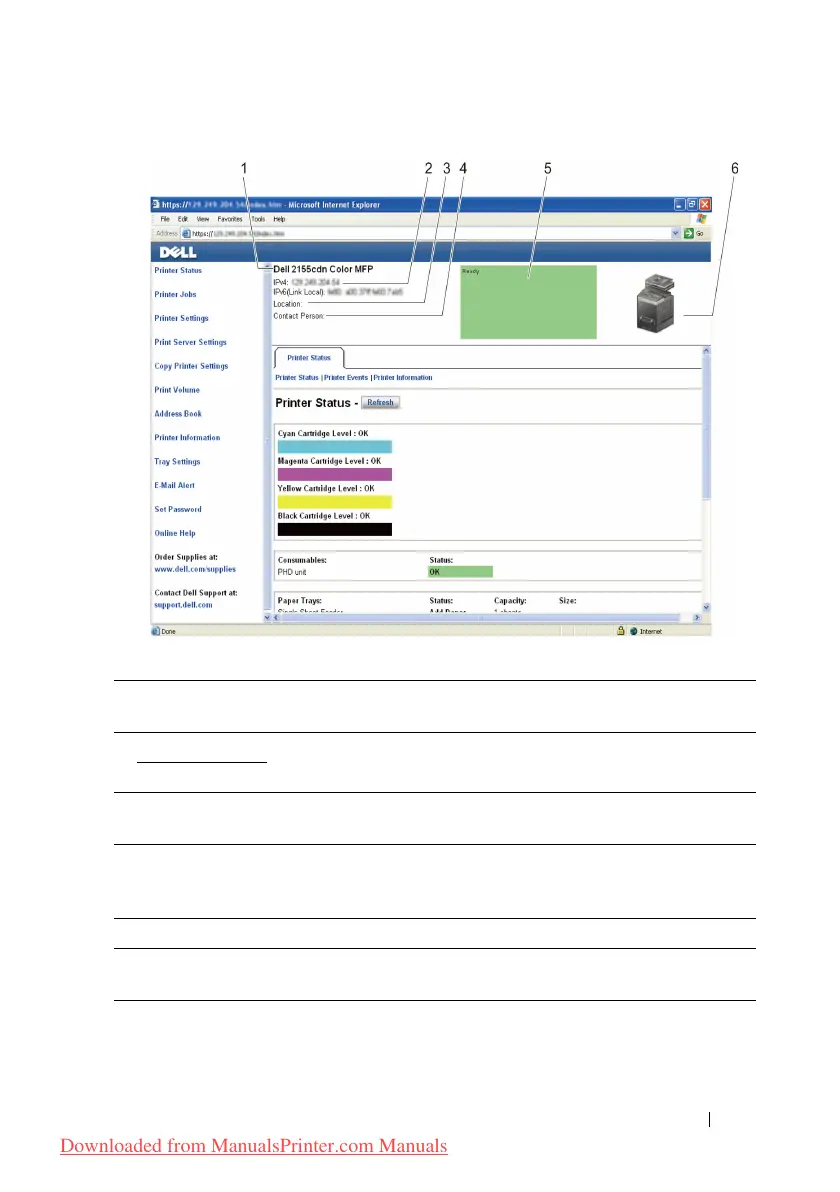
1 Dell 2155cdn
Color MFP
Displays the product name of the printer.
2IPv4 Displays the IP address of the printer.
IPv6
3 Location Displays location of the printer. The location can be changed in the
Basic Information section on the Print Server Settings page.
4 Contact Person Displays the name of the printer administrator. The name can be
changed in the Basic Information section on the Print Server
Settings page.
5 Event Panel Displays the indicator for the condition of the printer.
6 Machine image Shows the bitmap image of the printer. The Printer Status menu
appears in the right frame when you click on the image.
Downloaded from ManualsPrinter.com Manuals











 To Next Page