Copying 319
FILE LOCATION: C:\Users\fxstdpc-
admin\Desktop\0630_UG??\Mioga_AIO_UG_FM\Mioga_AIO_UG_FM\section18.fm
DELL CONFIDENTIAL – PRELIMINARY 9/13/10 - FOR PROOF ONLY
* Denotes the factory default setting.
5
Press the
(Start)
button to begin copying.
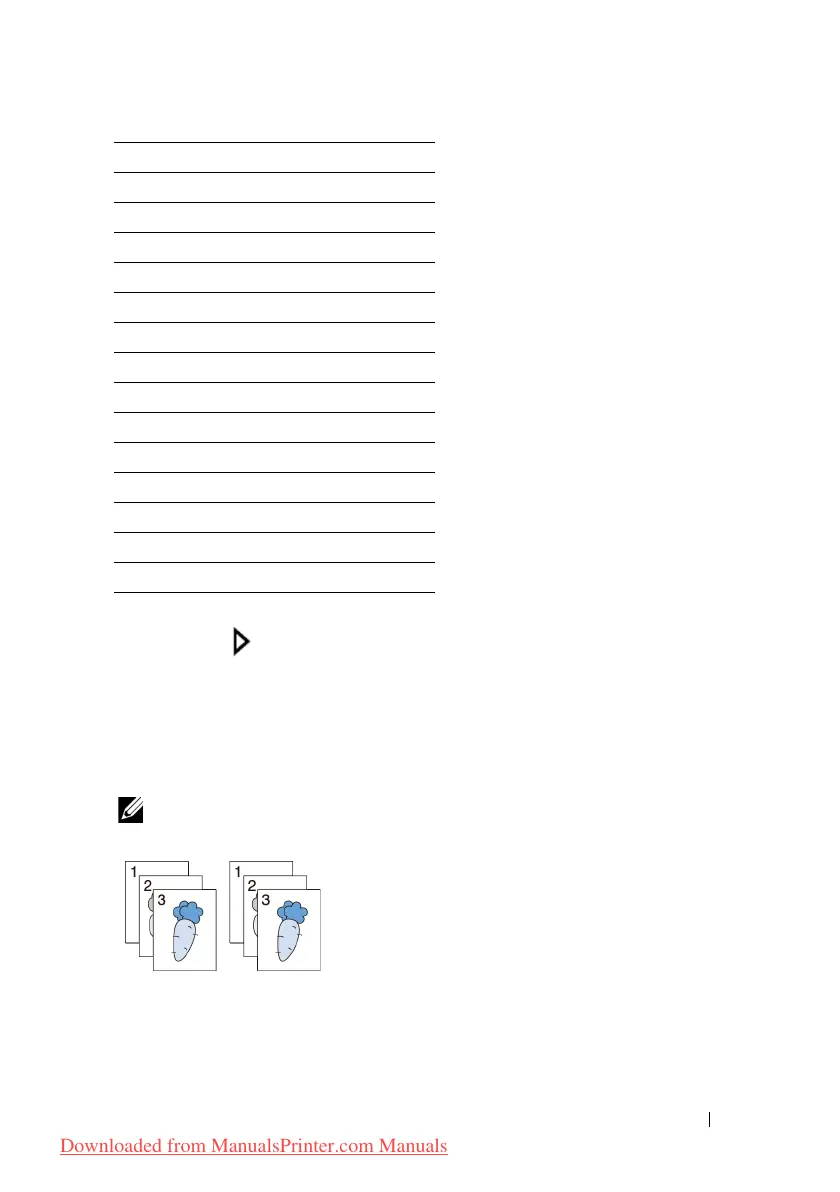
Collated
To sort the copy output: For example, if you make two copies of three page
documents, one complete three page document will be printed followed by the
second complete document:
NOTE: You can collate more pages when optional memory module is installed.
1
Load the document(s) facing up with top edge in first into the ADF.
OR
Plain Thick
Covers
Covers Thick
Coated
Coated Thick
Envelope
Recycled
Letterhead
Preprinted
Prepunched
Color
Plain S2
Plain Thick S2
Recycled S2
Color S2
Downloaded from ManualsPrinter.com Manuals











 To Next Page