416 Faxing
FILE LOCATION: C:\Users\fxstdpc-
admin\Desktop\0630_UG??\Mioga_AIO_UG_FM\Mioga_AIO_UG_FM\section20.fm
DELL CONFIDENTIAL – PRELIMINARY 9/13/10 - FOR PROOF ONLY
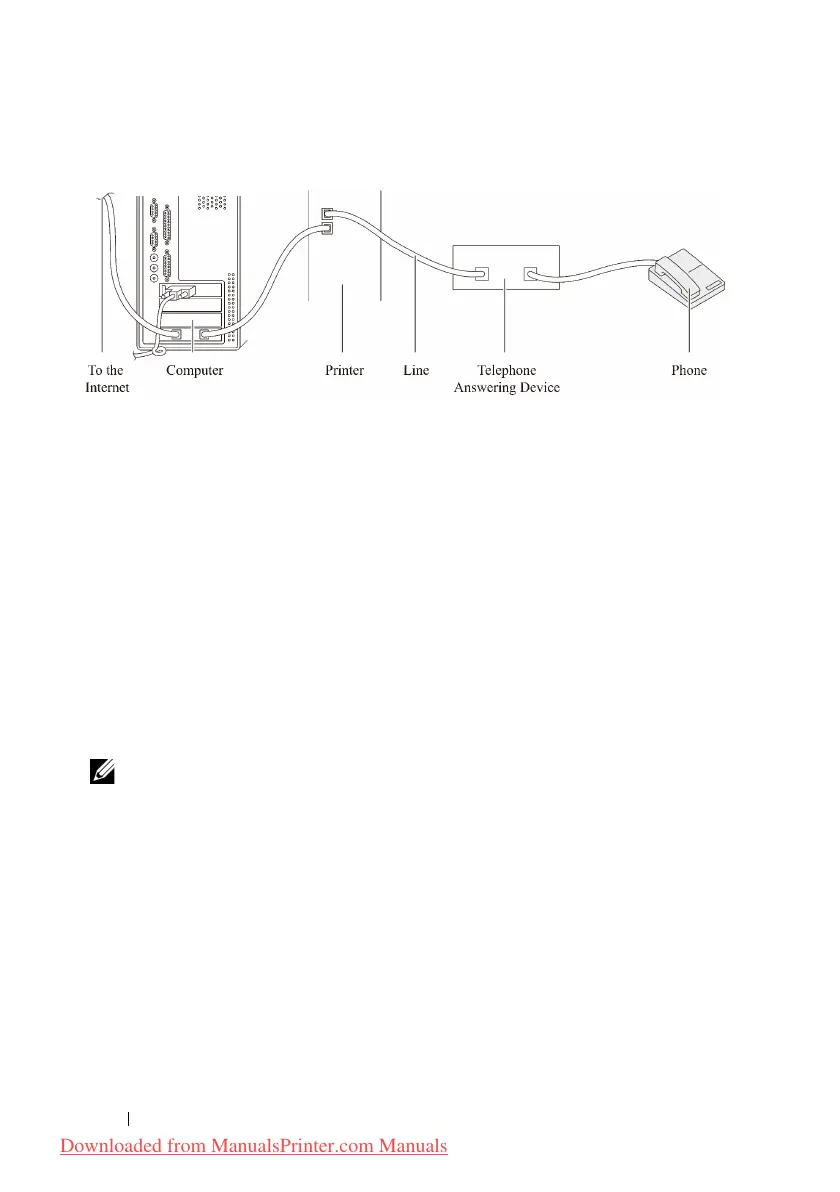
Using a Computer Modem
If you want to use your computer modem for faxing or for a dial-up internet
connection, connect the computer modem directly to the back of your printer
with the TAD as shown above.
• Set your printer to the
Ans Machine/Fax
and set
Auto Rec
Ans/Fax
to specify the time for the TAD.
• Turn off the computer modem's fax-receive feature.
• Do not use the computer modem if your printer is sending or receiving a fax.
• Follow the instructions provided with your computer modem and fax
application to fax via the computer modem.
Printing a Report
The following reports may be useful when using fax:
NOTE: For more information on other reports, see "Reports."
•Speed Dial
• Address Book
• Server Address
• Fax Activity
•Fax Pending
• Print Meter
Downloaded from ManualsPrinter.com Manuals











 To Next Page