94 Connecting Your Printer
Network Connection
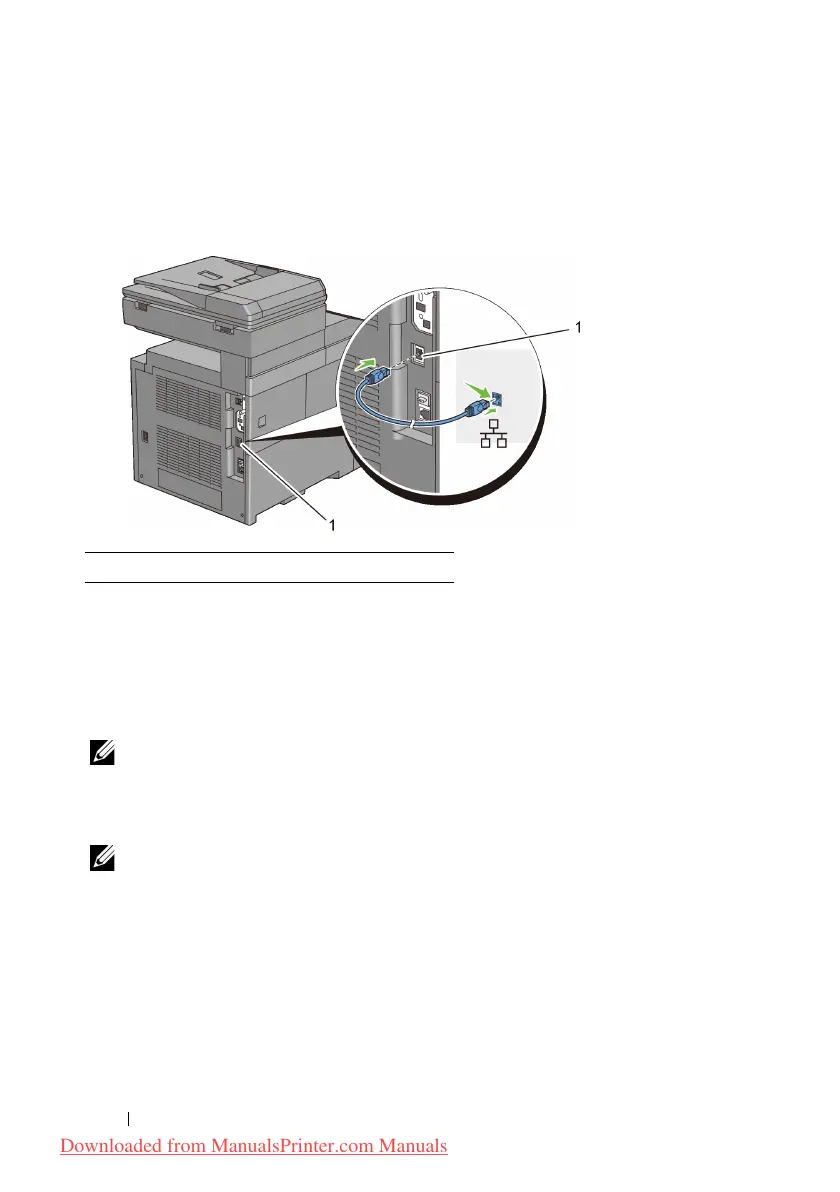
To connect the printer to a network:
1
Connect the network cable.
To connect the printer to the network, connect one end of an Ethernet cable into
the Ethernet port on the rear of the printer, and the other end to a LAN drop or
hub. To setup a wireless connection, insert the wireless adapter into the wireless
adapter socket on the back of the printer.
For a wireless connection, see "Installing the Optional Wireless Adapter."
NOTE: To use the wireless adapter, be sure to disconnect the network cable.
Connecting the Telephone Line
NOTE: Do not connect your printer directly to a Digital Subscriber Line (DSL).
This may damage the printer. To use a DSL, you will need to use an appropriate
DSL filter. Contact your service provider for the DSL filter.
1
Plug one end of a telephone line cord into the wall jack connector and the
other end into an active wall jack.
1 Ethernet port
Downloaded from ManualsPrinter.com Manuals











 To Next Page