56 Installing Optional Accessories
8
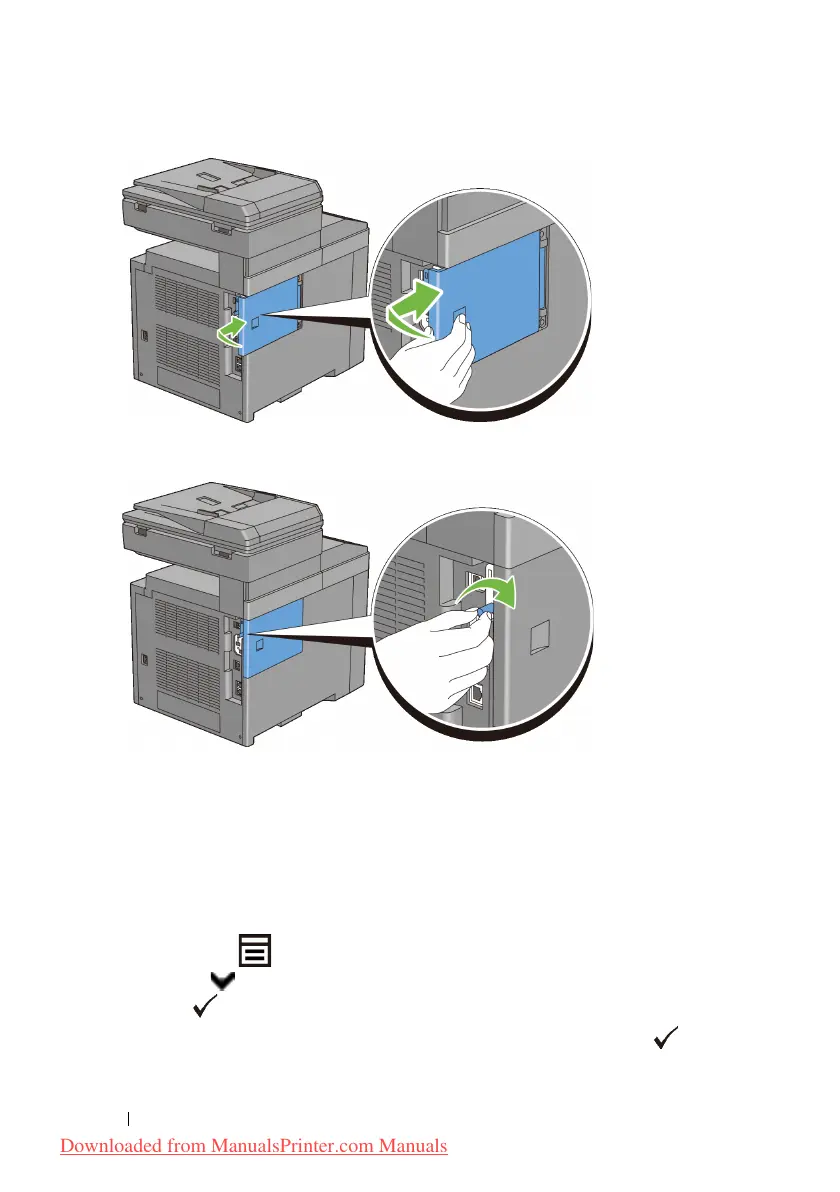
Turn the screw clockwise.
9
Turn on the printer.
10
Print the system settings report to confirm that the newly installed memory is
detected by the printer.
Printing System Settings Report
When Using the Operator Panel
a
Press the
(Menu)
button.
b
Press button until
System Setup
is highlighted, and then press
the
(Set)
button.
c
Ensure that
Report/List
is highlighted, and then press the
(Set)
button.
Downloaded from ManualsPrinter.com Manuals











 To Next Page