686 Troubleshooting Guide
FILE LOCATION: C:\Users\fxstdpc-
admin\Desktop\0630_UG??\Mioga_AIO_UG_FM\Mioga_AIO_UG_FM\section31.fm
DELL CONFIDENTIAL – PRELIMINARY 9/13/10 - FOR PROOF ONLY
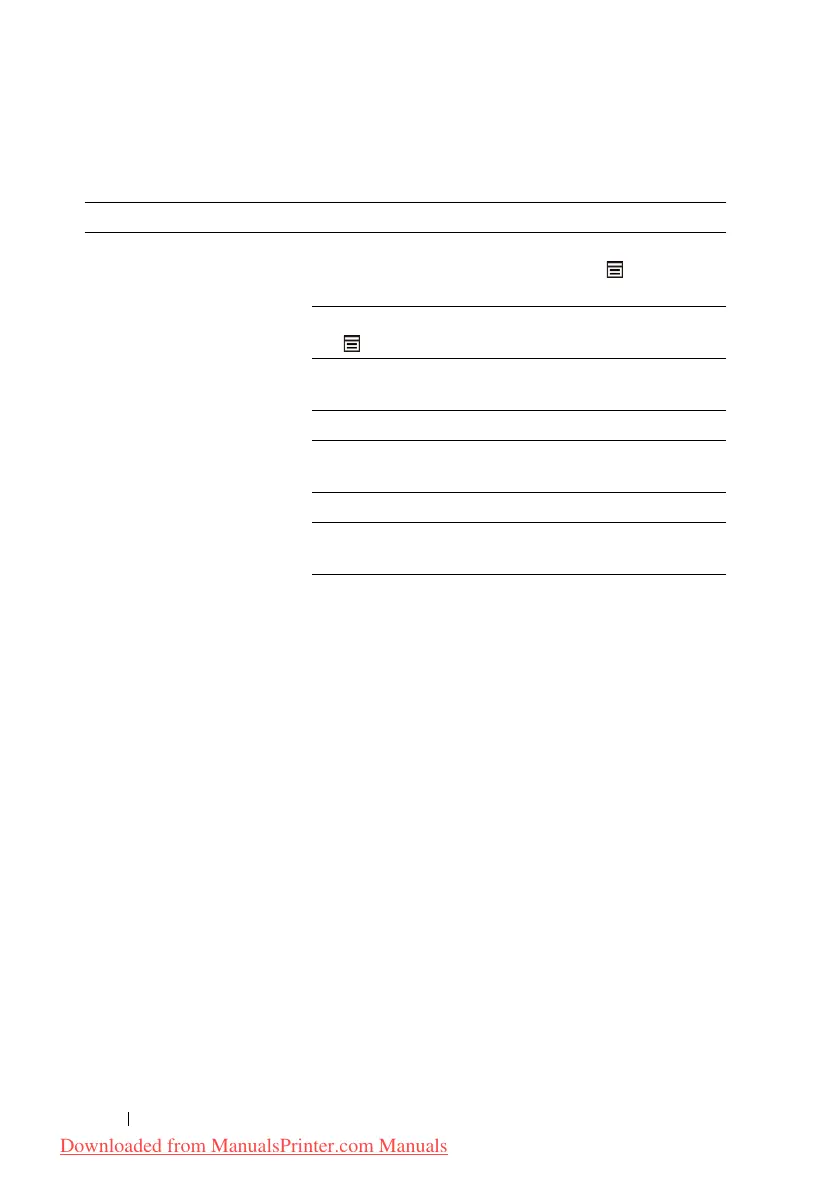
Printing Problems
Problem Action
Job did not print or incorrect
characters printed.
Ensure that the top menu appears on the operator panel
before you send a job to print. Press the (Menu)
button to return to the top menu.
Ensure that the print media is loaded in the printer. Press
the (Menu) button to return to the top menu.
Verify that the printer is using the correct page
description language (PDL).
Verify that you are using the correct printer driver.
Ensure that the correct USB or Ethernet cable is securely
connected to the printer.
Verify that the correct print media size is selected.
If you are using a print spooler, verify that the spooler
has not stalled.
Check the printer's interface from the
Admin Menu.
Determine the host interface you are using. Print a panel
settings page to verify that the current interface settings
are correct.
Downloaded from ManualsPrinter.com Manuals











 To Next Page