Clearing Jams 677
FILE LOCATION: C:\Users\fxstdpc-
admin\Desktop\0630_UG??\Mioga_AIO_UG_FM\Mioga_AIO_UG_FM\section30.fm
DELL CONFIDENTIAL – PRELIMINARY 9/13/10 - FOR PROOF ONLY
4
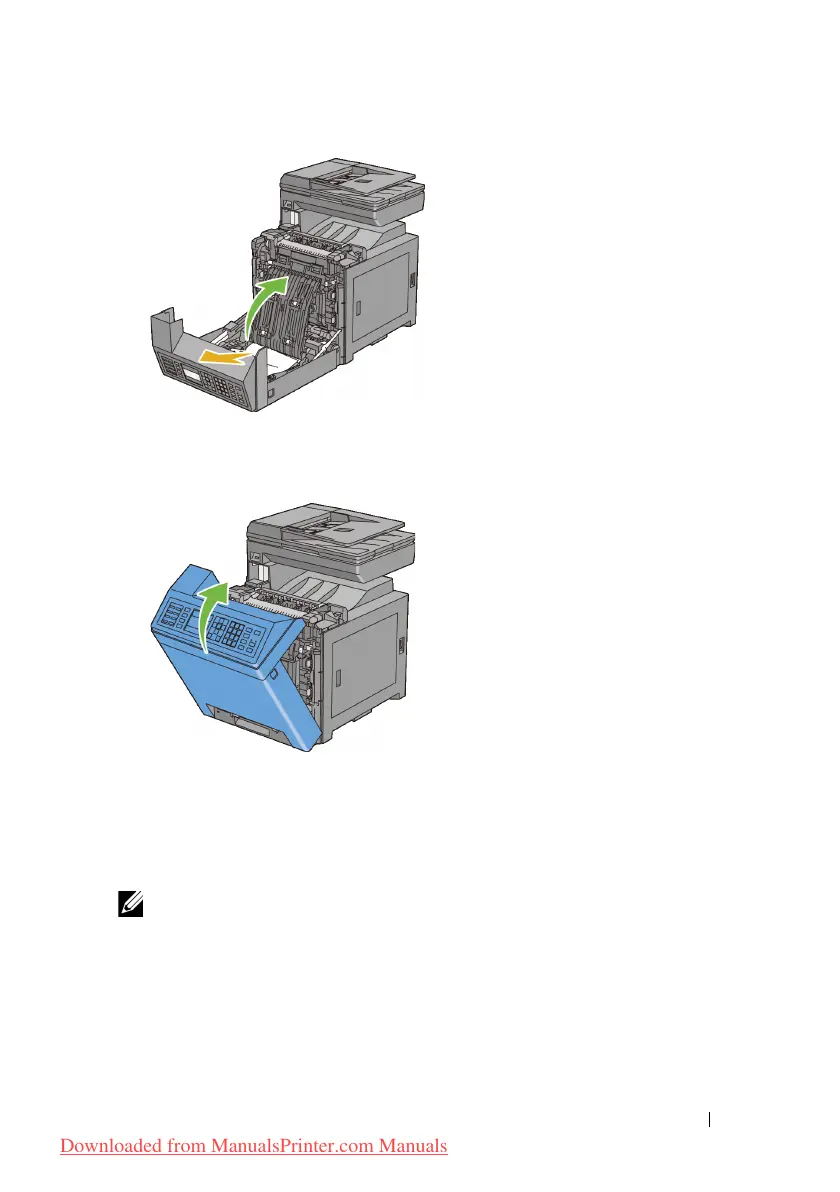
Close the cover of the duplexer.
5
Close the front cover.
Clearing Paper Jams From the Optional 250-Sheet
Feeder
NOTE: To resolve the error displayed on the operator panel, you must clear all
print media from the print media path.
1
Pull the optional 250-sheet feeder out of the printer carefully. Hold the feeder
with both hands, and remove it from the printer.
Downloaded from ManualsPrinter.com Manuals











 To Next Page