50 Preparing Printer Hardware
FILE LOCATION: C:\Users\fxstdpc-
admin\Desktop\0630_UG??\Mioga_AIO_UG_FM\Mioga_AIO_UG_FM\section05.fm
DELL CONFIDENTIAL – PRELIMINARY 9/13/10 - FOR PROOF ONLY
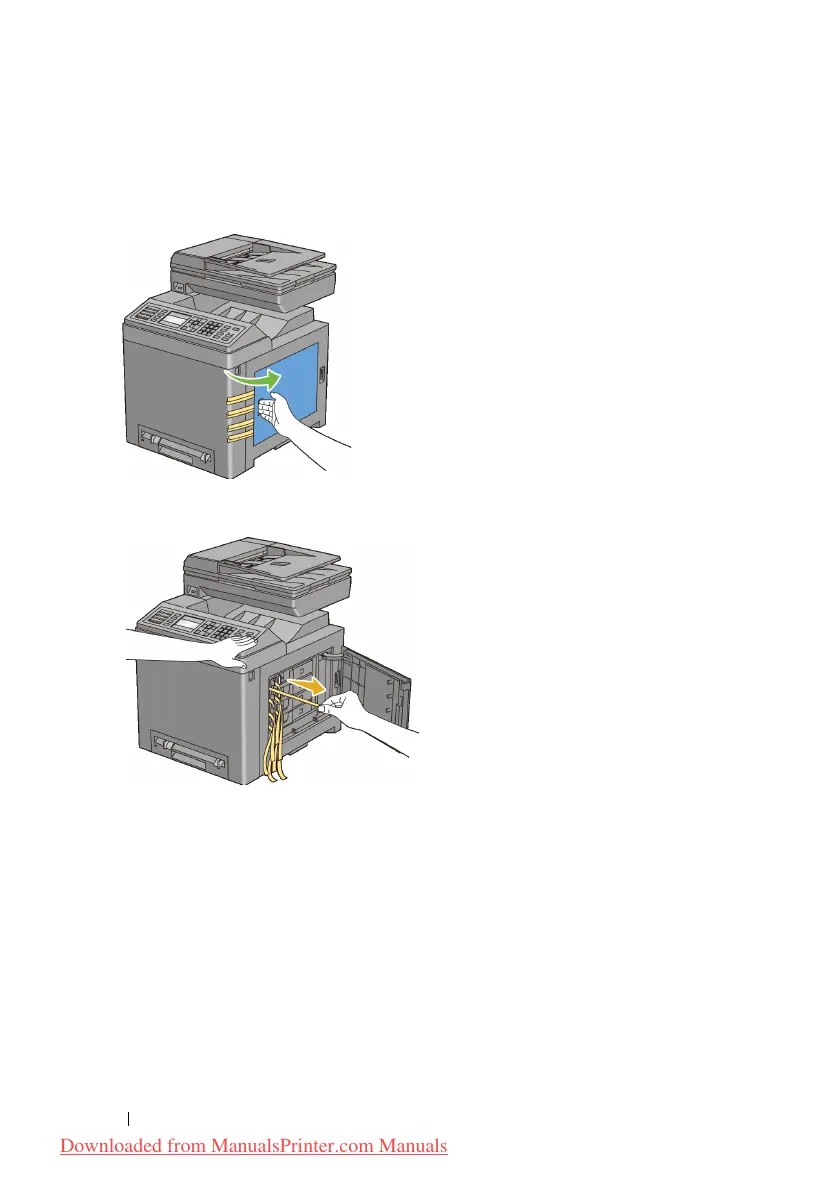
Removing the Print Head Device (PHD) Ribbons
1
Open the toner access cover.
2
Completely pull out the eight yellow ribbons.
Installing the Toner Cartridges
1
Press and slide the blue latches of the four toner cartridges to the locked
position.
Downloaded from ManualsPrinter.com Manuals











 To Next Page