172 Dell Printer Configuration Web Tool
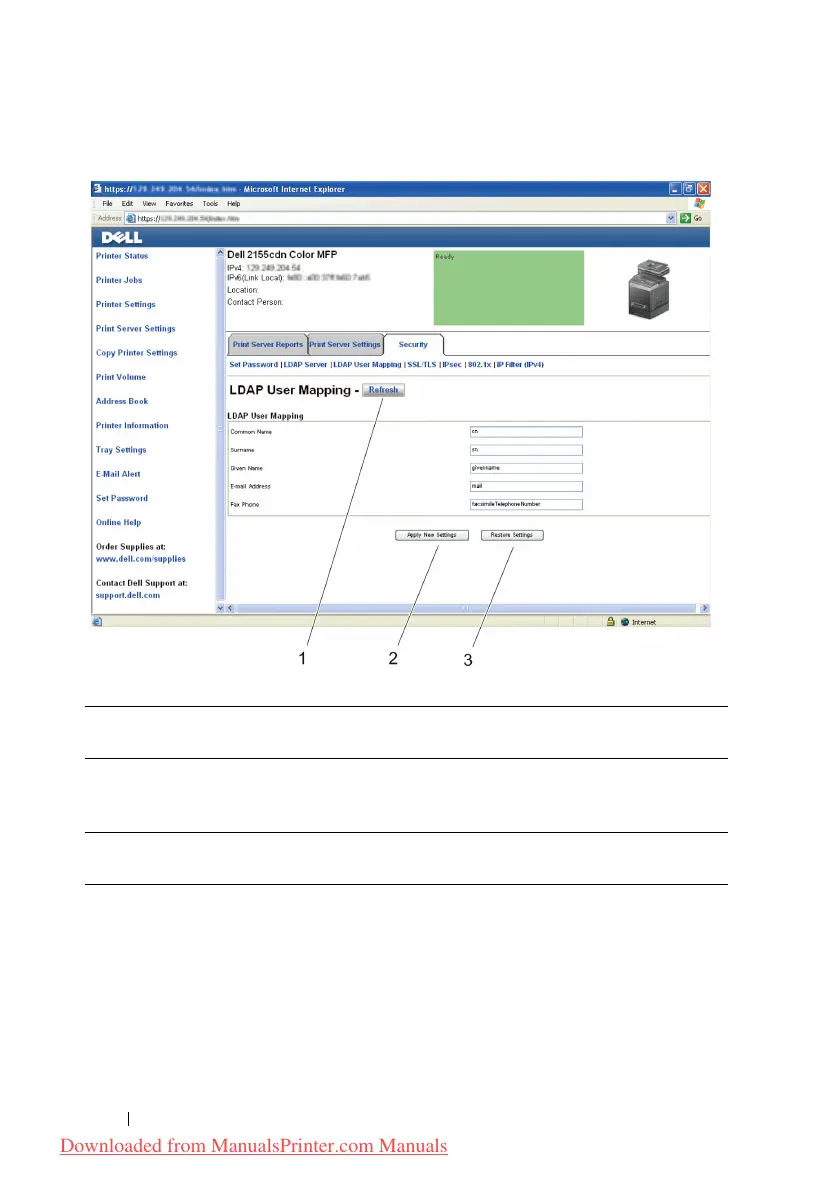
Buttons in the Right Frame
Changing the Settings of the Menu Items
Some menus allow you to change the printer settings through the Dell Printer
Configuration Web Tool. When you access these menus, the authentication
window appears on the screen. Type a user name and password for the printer
administrator by following the prompts displayed in the dialog box.
1Refresh Button Receives the current printer configuration and updates the latest
information in the right frame.
2 Apply New
Settings Button
Submits new settings made on the Dell Printer Configuration
Web Tool to the printer. The new settings replace the old settings
of the printer.
3Restore
Settings Button
Restores the old settings that existed before any changes were
made. New settings will not be submitted to the printer.
Downloaded from ManualsPrinter.com Manuals











 To Next Page