Understanding Your Printer Software 569
FILE LOCATION: C:\Users\fxstdpc-
admin\Desktop\0630_UG??\Mioga_AIO_UG_FM\Mioga_AIO_UG_FM\section23.fm
DELL CONFIDENTIAL – PRELIMINARY 9/13/10 - FOR PROOF ONLY
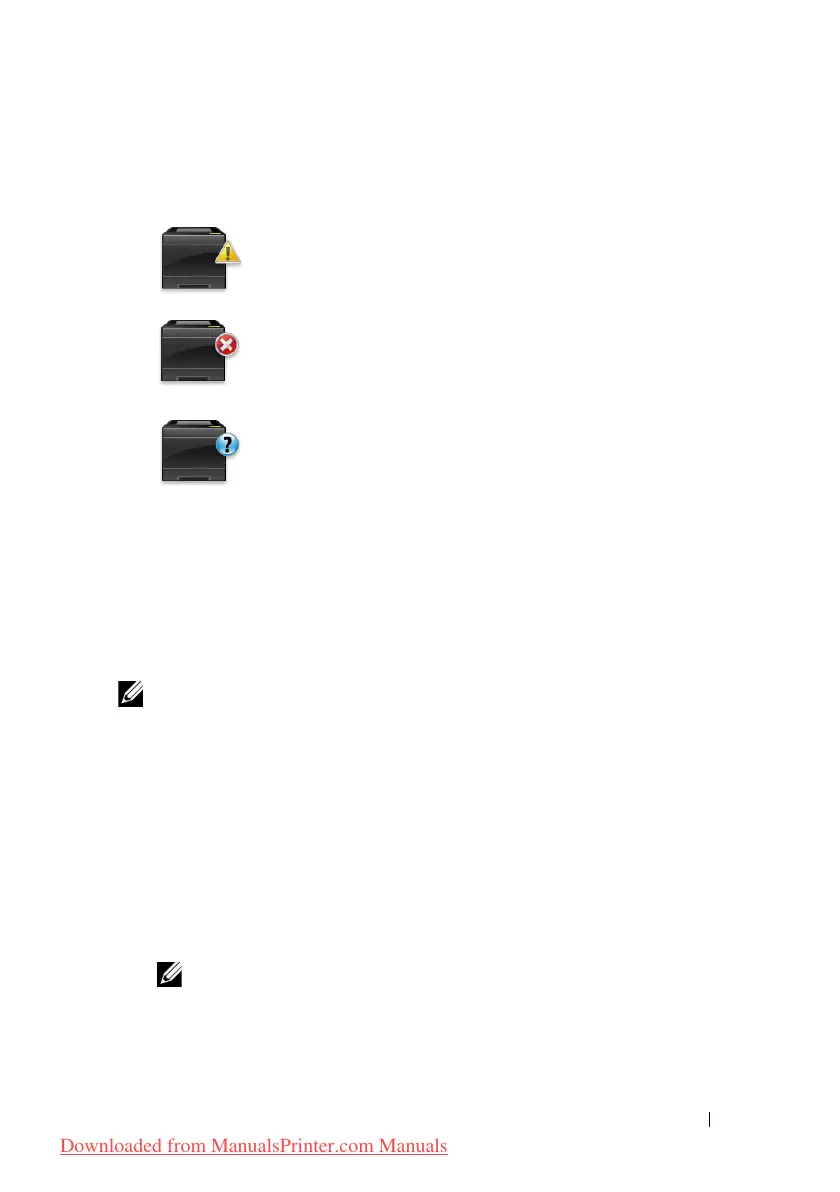
• Printer error image
Displays an indication image when an error occurs.
An error has occurred and the printer requires your attention to
correct a problem.
An error has occurred and the printer cannot be used.
An unknown error has occurred and the printer cannot be used.
Order Supplies button
Click this button to display the Order window.
To hide the Order window, click Order Supplies again.
Info (i)
button
Click this button to open Preferences.
NOTE: The info (i) button appears on the lower-right corner of the window when
the cursor is over the Printer Status window. The info (i) button is a standard used
across all widgets.
Order Window
This window provides you with the information for ordering printer supplies by
telephone or from the web site.
To open the Order window:
1
Click the
Order Supplies
in the
Printer Status
window.
The
Order
window appears.
NOTE: The Order window appears when low toner is detected.
Downloaded from ManualsPrinter.com Manuals











 To Next Page