Scanning 371
FILE LOCATION: C:\Users\fxstdpc-
admin\Desktop\0630_UG??\Mioga_AIO_UG_FM\Mioga_AIO_UG_FM\section19.fm
DELL CONFIDENTIAL – PRELIMINARY 9/13/10 - FOR PROOF ONLY
2
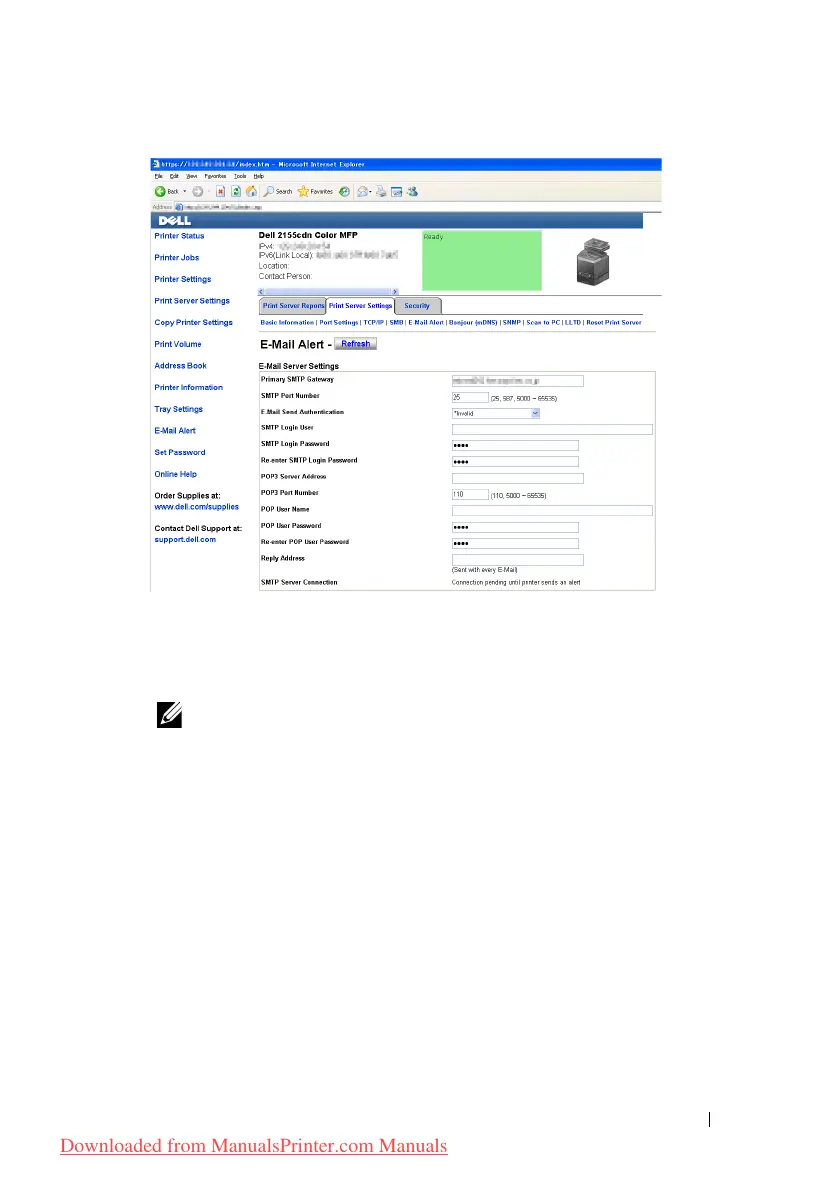
Specify the settings for E-Mail Alert as follows:
Primary SMTP Gateway
: Enter the IP address of the e-mail server.
E-Mail Send Authentication
: Specify Invalid to enable the e-mail server.
NOTE: If an error message including 016-506 or 016-764 is
displayed, contact your server administrator for the settings for E-Mail Send
Authentication.
3
Click the
Apply New Settings
button.
Registering a New User
1
From the
Dell Printer Configuration Web Tool
, click
Address Book
, and
then click the
E-Mail Address
tab.
2
Click the
Create
button.
The
E-Mail Address
page for registering a new user appears.
Downloaded from ManualsPrinter.com Manuals











 To Next Page