574 Understanding Your Printer Software
FILE LOCATION: C:\Users\fxstdpc-
admin\Desktop\0630_UG??\Mioga_AIO_UG_FM\Mioga_AIO_UG_FM\section23.fm
DELL CONFIDENTIAL – PRELIMINARY 9/13/10 - FOR PROOF ONLY
Details button
Click this button to open the Printer Status window. If a non-supported printer
is selected, it opens the Dell Printer Configuration Web Tool. For details on
the Dell Printer Configuration Web Tool, see "Dell Printer Configuration Web
Tool."
Refresh button
Click this button to update the information of printers.
Close button
Click this button to close the
Printer Selection
window
.
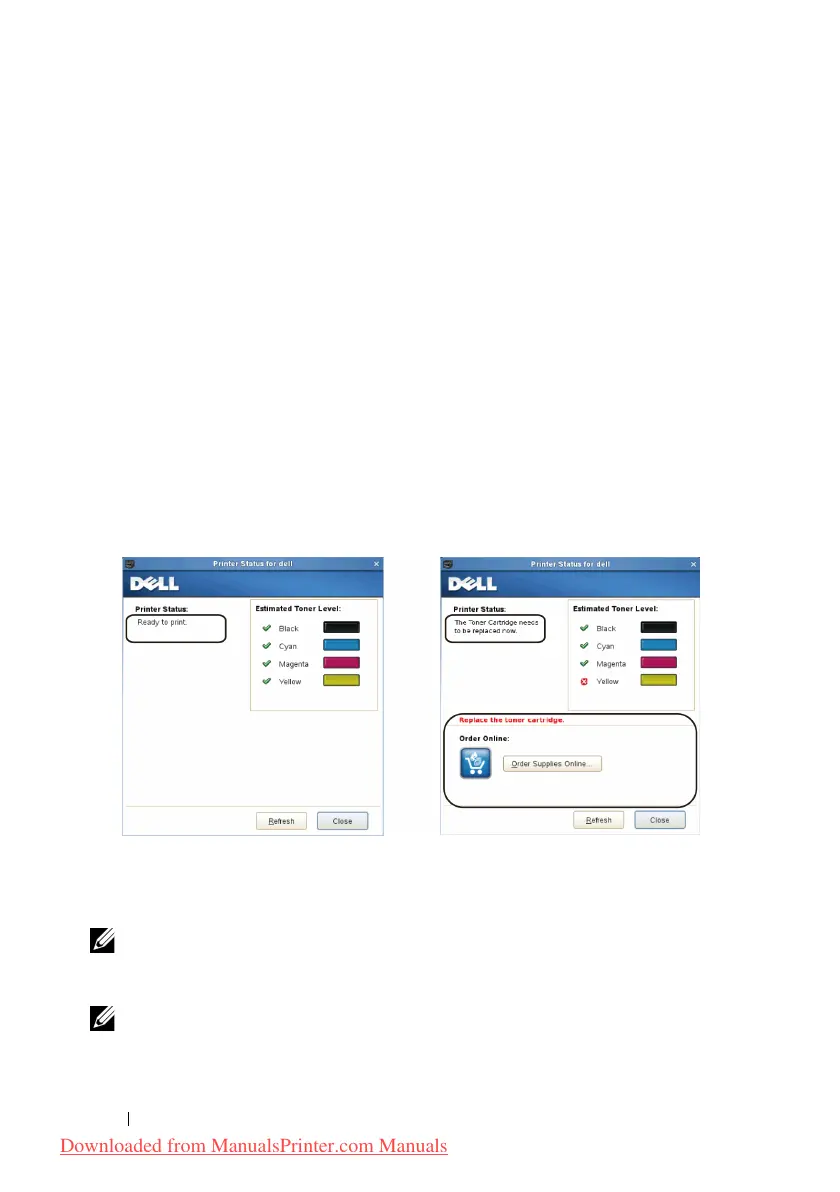
Printer Status Window
When the printer is specified in the
Printer Selection
window,
the Printer
Status window appears.
Printer Status Message Area
Displays a message of the current printer status.
NOTE: The Status Monitor Console automatically obtains the printer
information at the updated interval that can be specified in the Settings window.
Also, the printer status is refreshed when the Refresh is clicked.
NOTE: If the Status Monitor Console receives no response from the printer, the
message Cannot get printer information is displayed.
Downloaded from ManualsPrinter.com Manuals











 To Next Page