Scanning 339
FILE LOCATION: C:\Users\fxstdpc-
admin\Desktop\0630_UG??\Mioga_AIO_UG_FM\Mioga_AIO_UG_FM\section19.fm
DELL CONFIDENTIAL – PRELIMINARY 9/13/10 - FOR PROOF ONLY
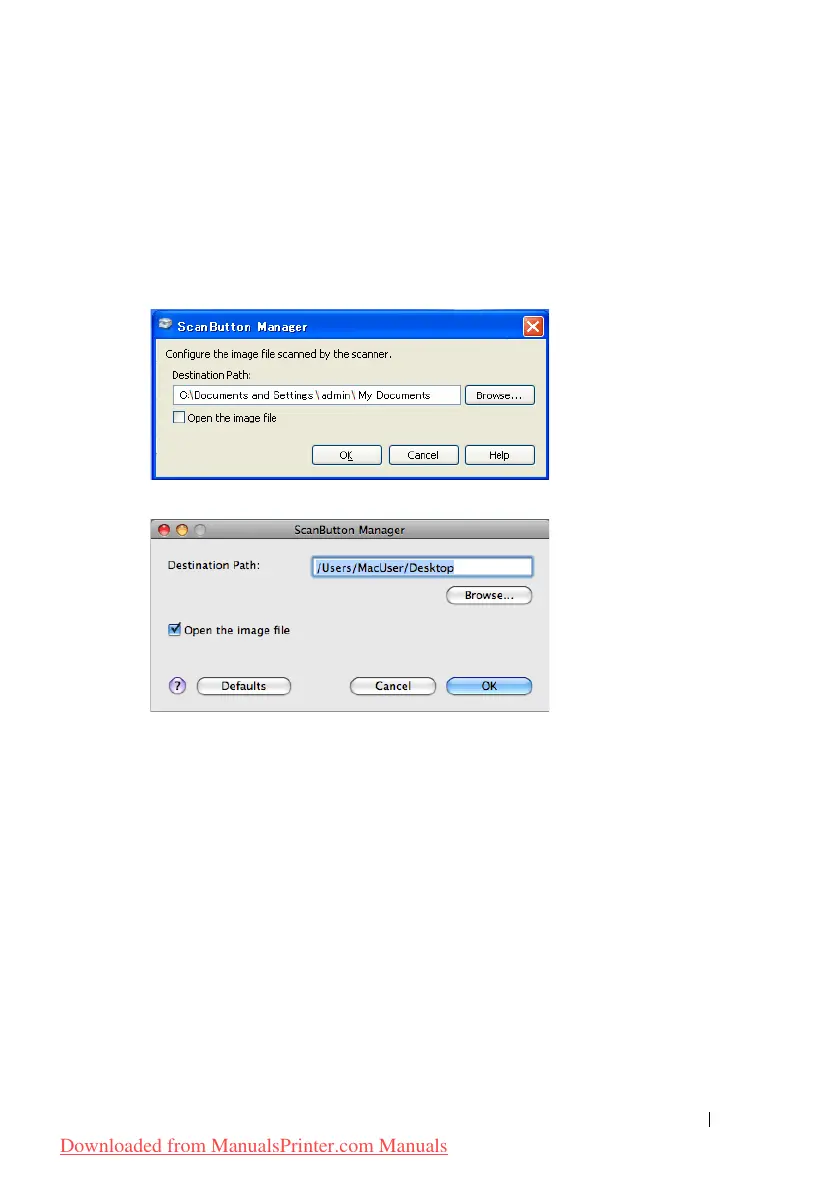
ScanButton Manager
The Scan to Application stores the image files in the My Documents
folder by default, and then you can open them using the related application. Use
ScanButton Manager to change the output destination of the obtained image
files and to select whether to open the image files using the related application.
For Microsoft Windows:
For Apple Macintosh:
Scanning Using the TWAIN Driver
Your printer supports the TWAIN driver for scanning images that supports
Microsoft
®
Windows
®
XP, Windows Server
®
2003, Windows Vista
®
, Windows
Server 2008, Windows Server 2008 R2, Windows 7, Apple Mac OS X 10.3.9,
Mac OS X 10.4.11, Mac OS X 10.5, Mac OS X 10.6 works with various
scanners.
1
Load the document(s) facing up with top edge in first into the ADF.
OR
Place a single document facing down on the document glass, and close the
document cover.
For details about loading a document, see "Loading an Original Document."
Downloaded from ManualsPrinter.com Manuals











 To Next Page