Installing Optional Accessories 67
2
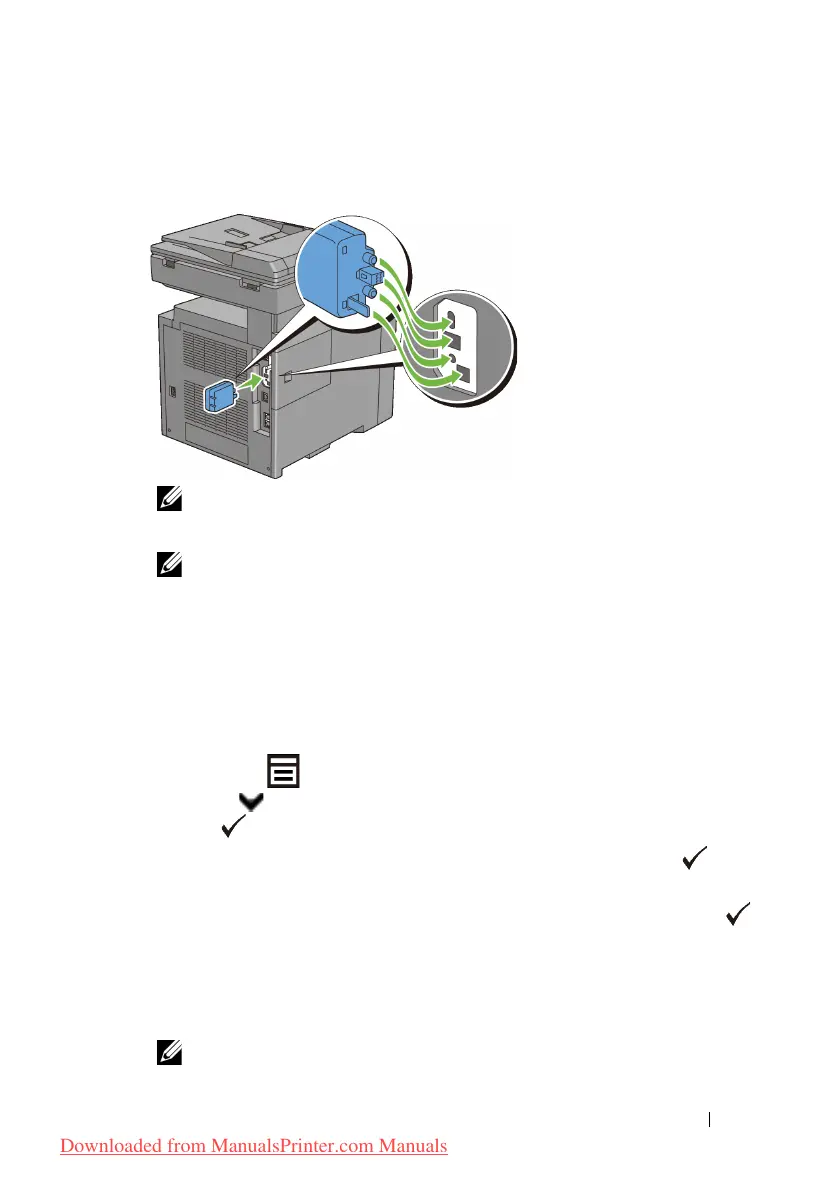
Align the connector and the three protrusions of the wireless adapter with the
four holes and insert the adapter.
NOTE: Ensure that the adapter is fully inserted and secured.
3
Turn on the printer.
NOTE: If a message displays telling you to make initial setup on the
operator panel, always do as instructed.
4
Print the system settings report to confirm that the wireless adapter is
installed correctly.
Printing System Settings Report
When Using the Operator panel
a
Press the
(Menu)
button.
b
Press button until
System Setup
is highlighted, and then press
the
(Set)
button.
c
Ensure that
Report/List is highlighted
, and then press the
(Set)
button.
d
Ensure that
System Settings
is
highlighted
, and then press the
(Set)
button.
The system settings report is printed.
When Using the Tool Box
NOTE:
Downloaded from ManualsPrinter.com Manuals











 To Next Page