Scanning 361
FILE LOCATION: C:\Users\fxstdpc-
admin\Desktop\0630_UG??\Mioga_AIO_UG_FM\Mioga_AIO_UG_FM\section19.fm
DELL CONFIDENTIAL – PRELIMINARY 9/13/10 - FOR PROOF ONLY
4
Write down the IP Address xxx.xxx.xxx.xxx.
Using Dell Printer Configuration Web Tool
1
Open a web browser.
2
Type in the IP address of the printer in the address bar, and press the
Enter
key.
The web page of the printer appears.
NOTE: For details on how to check the IP address of the printer, see
"Verifying the IP Address Setting of the Printer."
3
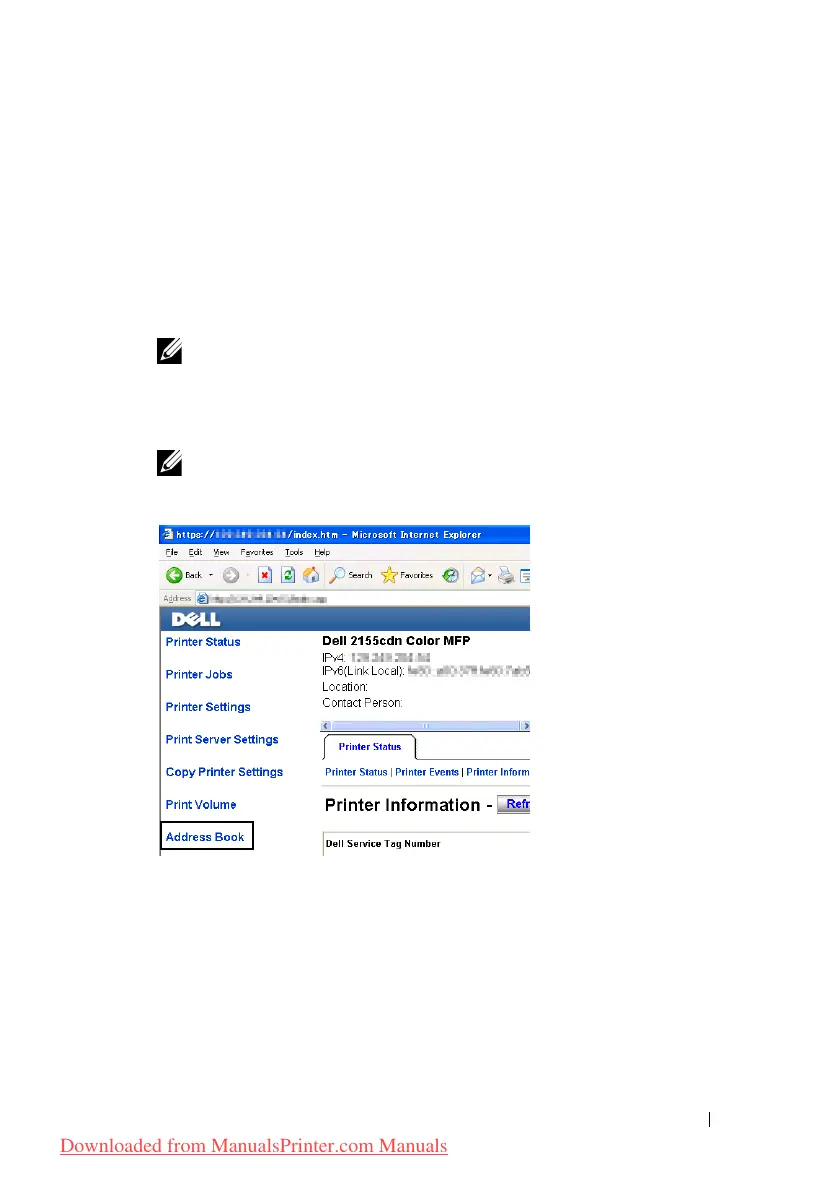
Click
Address Book
. If a security login dialog box appears, type in the
correct
User Name
and
Password
.
NOTE: The default user name is "admin", and the default password is left
blank (NULL).
4
Click the
Server Address
tab, and then click a
Create
button.
Downloaded from ManualsPrinter.com Manuals











 To Next Page