630 Maintaining Your Printer
2
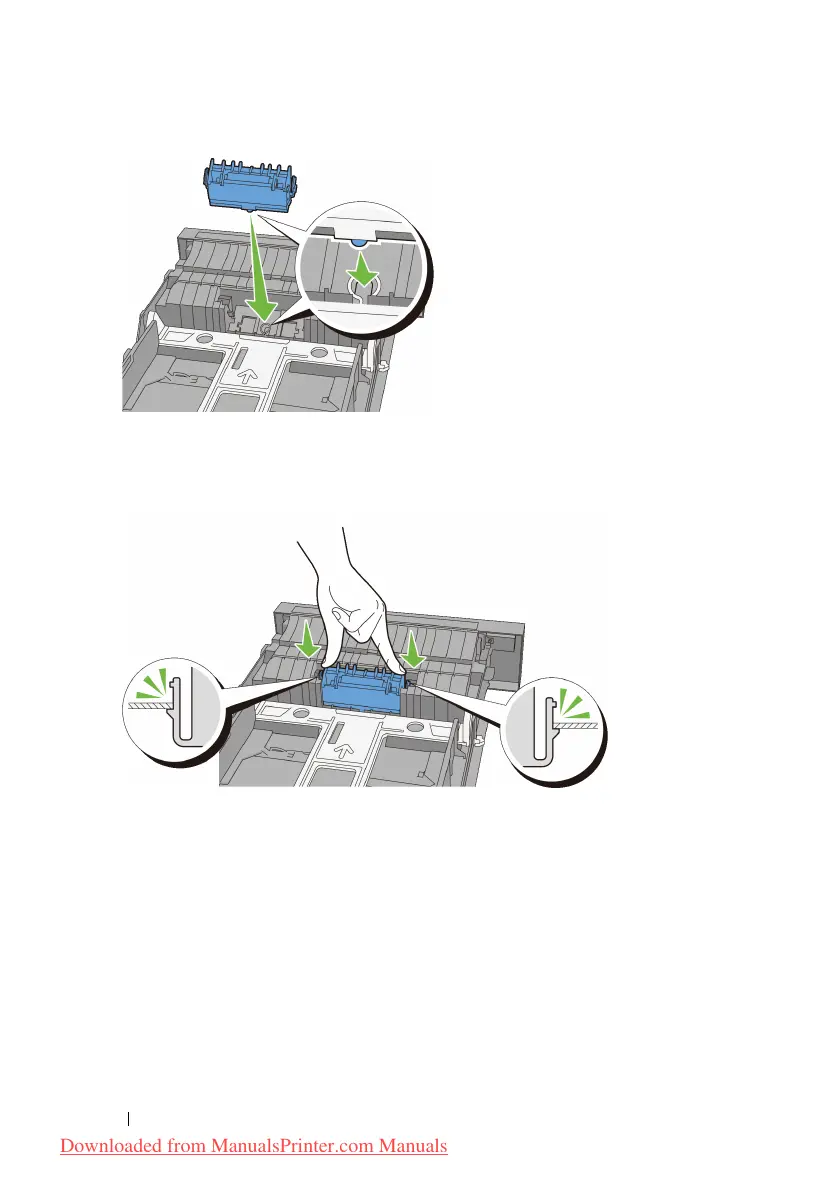
Insert the retard roller into the axle until it snaps. The protrusions fit
completely into the slots and the roller hook reseats into the groove on the
axle.
3
Load paper in the standard 250-sheet tray, and then insert the tray into the
printer and push until it stops.
Downloaded from ManualsPrinter.com Manuals











 To Next Page