Maintaining Your Printer 635
8
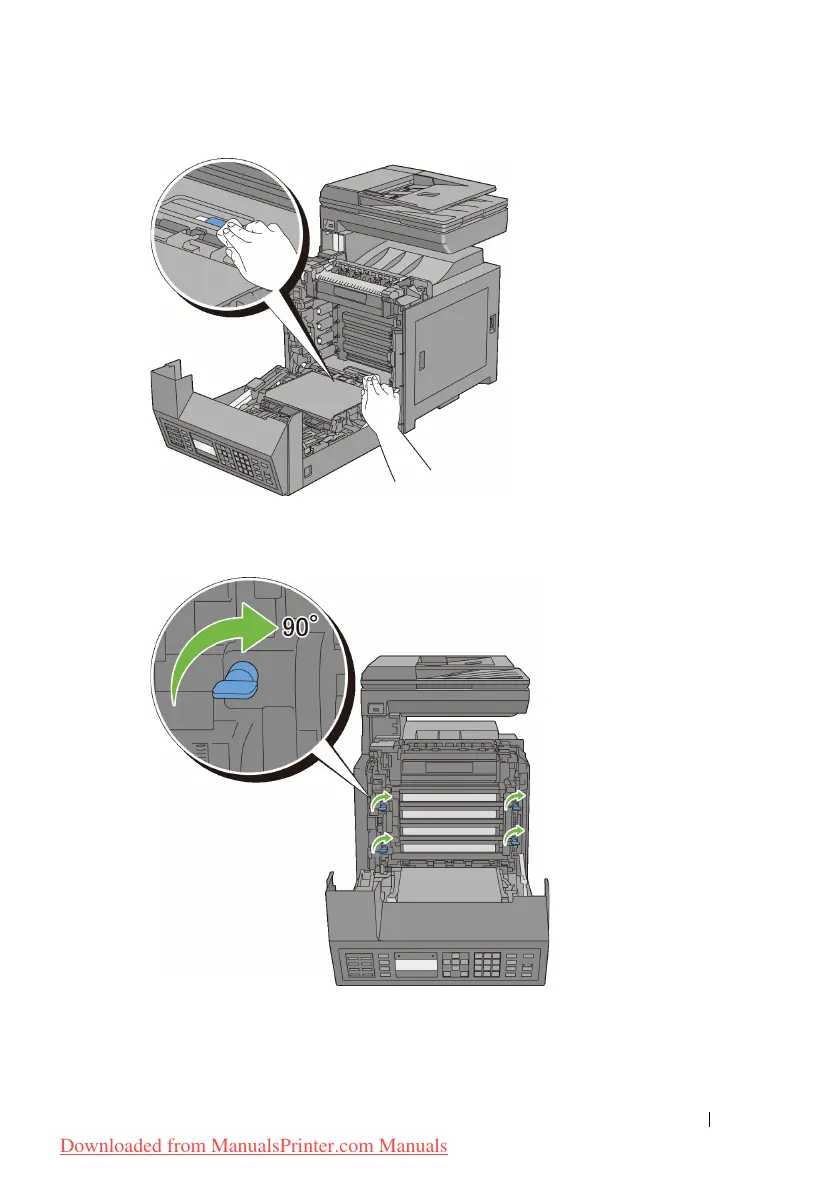
Insert the PHD unit until it stops, and then turn the four PHD lock levers 90-
degrees clockwise to lock the PHD unit.
9
Close the belt unit, and push at the top of the unit until it clicks.
Downloaded from ManualsPrinter.com Manuals











 To Next Page