650 Removing Options
FILE LOCATION: C:\Users\fxstdpc-
admin\Desktop\0630_UG??\Mioga_AIO_UG_FM\Mioga_AIO_UG_FM\section29.fm
DELL CONFIDENTIAL – PRELIMINARY 9/13/10 - FOR PROOF ONLY
4
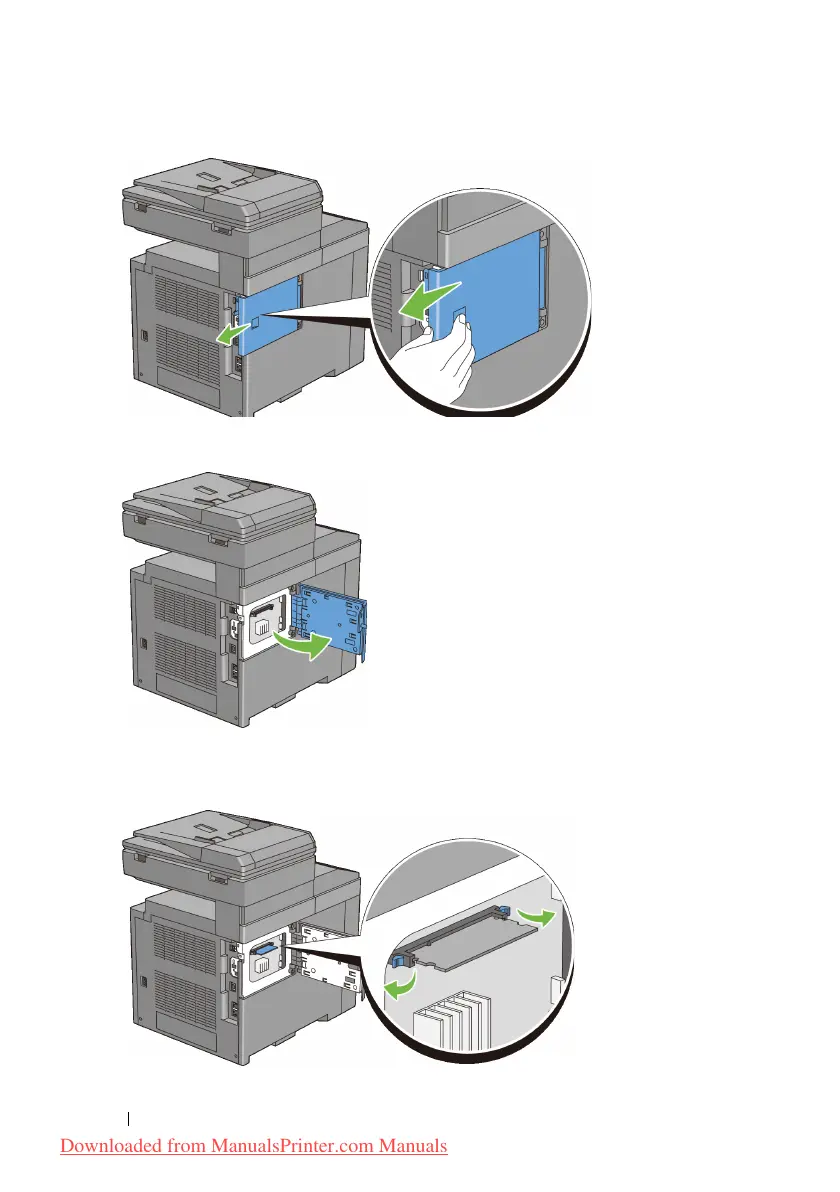
Open the control board cover completely.
5
Push the clips on both sides of the slot outward to raise the memory module
up.
Downloaded from ManualsPrinter.com Manuals











 To Next Page