Installing Optional Accessories 85
d
Ensure the check box for
Use Windows to configure my wireless
network settings
is checked.
NOTE: Be sure to write down the current wireless computer settings in step
d and step f so that you can restore them later.
e
Click the
Advanced
button.
f
Select
Computer to Computer (ad hoc) networks only
and close the
Advanced
dialog box.
g
Click the
Add
button to display
Wireless network
properties
.
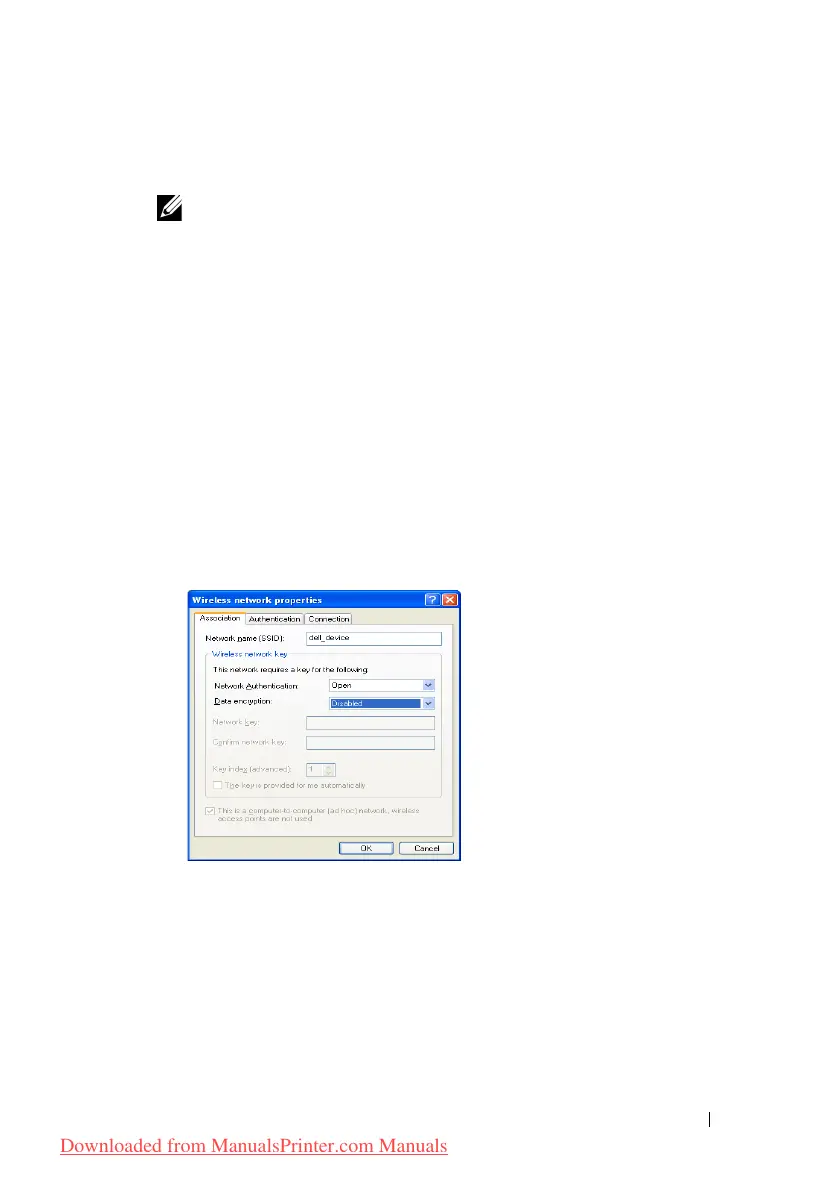
h
Under the
Association
tab, enter the following information and click
OK
.
Network name (SSID): dell_device
Network Authentication: Open
Data encryption: Disabled
Ad hoc network: checked
i
Click the
Move up
button to move the newly added SSID to the top of
the list.
j
Click
OK
to close the
Property
dialog box.
For Windows Vista:
a
Open Control Panel.
b
Select
Network and Internet
.
Downloaded from ManualsPrinter.com Manuals











 To Next Page