FrameMaker Ver.5.5E(PC) DIS/REASSEMBLY, ADJUSTMENT FOR Di152/Di183
01.09.03
D-19
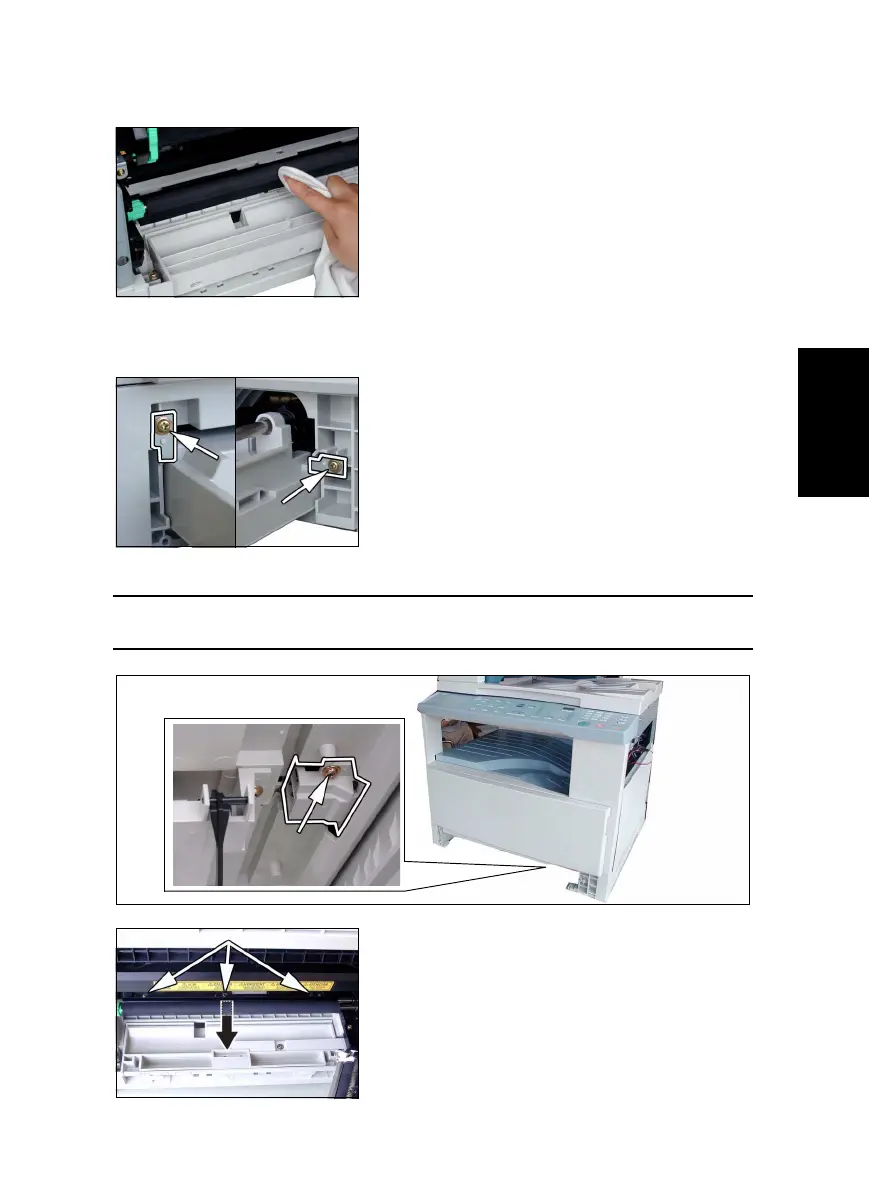
(4) Cleaning of the Right and Left Synchronizing Rollers
1. Remove the Imaging Unit.
(5) Removal of the Paper Dust Remover Assy
1. Remove the Imaging Unit.
4. Remove one screw and the Synchronizing Roller Sensor Assy.
NOTE
• Do not unplug the sensor harness connector.
2. Using a soft cloth dampened with alcohol, wipe
the Right and Left Synchronizing Rollers clean of
dirt.
2. Remove two screws and the stopper.
3. Remove the 1st Tray.
5. Remove three screws and the Paper Dust
Remover Assy.



 To Next Page