FrameMaker Ver.5.5E(PC) DIS/REASSEMBLY, ADJUSTMENT FOR Di152/Di183
01.09.03
D-46
3-11. JOB TRAY (JS-202): OPTION
(1) Removal of the Main Board
1. Remove the control panel, Front Cover, Rear Cover, Right Cover, and Right Inside
Cover.
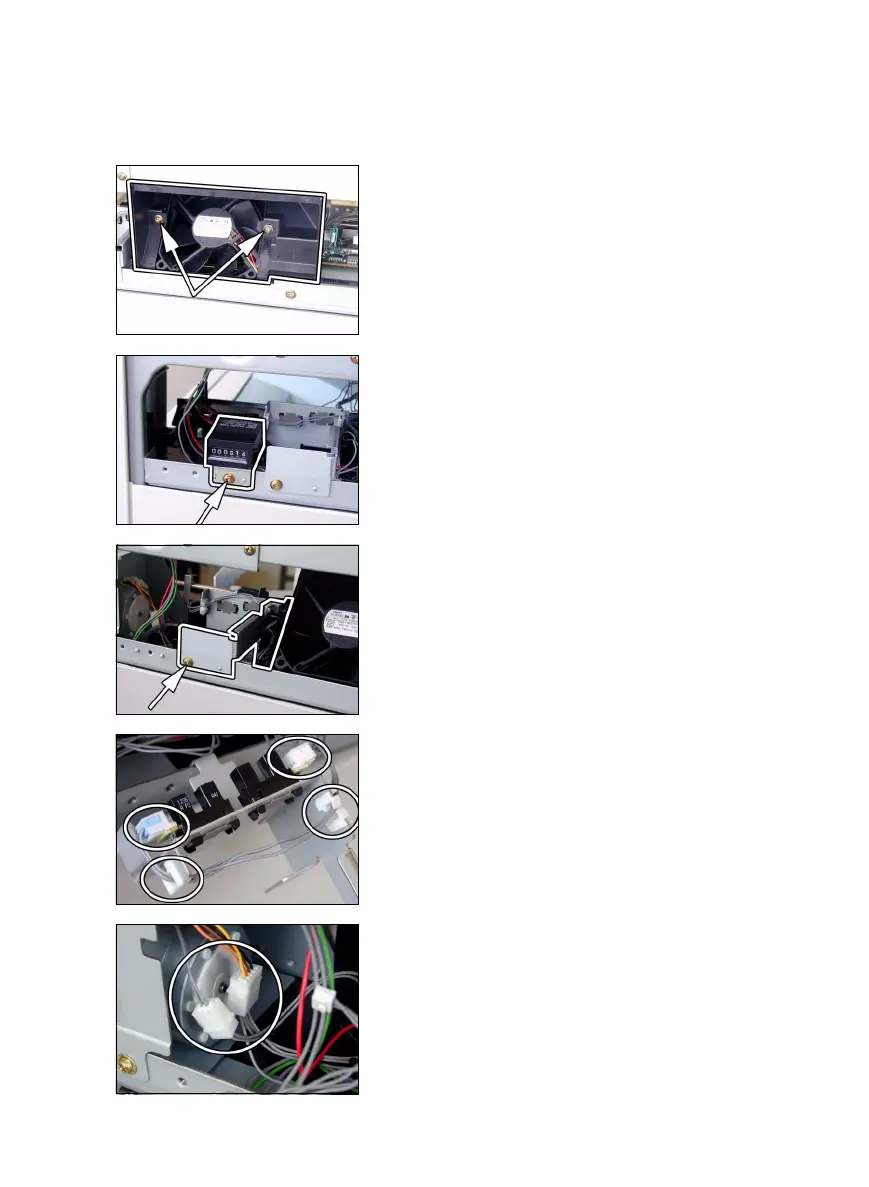
2. Remove two screws and the fan cover.
3. Remove one screw and the Mechanical Counter
(if the copier is so equipped).
4. Remove one Sensor Assy mounting screw.
5. Unplug two connectors.
6. Remove the harness from two edge covers and
remove the Sensor Assy.
7. Unplug two connectors.



 To Next Page