FrameMaker Ver.5.5E(PC) DIS/REASSEMBLY, ADJUSTMENT FOR Di152/Di183
01.09.03
D-63
(11) Multiple Bypass Registration Adjustment (MB-5): Option
Requirement
NOTES
• This adjustment is made when the Multiple Bypass has been removed.
• This adjustment is made when the PH Unit has been replaced and after “Printer Regis-
tration Adjustments (CD and FD)” and “Scanner Zoom Adjustment (CD).”
• This adjustment is made when the CCD Unit has been replaced and after “CCD Unit
Position Adjustment.”
• Load the 1st Tray with A4C paper.
<Adjustment Procedure>
1. Enter the Adjust mode.
2. With “AJ-” shown on the Display, enter the code number “12” from the 10-Key Pad.
3. Press the Paper key to select the 1st Tray.
4. Press the Start key.
✽ Then, a test print will be produced.
5. Place the test print produced on the Original Glass and make a copy using the Multiple
Bypass Tray.
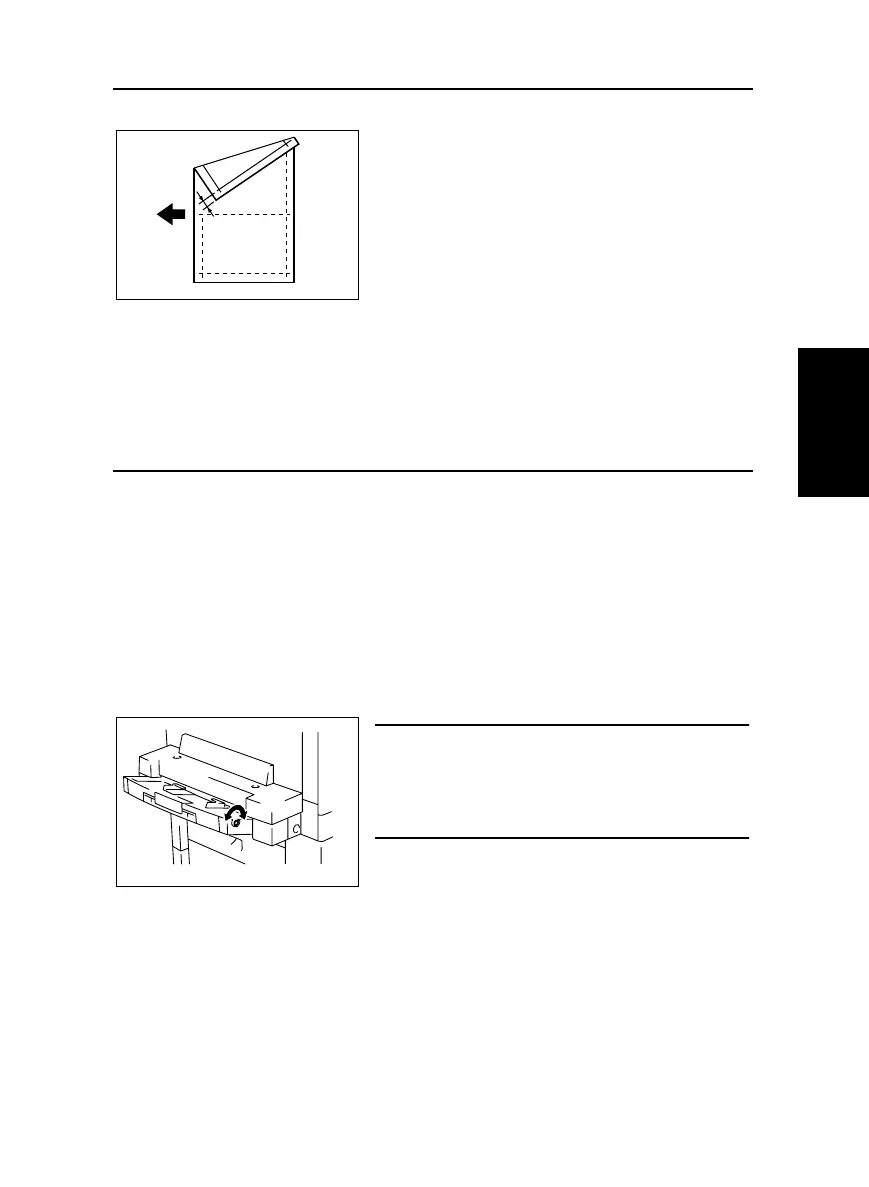
6. Align the test print (original) with the copy and check for deviation.
If the deviation between width A on the test print and that on the copy falls outside the
specified range, adjust the position of the Guide Plate Unit.
• Adjust so that the deviation between width A on the
test print and that on the copy falls within the spec-
ified range.
✽ Specifications: 0 ± 2.0 mm
Adjustment Instructions
If with A of the copy is longer than that on the test
print, turn the adjusting screw counterclockwise.
If with A of the copy is shorter than that on the test
print, turn the adjusting screw clockwise.



 To Next Page