FrameMaker Ver.5.5E(PC) DIS/REASSEMBLY, ADJUSTMENT FOR Di152/Di183
01.09.03
D-37
3-9. FUSING SECTION
(1) Removal of the Fusing Unit
1. Remove the control panel.
NOTE
• In this step, free the control panel without removing one flat cable and two ground wires
and unplugging one connector.
2. Remove the Front Cover, Rear Cover, and Rear Right Cover.
(2) Disassembly of the Fusing Unit
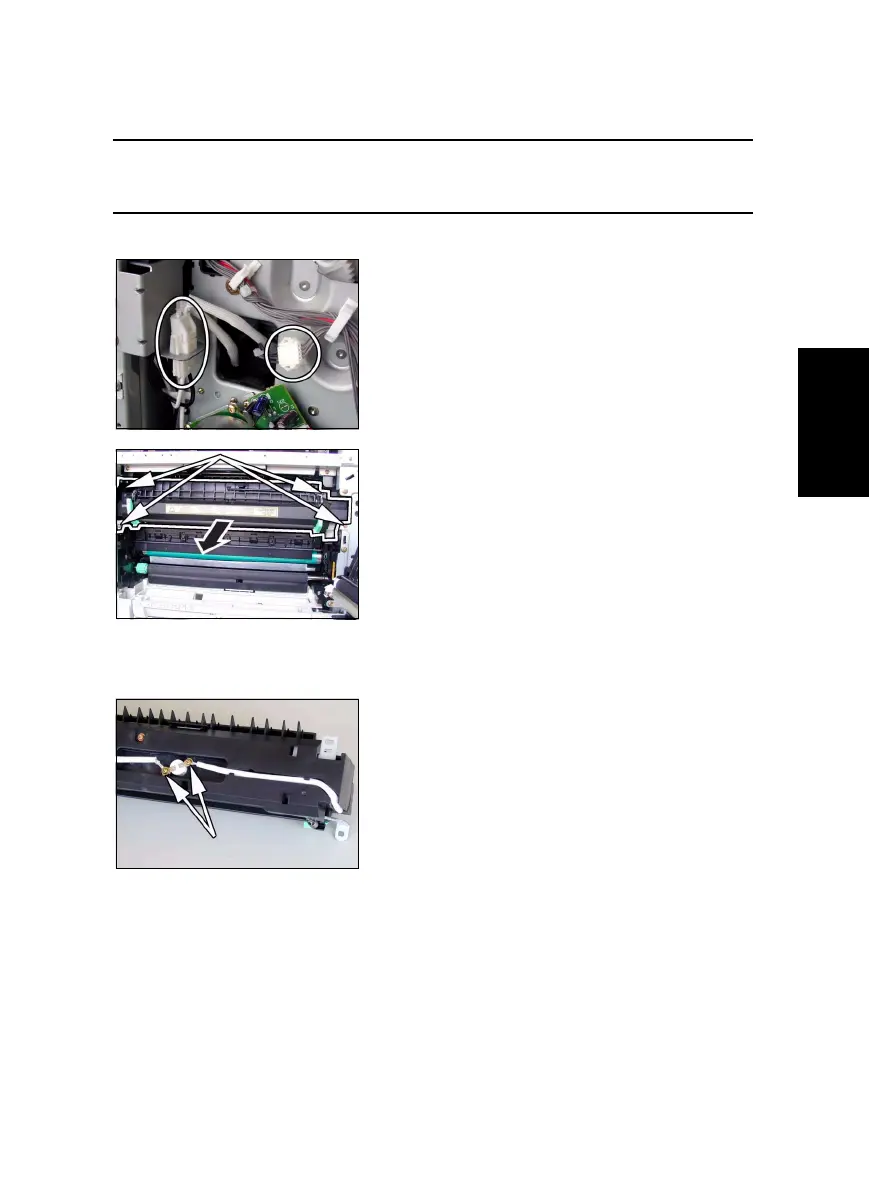
<Removal of the Thermoswitch>
3. Unplug two connectors of the Fusing Unit.
4. Open the Right Door.
5. Remove four screws and the Fusing Unit.
1. Remove two screws and the thermoswitch.



 To Next Page