FrameMaker Ver.5.5E(PC) Di152/Di183 TROUBLESHOOTING
01.09.04
T-34
(10) C0F32: Faulty ATDC Sensor
C0F33: Improperly adjusted ATDC Sensor
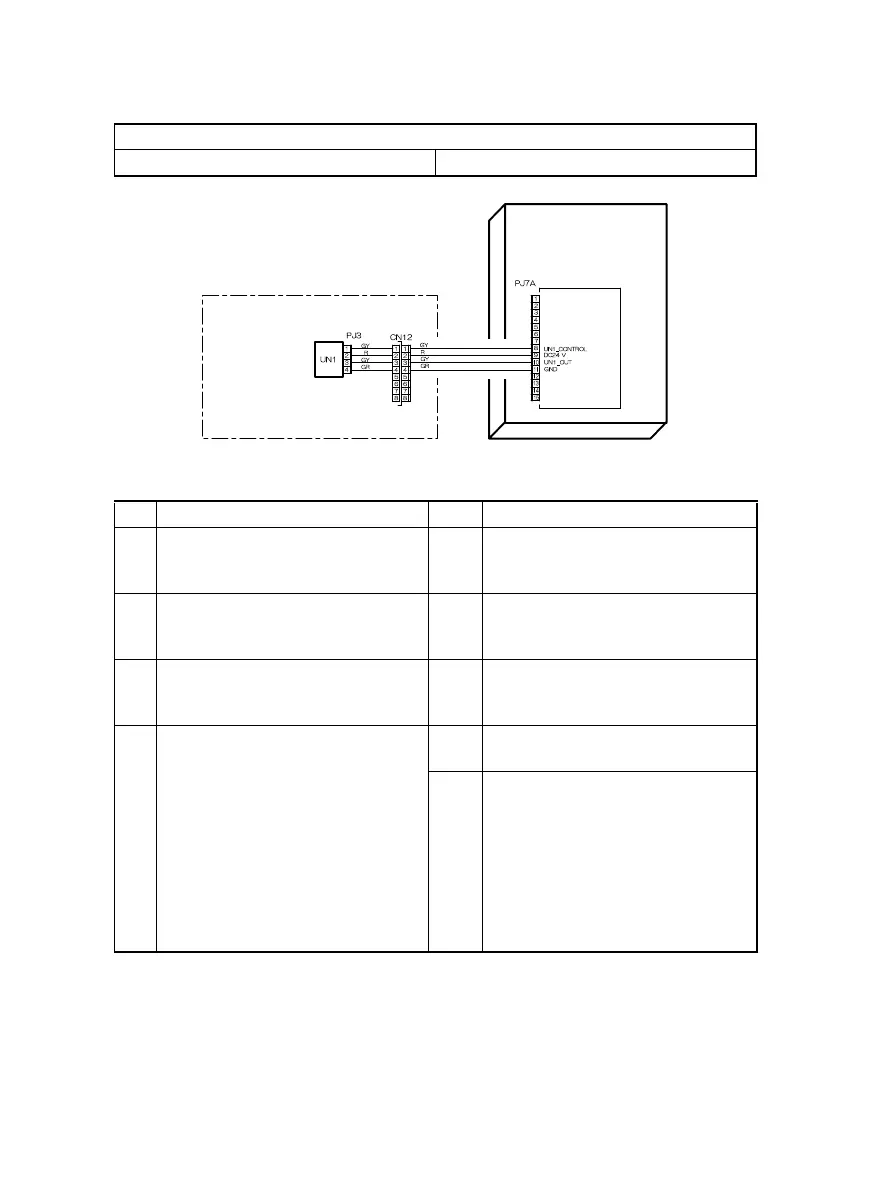
Relevant Electrical Parts
ATDC Sensor (UN1) Master Board (copier: PWB-A)
Step Check Result Action
1 Developer is not even in the Devel-
oper Mixing Chamber.
YES • Gently swing the IU in the horizon-
tal direction to even out developer
in the Developer Mixing Chamber.
2 ATDC Sensor (UN1) is dirty with for-
eign matter (such as paper dust)
other than developer.
YES • Clean ATDC Sensor (UN1).
3 Foreign matter (such as paper dust)
is trapped in the Developer Mixing
Chamber.
YES • Remove foreign matter from the
Developer Mixing Chamber.
4 The following voltages are supplied
from the Master Board (copier: PWB-
A).
<Check Procedure>
Check voltage across a Master Board
pin and GND when the Power Switch
is turned ON.
• DC5.39 V to 8.15 V across PJ7A-8
and GND
• DC1.41 V to 4.98 V across PJ7A-
10 and GND
YES • Change ATDC Sensor (UN1) and
developer.
NO • Change Master Board (copier:
PWB-A).
PWB-A
Master Board
DEVELOPING SECTION
ATDC Sensor
4022T533AA



 To Next Page