FrameMaker Ver.5.5E(PC) DIS/REASSEMBLY, ADJUSTMENT FOR Di152/Di183
01.09.03
D-25
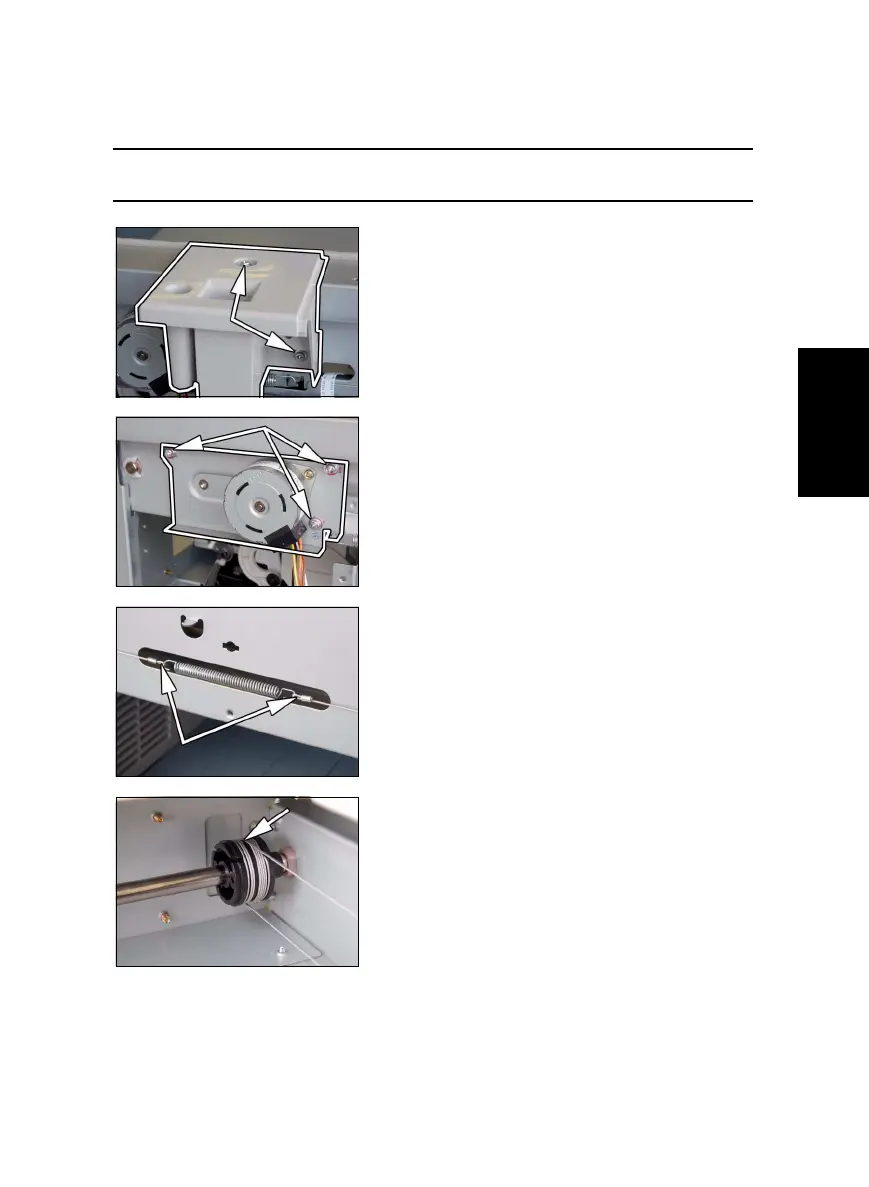
(8) Removal of the Scanner Drive Cables
1. Remove the control panel, Front Cover, Rear Cover, Left Cover, Right Cover, Original
Glass, and ADF Glass.
2. Remove the Scanner.
NOTE
• Remove the two red painted screws to remove the Scanner in this step.
3. Remove two screws and the Exposure Lamp.
4. Loosen three screws to free the Scanner Motor
Assy.
5. Unhook the spring from the cable hooks at the
front and rear.
6. Remove the front cable from the cable pulley.



 To Next Page