FrameMaker Ver.5.5E(PC) DIS/REASSEMBLY, ADJUSTMENT FOR Di152/Di183
01.09.03
D-48
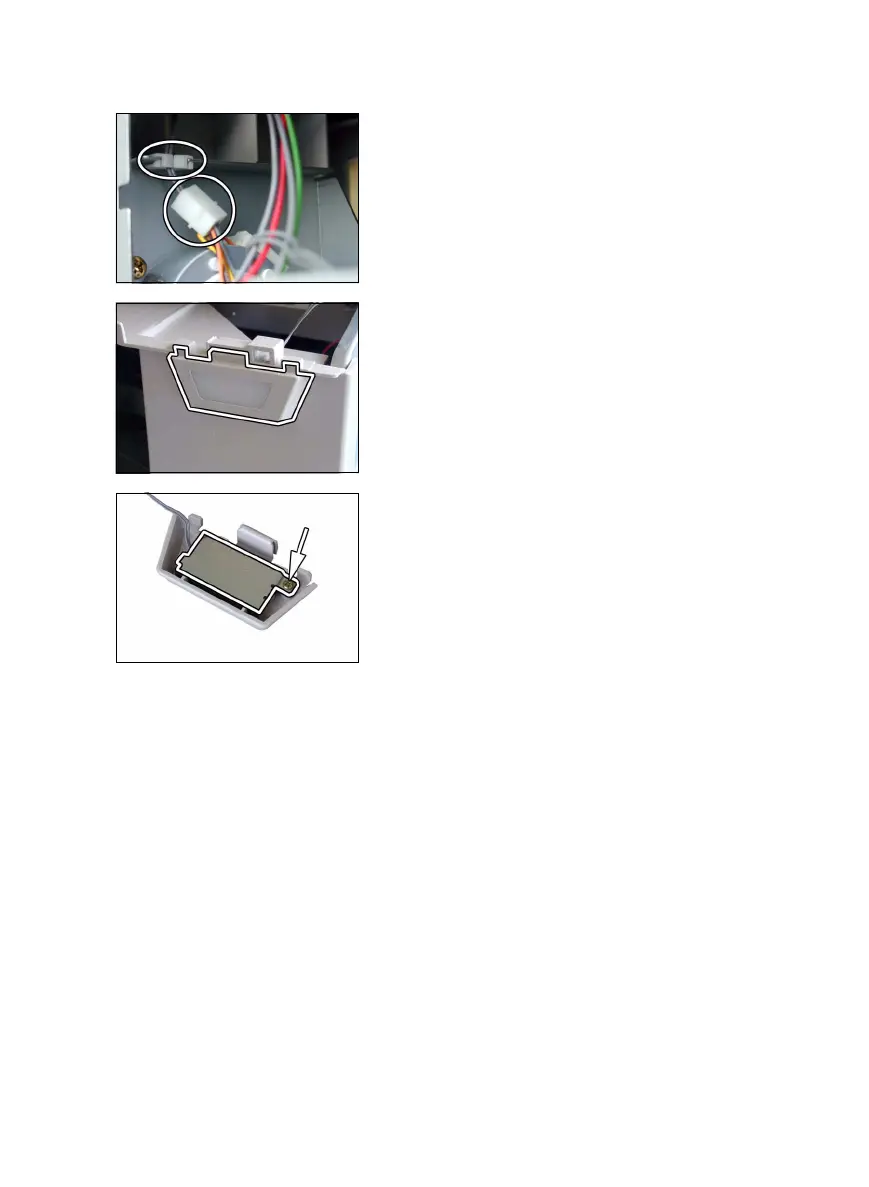
(2) Paper Detecting Board
1. Remove the control panel, Rear Cover, and Right Cover.
2. Unplug one harness connector and remove the
harness from one edge cover.
3. Press the tabs to remove the Paper Detecting
Board Assy from the Front Cover.
4. Remove one screw and the Paper Detecting
Board.



 To Next Page