FrameMaker Ver.5.5E(PC) DIS/REASSEMBLY, ADJUSTMENT FOR Di152/Di183
01.09.03
D-31
<Removal of the PC Drum>
<Removal of the Ozone Filter>
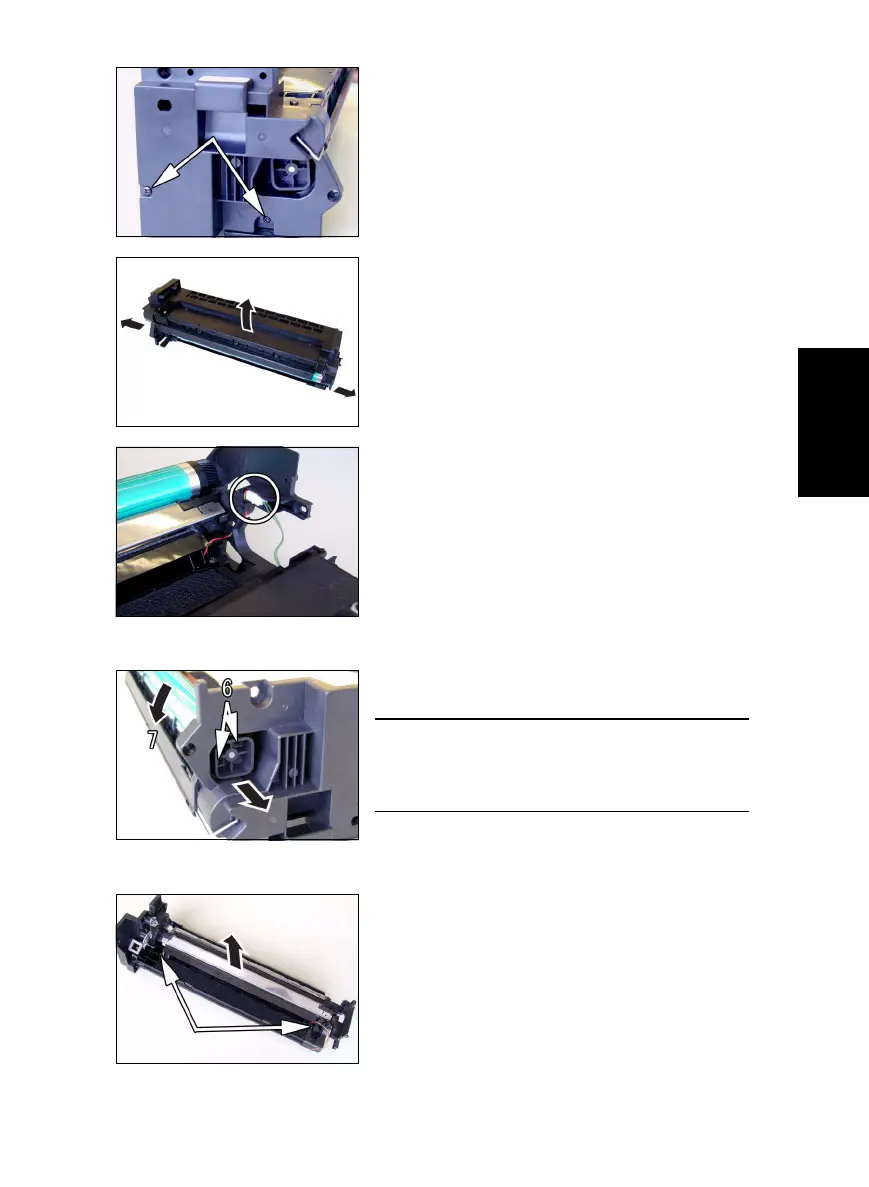
3. Remove two screws at the front of the IU.
4. Widen flaps on both ends (marked with A in the
illustration on the left) of the Cleaning Assy in the
direction of arrow and turn to take off the Clean-
ing Assy.
5. Unplug one connector of the Main Erase.
6. Remove two screws and the pivot shaft.
7. Remove the PC Drum.
NOTE
• When the PC Drum has been replaced, apply a
coat of toner to the surface of the PC Drum.
☞ D-34
8. Remove two screws and the Main Erase.



 To Next Page