FrameMaker Ver.5.5E(PC) DIS/REASSEMBLY, ADJUSTMENT FOR Di152/Di183
01.09.03
D-33
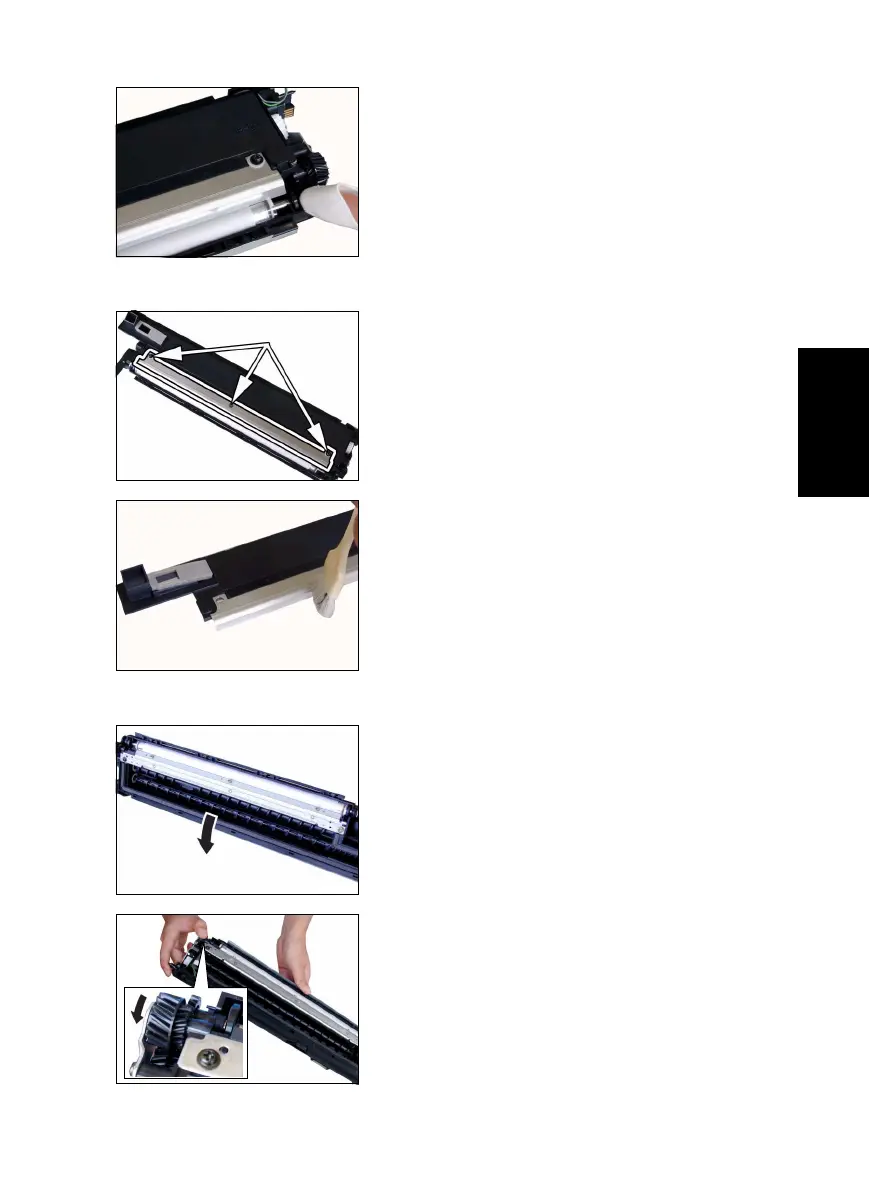
<Cleaning of the Ds Collars>
<Cleaning of the Developer Scattering Prevention Plate>
<Replacement of the Developer>
14. Using a soft cloth dampened with alcohol, wipe
the Ds Collars clean of dirt.
15. Remove three screws and the Developer Scatter-
ing Prevention Plate.
16. Using a brush, whisk dust and dirt off the surface
of the Developer Scattering Prevention Plate.
17. Dump the developer.
<<How to Dump Developer>>
• Dump developer on the Sleeve Roller by turning
the gear in the direction of the arrow with the
Developing Unit tilted as shown.
• Note at this time that turning the gear backward
could damage the mylar for cleaning the ATDC
Sensor.
• Dump developer until almost no developer sticks to
the Sleeve Roller.



 To Next Page