PSS5000/TEMA/803046/05 55 of 152
PSS 5000 – Technical Manual
5 Installation (Menu 2)
Note: Depending on the Java version installed, you may be required to
log in again
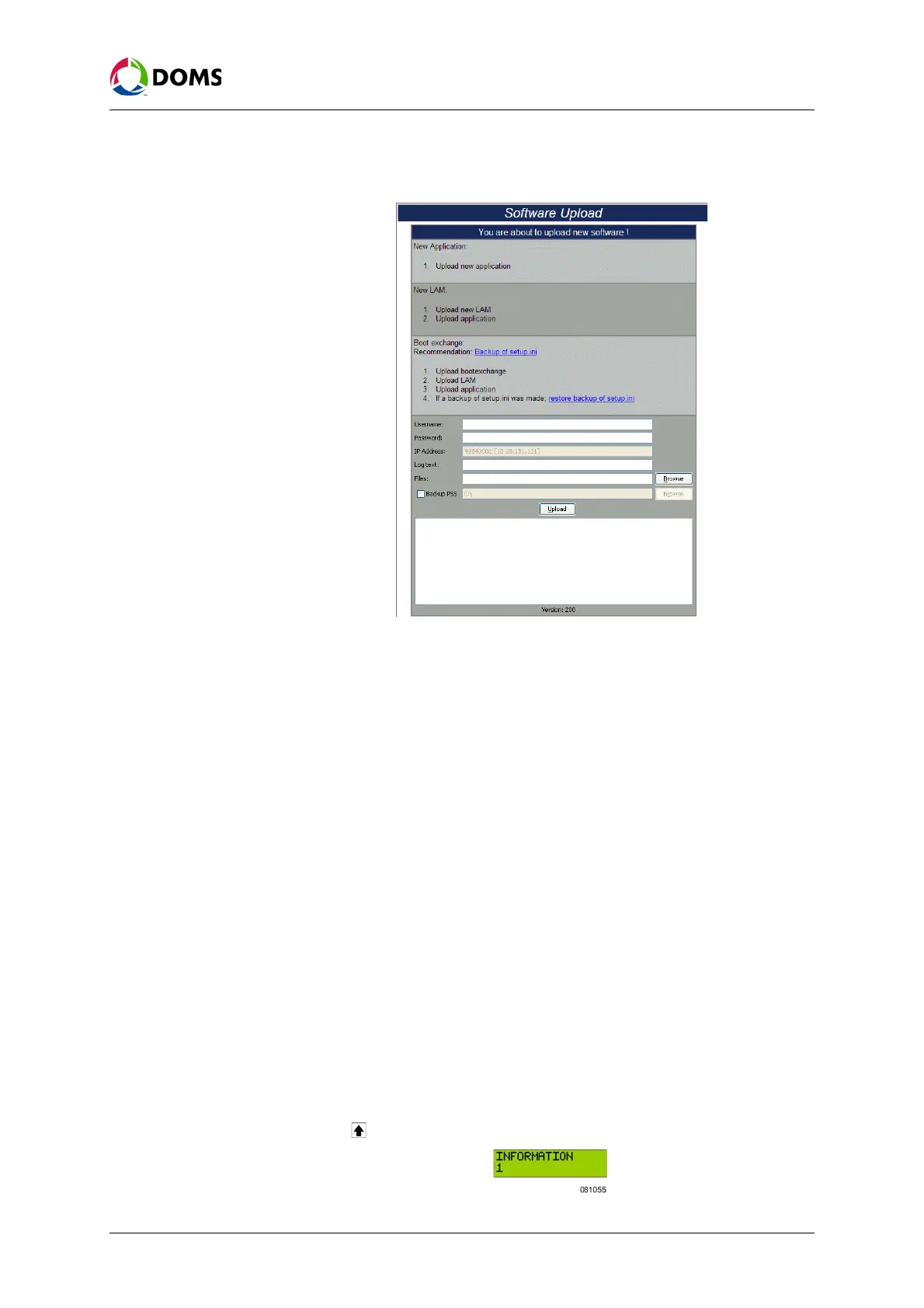
5. Type in the correct information for the following fields:
•
User name – PSS 5000 user name
•
Password – password for PSS 5000 user name
•
Log text – additional text to help identify the upload
•
Files – location and file name of software you want to upload
•
Backup PSS – (optional) specify a location for the backup of the cur-
rent LAM and Application files
6. Click Upload.
Caution: Do not close the web page until after the upload is finished. If the
Java applet is closed, then it may be necessary to upload using
FTP.
A status of the software upload appears in the information field. When the
upload is finished, this is shown in the status information.
7. To verify that the software was uploaded correctly, use the Program Ver-
sions
menu.
To allow software
uploads with local
service panel
This procedure describes how to allow software to be uploaded to the PSS
5000 using the local service panel.
Note: Before you start this procedure, read ‘Important information about
BOOT and LAM software’ on page 53.
1. Press to move to the INFORMATION 1 menu.



 To Next Page