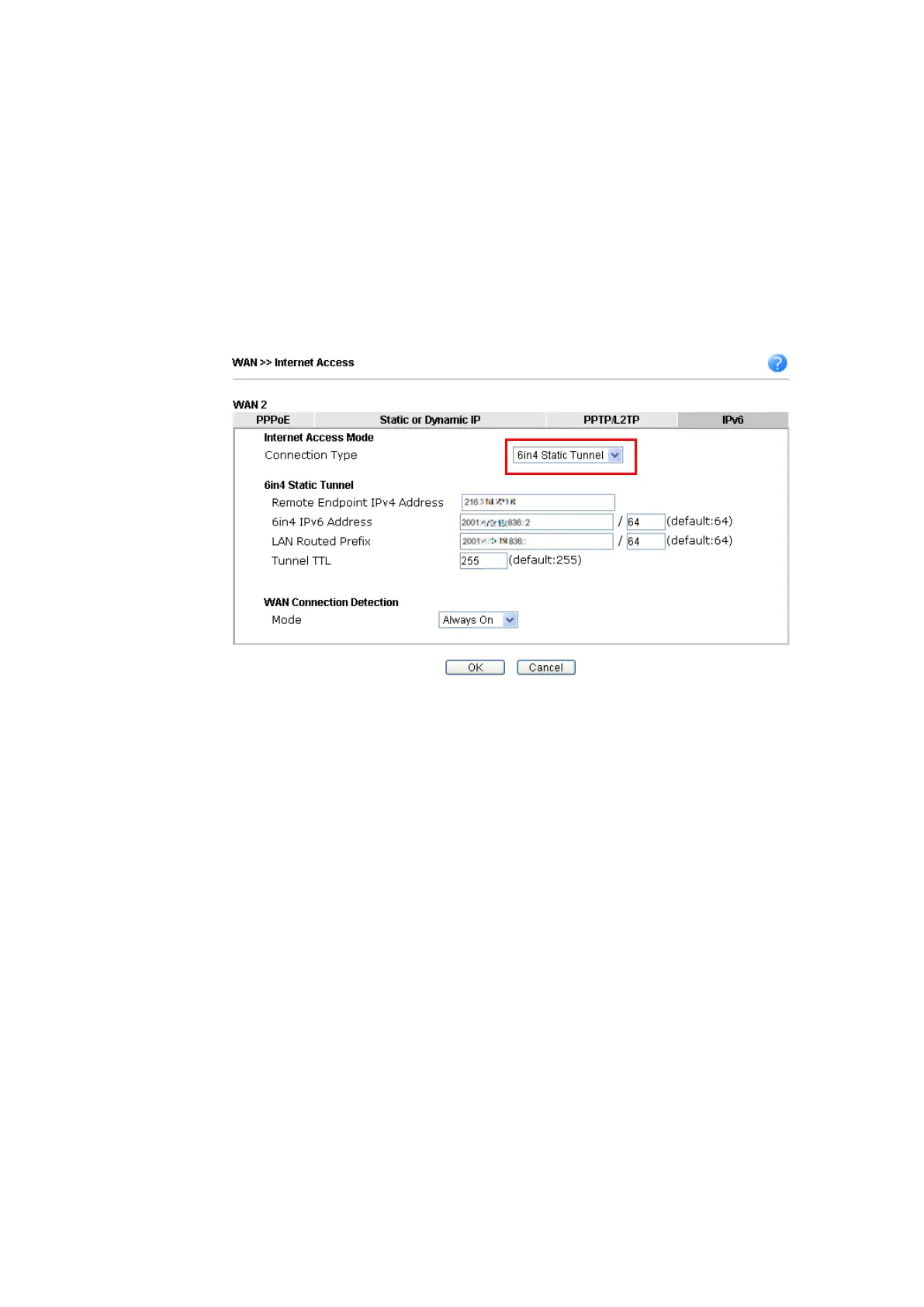
6in4 Static Tunnel
6in4 Static Tunnel
In this mode, the IPv6 connectivity is provided by a tunnel broker on the IPv4 Internet
through a tunnel configured manually. To use 6in4 Static Tunnel, you need sign up for a
tunnel broker service and get an IPv6 address and routed IPv6 prefixes first. Then, configure
the router as follows:
1. Set Connection Type to 6in4 Static Tunnel.
2. Enter the tunnel server's IPv4 address in Remote Endpoint IPv4 Address.
3. Enter the router's IPv6 address in 6in4 IPv6 Address.
4. Enter the routed IPv6 prefix in LAN Routed Prefix.
Vigor2762 Series User’s Guide







 To Next Page