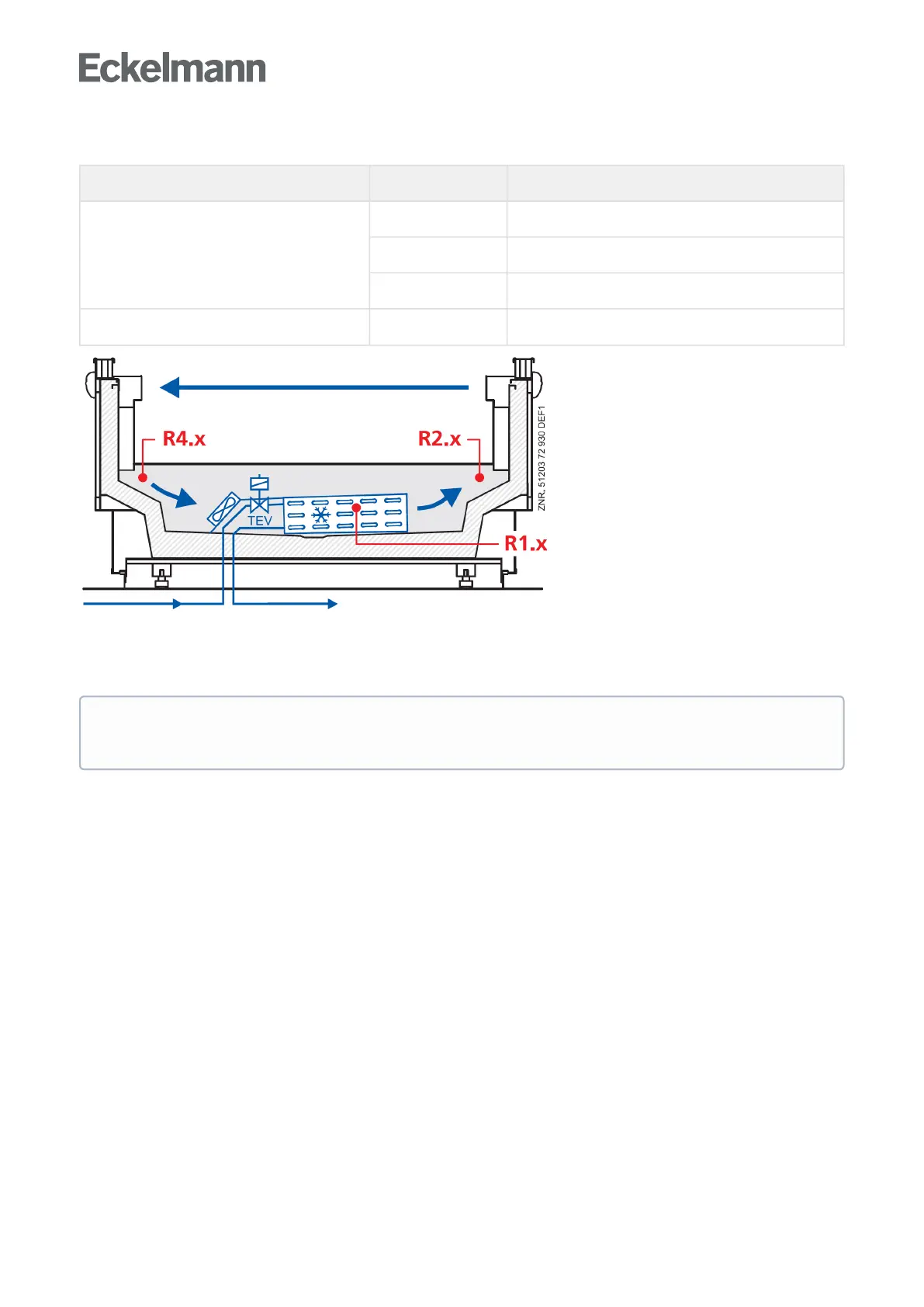
Explanation for the sensor designation
Legend: Ry.x
y = type of the sensor 1 Evaporator sensor (defrost sensor)
2 Supply air sensor
4 Return air sensor / room air sensor
x = case 1..5 case 1..5
Error message in the event of sensor fault
An alarm (sensor fault) is triggered if necessary sensors are not attached. If optional sensors are not attached,
this alarm only occurs if these sensors have been incorporated in a sensor scan. A sensor scan can be initiated
inmenu6-1.
Inthecaseofoptionalsensorsthatarenotincludedinasensorscan,noactualvaluesarearchivedin
the system centre / store computer.



 To Next Page