•
•
•
•
6.6.1 Requirements for firmware update
The following components are required for a firmware update:
The controller for which the update is intended.
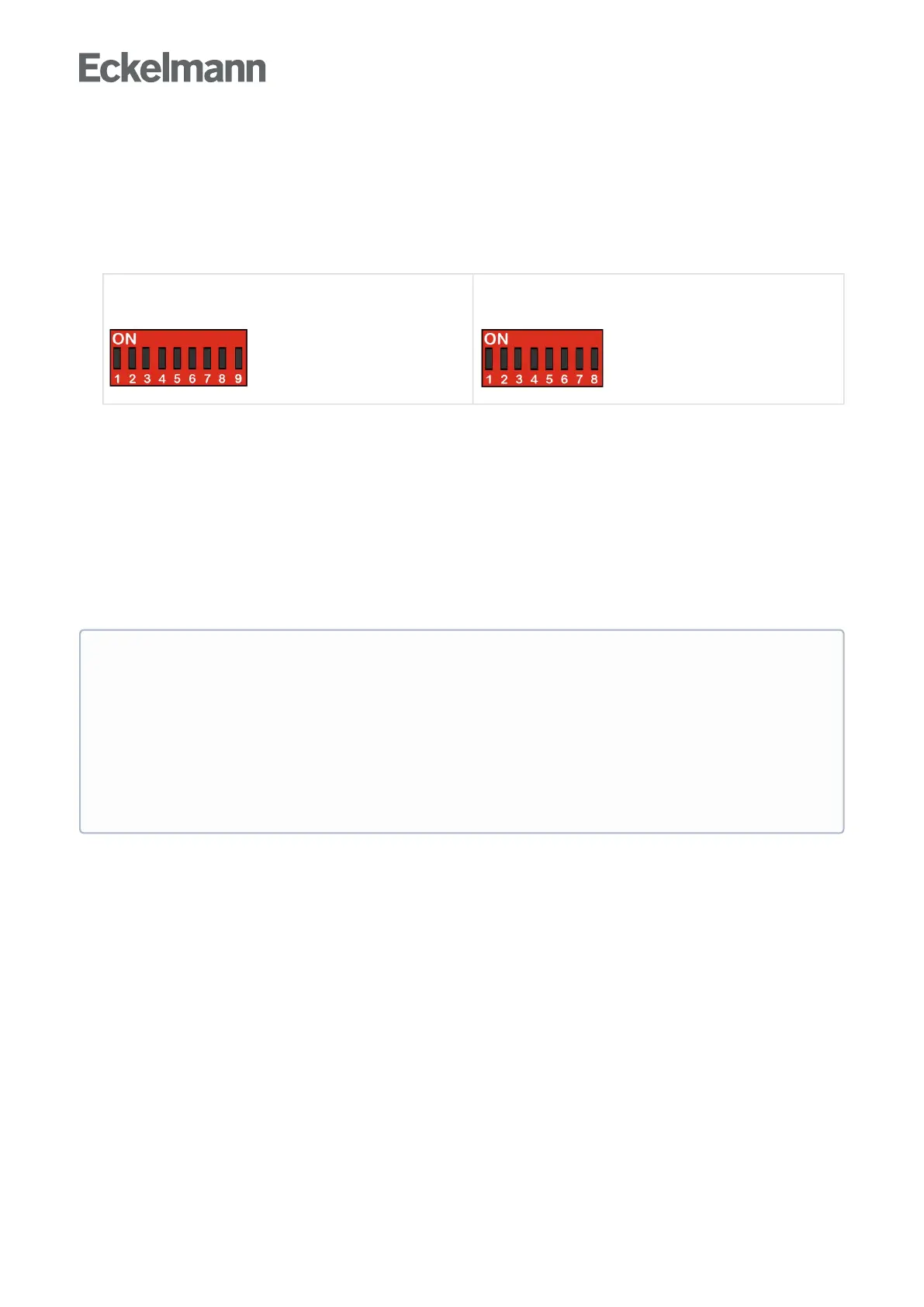
Special feature: Two device generations are available. The DIP switch S3 provides a quick
distinguishing feature:
2nd generation controller
(from Oct. Nov. 2018)
with 9-pole DIP switch
1st generation controller
(since 2011)
with 8-pole DIP switch
Note: The settings depend on the controller type!
Laptop or PC with Windows 7 / Windows 8 / Windows 10
USB A-B cable *
The following files are required for the firmware update *
- The installation program "Firmware_Uploader_Setup_vxx.exe" (download as ZIP file)
- The firmware files "UA400_vx.xx.bin", "UA400_vx.xx.dfu" or "UA400_vx.xx.hex" (download as ZIP
file)
Note: After the download, all ZIP files must be extracted to any directory.
Step 1: Install software
Before the first connection of the controller to the PC, the installation program
"Firmware_Uploader_Setup_vxx.exe" must first be executed once. Please follow the instructions given
by the installation wizard. The components to be installed can be selected in the following window.
Administrator rights and an existing internet connection required during the initial
installation! With the operating systems Windows 2000, XP, Vista, Windows 7 and Windows
10, the PC must have an existing internet connection and the user must have
administrator rights during installation while the installation program
"Firmware_Uploader_Setup_vxx.exe" is being executed. Administrator rights will also be
required when the controller is initially connected to the PC and the driver is installed by the
operating system. Following installation and the initial connection of the controller to the PC,
administrator rights are no longer required. In the event of questions concerning "administrator
rights under Windows", the responsible IT administrator should be consulted.



 To Next Page