•
•
5.5.6.3 Necessary settings for the master / slave mode
Controller - Hardware
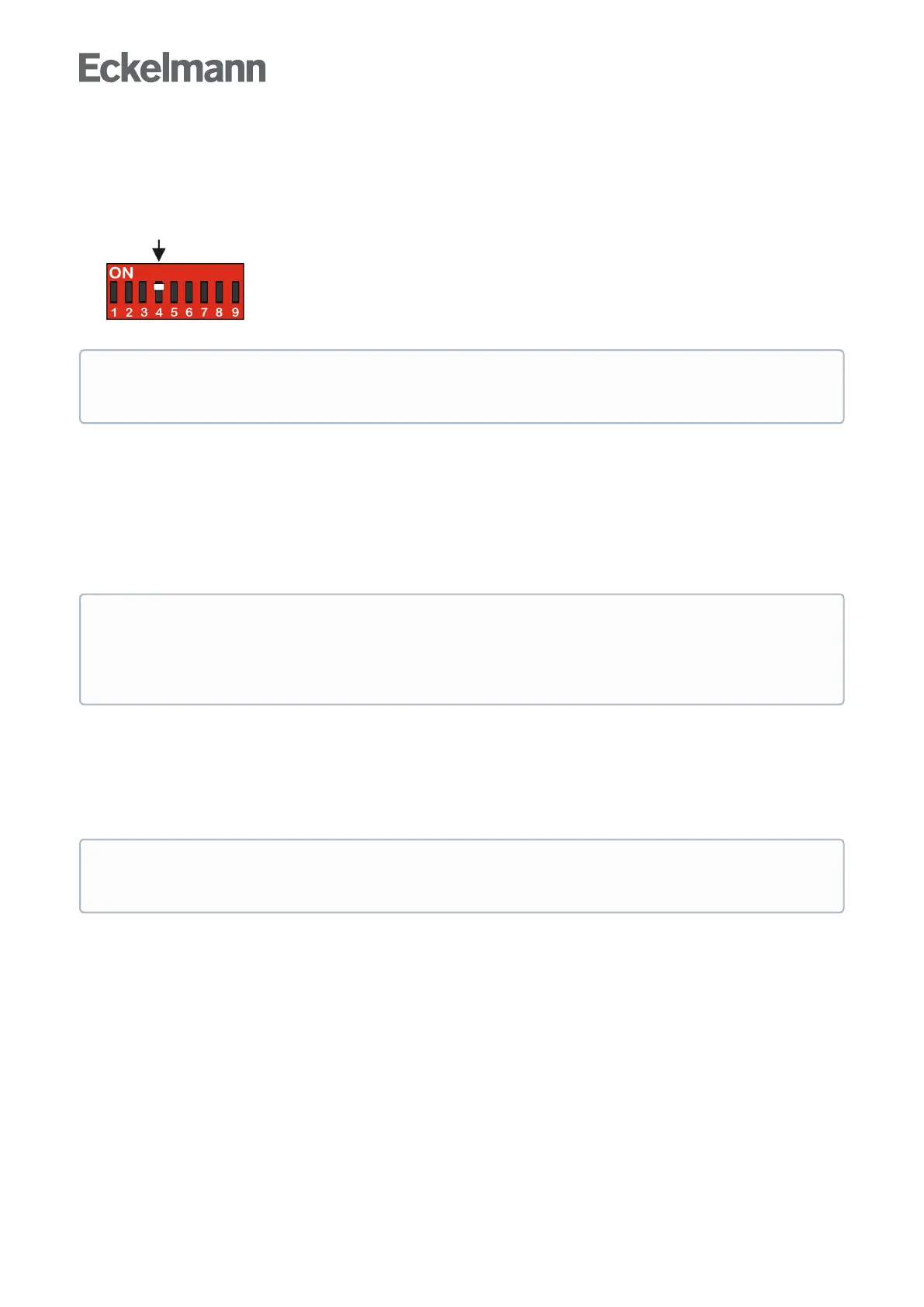
In order to activate the master/slave mode, the coding switch 4 on the DIP switch S3 on the case controller
must be set to ON.
The change is not adopted until the controller is restarted (switch off and then switch on again).
Controller - Software
The activation of the Master / Slave mode can be checked in the menu 6-2-1.
5.5.6.4 Special features and constraints
All defrost relays are energized simultaneously at the commencement of defrosting. As defrosting proceeds, the
evaporator defrost relays are de-energized separately and exclusively as a function of defrost termination
temperature.
All the characteristics of the defrost function such as defrost on demand, defrost via CAN bus and manual
defrostarepreservedbythemastercasecontrollerandalsoneedtobeparameterizedhere(onthemaster).
Configuration
The master-slave function can be employed with all controller types. In order to activate the master/slave mode
DIP switch 3 on coding switch 4 must be switched to ON on all participating case controllers. The change is
only adopted when the controller is restarted (switched off and back on again).
Explanations for the master / slave wiring are described in the chapter Wiring of the master-slave
function for defrost synchronization.
Return to cooling mode is not however made until defrosting is completed on all synchronized cases.
Defrosting can be carried out on the master by inputting a signal to the defrost input. It is possible to
send a defrost command from the master to the digital input D11/D12 of the slave via a 230 V AC
impulse (parameter Eing. 1 must be set to ABTAUUHR, see menu 6-2-4).
The set controller mode and activation of master-slave mode can be checked in the Type and Version
menu 6-2-1.



 To Next Page