6.6.2.2 Update for controller with 8-pole DIP switch
Controller characteristic: 8-pole DIP switch
The settings depend on the controller type!
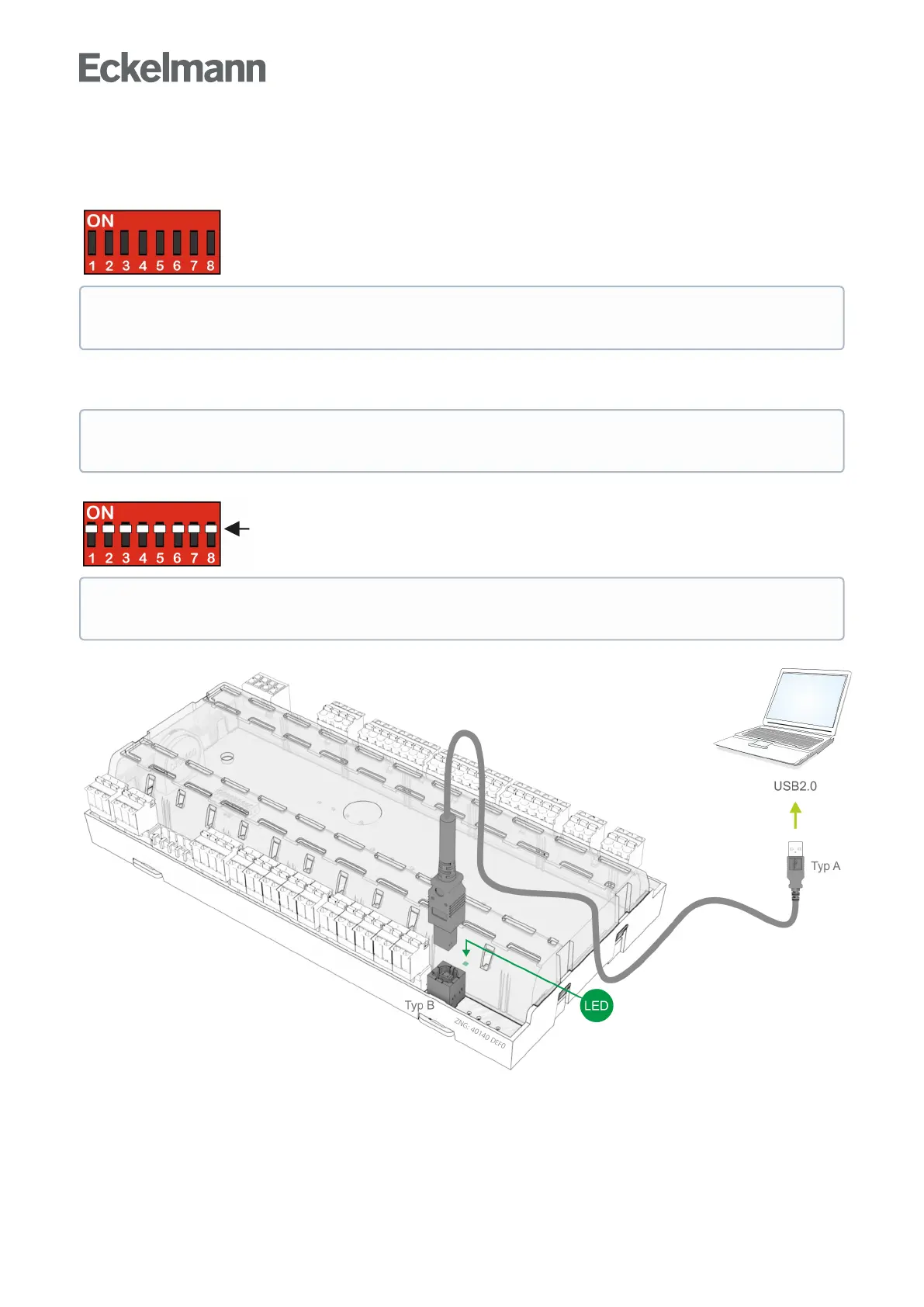
Step 1: Set DIP switch S3 and connect controller to PC
Beforestartingthefirmwareupdate,allcodingswitches1..8oftheDIPswitchS3mustbesettoON:
Connect the controller to the PC via a USB A-B cable while disconnected from the power supply:
Then supply the controller with power again, see chapter Terminal assignment for 230 V AC power supply.
ThestepsdescribedinthechapterVoraussetzungen für das Firmware-Update must have been
performed once for each PC in order to perform a successful firmware update.
Practical tip: The original position of the coding switches 1..8 of the DIP switch S3 should be
documented, e.g. with a mobile telephone photo.
After the firmware update has been performed, the coding switch 9 of DIP switch S3 must be reset to
its original position.



 To Next Page