Parameter List and Menu Structure of VS 300
116
Doku-Version 2.05 - Firmware 2.10 - 15. September 2017
8.3 Menu structure of AL 300 Operator Terminal and CI 3000 Store Computer
Parameters can be set on the VS 300 Pack Controller by the internal user interface or by a connected external
terminal. It makes no difference whether an AL 300 Operator Terminal or a CI 3000 Store Computer is used to
operate the VS 300. The user interface is identical an the functions available are the same as for integral opera
tion.
External operation requires a CAN bus module to allow communication with the VS 300 (see section 1 Design).
When operating the VS 300 by an external terminal, entries cannot be made with the keys on the VS 300 and the
display of the VS 300 show
“
---”.
Working with menus and screens
See section 6 Operation with External Terminal (AL 300 or CI 3000) for detailed information.
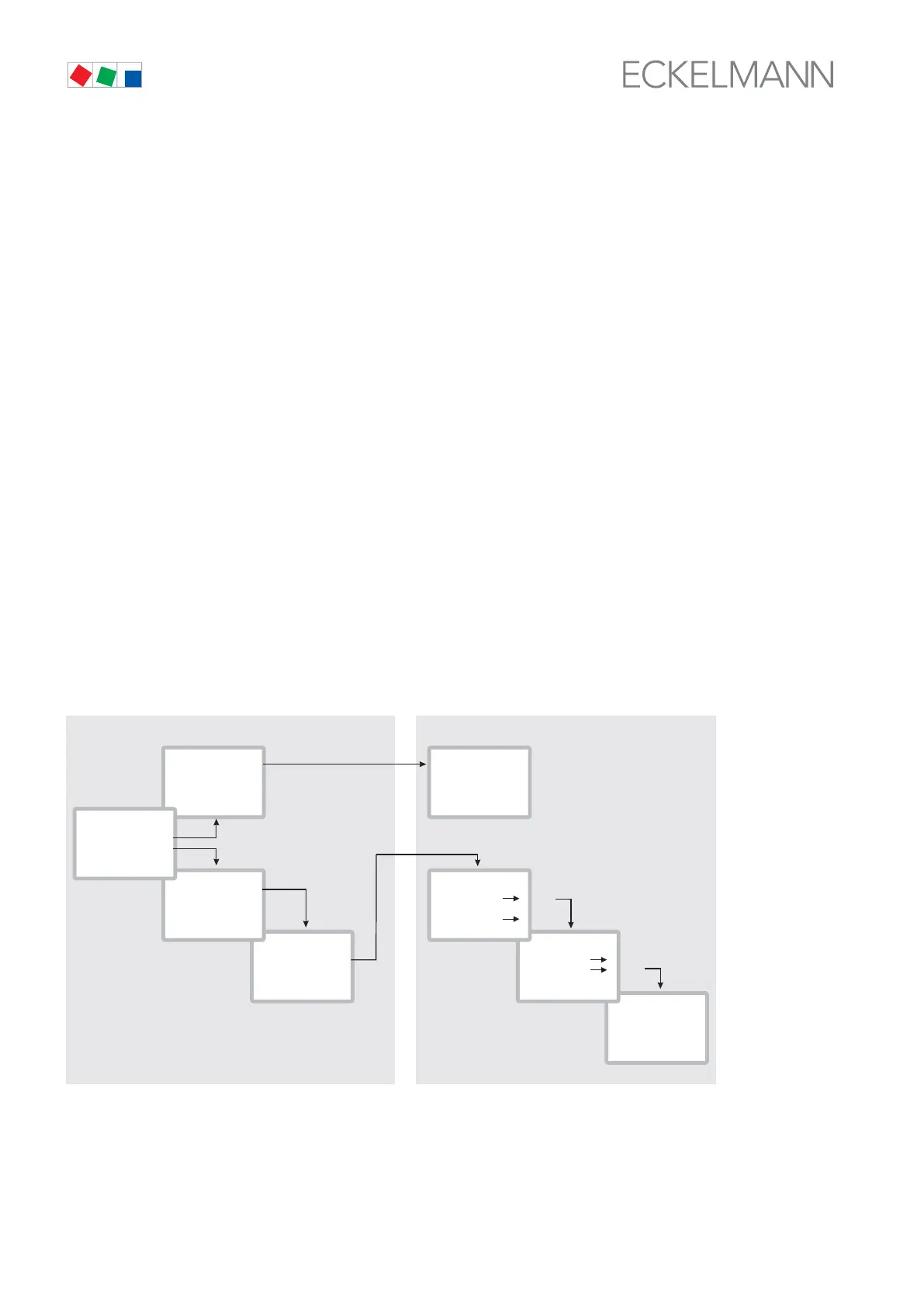
Numbering of menus and screens
Each menu can be opened by entering a specific number and each screen in a menu can be opened by choos
ing a specific menu item. This is characterized by unique identification consisting of numerals and letters in the
menu tree. Numbers 1, 2, etc. identify the menus and letters a, b, etc. identify the order of the screens in the
respective menu.
Example of screen numbering
2-1 means that the appropriate screen can be opened from the menu tree by entering the numbers 2 - 1. This
may be a display screen or operating screen.
Example of operating screen numbering
3 - 1 - 2 - a - b means that the higher-level screen is opened from the menu tree by entering the numbers 3 -1 - 2.
The following letter (or letters) indicate that an additional screen or selection list is available for selection (→). The
letters indicate the order within the screen.
1 Brine LP
3 ...
4 ...
2 Control
1
1 System
2 ...
3 ...
4 ...
3
2
temp ON 10K
temp OFF -20K
...
...
Temperature
Temp 1
...
Temp 2
Circuit 1
Circuit 2
Sensor 2
Sensor 1
Main menu
1. Submenu
2. Submenu
1. Screen
2. Screen
Input Screen
b
a
a
b
Menus Screens
ZNR. 5120351
830
(Level 1)
(Level 2)
(Level 3)
1 Analog. val.
2 ...
3 ...
4 ...
1 Summary
4 ...
2 Actual val.
3 Setpoints
2
PoAct TK1 +1.76b
...
...
...
1



 To Next Page