Function of VS 300
59
Doku-Version 2.05 - Firmware 2.10 - 15. September 2017
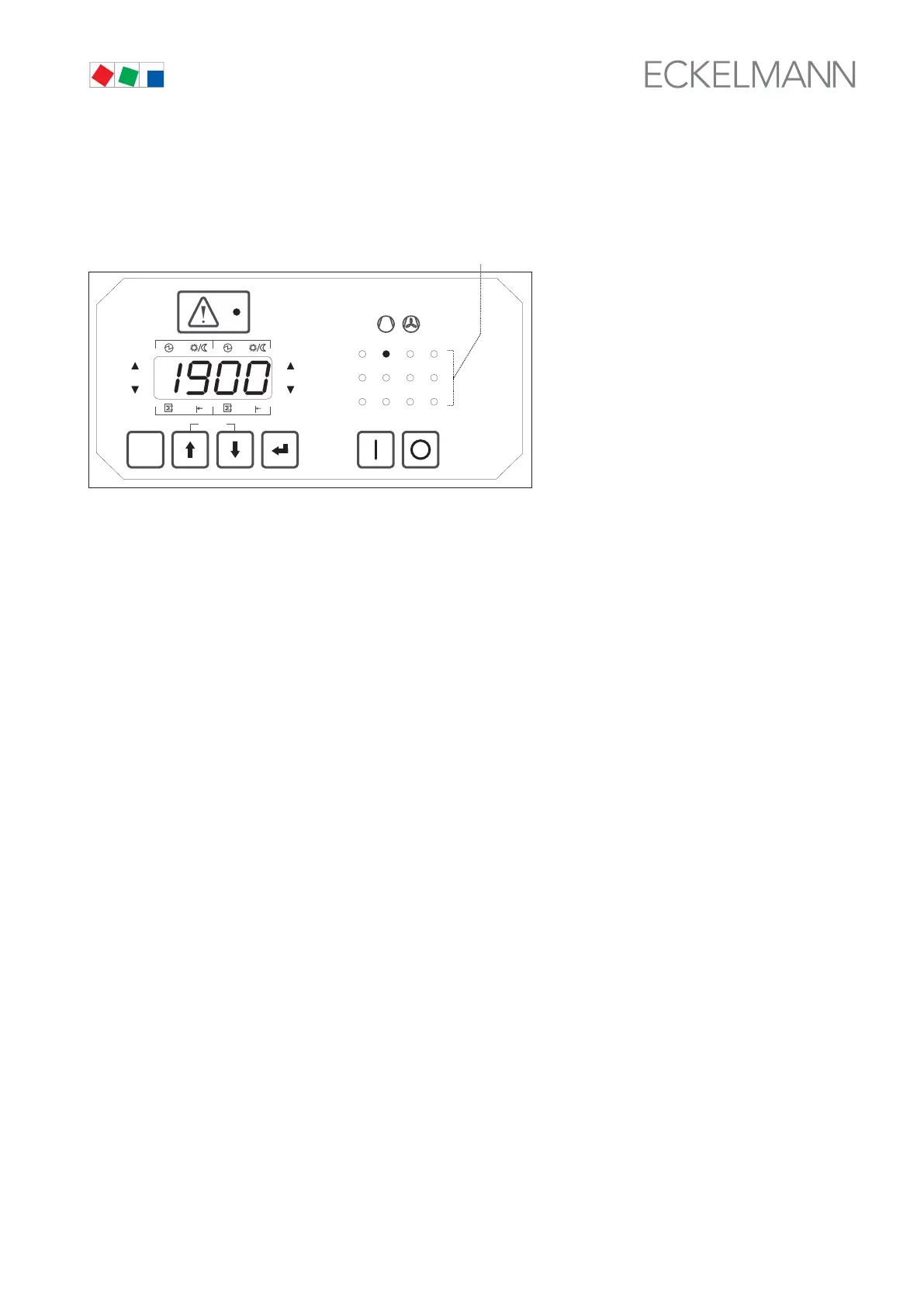
Example: Figure shown on four-digit display: 1900 h
Number of flashing operating and status display LED: 2
Result: 1900 + (2 * 10000) = 21900 operating hours
ESC
RESET
1 2 3 4
1 2
5 6 8
9 10 11 12
7
Status
12
OFF
ZNR. 51203 52
630
OFF
(3)
Operating hours are displayed in clear text on the AL 300 or CI 3000 terminal. If compressors/fans or the com
plete controller is exchanged, operating hours can be reset to 0 (see section 7 Parameter List and Menu Struc
ture – Basic Settings - System Configuration). Alternatively they can be programmed, but only using the external
AL 300 or CI 3000 terminal connected via the CAN bus module.
The selected operating hours total (0 - 29999) can then be entered from the AL 300 or CI 3000 terminal using
the appropriate functions.
4.7.2 Daily run times
In addition to operating hours, the run times, starts of separate control stages per day and activity (utilization) of the
compressor pack can be recorded (only with the external CI 3000 or AL 300 terminal connected via the CAN bus
module). Cycle time commences at midnight. The current status is displayed in hours and minutes. This data is ad
ditionally archived for a period of 32 days for use in assessing operation of the compressor pack.
4.7.3 Compressor / condenser daily run times
Daily run times of the control stages are recorded for each day and saved together with date and time of day.
Cycle time commences at midnight. Daily run times are recorded separately for the first and second setpoint.
4.7.4 Compressor / condenser starts
Control stage starts are recorded for each day and saved together with date and time of day. Cycle time com
mences at midnight. Daily starts are recorded separately for the first and second setpoint.



 To Next Page