Startup of VS 300
63
Doku-Version 2.05 - Firmware 2.10 - 15. September 2017
5.3 Startup
5.3.1 Basic parameter settings on hardware
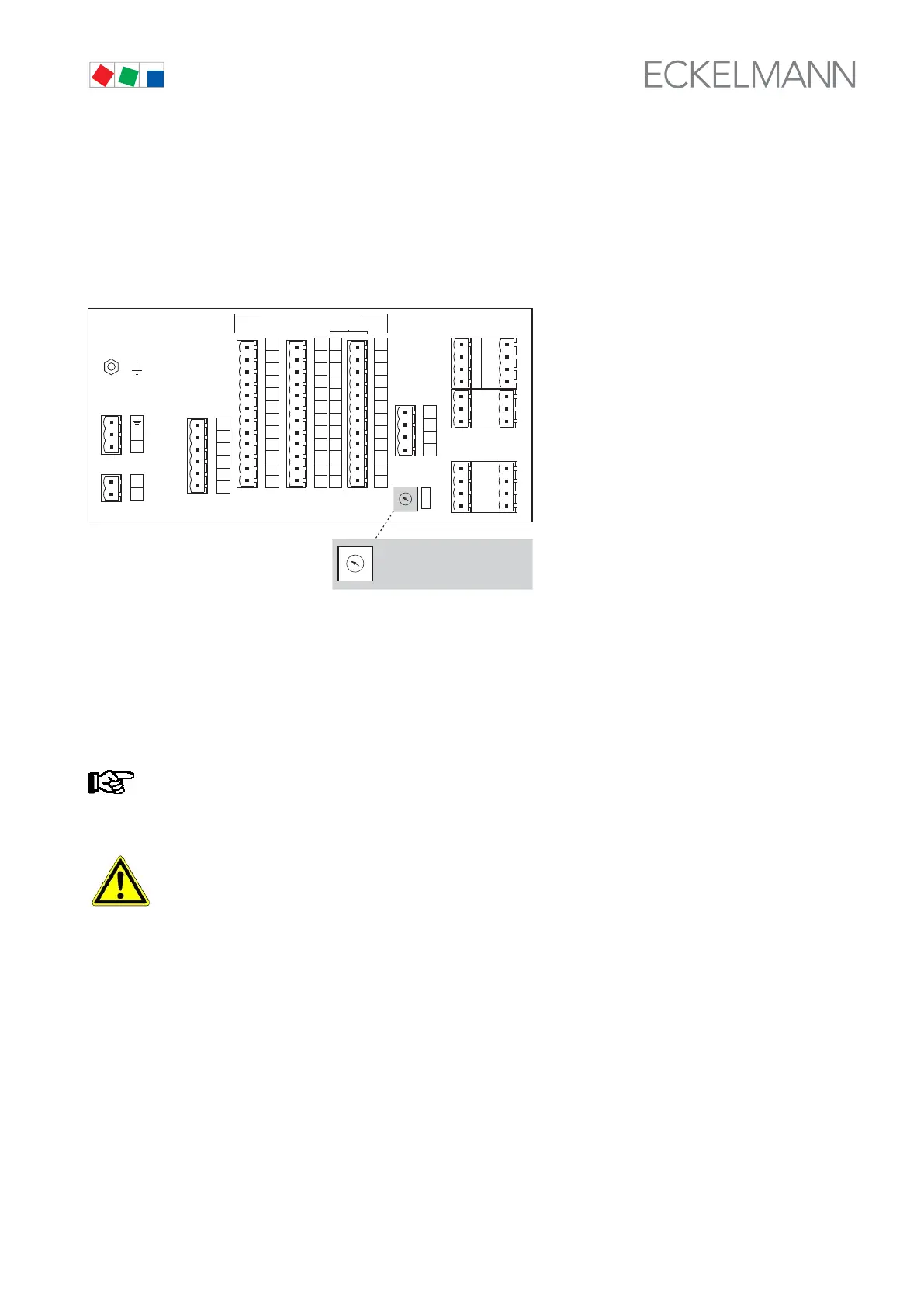
Depending on the add-ons fitted (only
with CAN bus module - see section 1 System Configura
tion) an address selector switch (decade switch) is loca
ted on the rear of the VS 300 Pack Controller. This
switch can be used to set the controller CAN bus ad
dress.
ZNR. 51203 50 130
E1
SUPPLY
230 V AC
ALARM RELAY
230 V AC
28
26
25
18
16
15
RELAY OUTPUTS 230 V AC
TEMP. INPUTS
NTC / PT1000
ADDRESS
CAN-BUS
DIGITAL 230 V AC
96
95
88
86
85
78
76
75
108
106
105
98
Z42
Z41
Z32
Z31
Z22
Z21
Z12
Z11
Z62
Z61
Z52
Z51
136
135
128
126
125
118
116
115
148
146
145
138
56
55
48
46
45
35
38
36
68
66
65
58
L
N
14
13
1
4
2
3
1
A41
A42
A51
A52
1
2
3
4
D31
D32
D41
D42
D12
D11
D21
D22
A12
A22
A32
A21
A11
A31
5
0
2
3
1
4
6
7
8
9
TTY
ANALOG IN | ANALOG OUT
5
0
2
3
1
4
6
7
8
9
VS 300
CAN BUS ADRESS
SELECTOR SWITCH
Decade switch
S Sets the Node No. (Nd.nnn) or CAN bus address (position of address selector switch 1 - 9 corresponds to
CAN bus address 101 - 109).
S In order to activate the CAN Bus software address, the address 0 must be set on the address select switch. In
this switch position (or when the CAN Bus address select switch is not fitted) the CAN Bus address can then
be set via the software (see chapter 5.3.2.3).
A unique address must be assigned in the system to each CAN bus station in order to prevent mal
functioning.
After changing the switch position, the VS 300 must be cut off from power briefly for the new settings
to take effect!
5.3.2 Software settings
The controller configuration must be selected before setting parameters of the VS 300. This can be done on the
integral user interface on the front of the VS 300 or by connecting an external terminal (AL 300 or CI 3000). Su
peruser rights are required for setting the controller configuration.



 To Next Page