Startup of VS 300
69
Doku-Version 2.05 - Firmware 2.10 - 15. September 2017
5.4 Battery replacement
Never dispose of this product with other household waste. Please inform yourself of the local regulations for the
separate disposal of electrical and electronic products. The correct disposal of your old equipment will protect
people and the environment from possible negative effects.
Replacement of the battery after expiry of the warranty is subject to a charge.
Never dispose of this product with other household waste. Please inform yourself of the local regula
tions for the separate disposal of electrical and electronic products. The correct disposal of your old
equipment will protect people and the environment from possible negative effects.
You will find further information in the chapter ”Decommissioning and Disposal”.
5.5 Firmware update
When available and necessary, update of the VS 300 Pack Controller firmware can be made via the TTY port
(see section 5 Pin and Terminal Assignments).
First start is performed following firmware update. This loads the default settings for all parameters and
deletes all archives (messages/alarms and operating data, e.g. run times, starts, activity)!
For this reason, the VS 300 parameters should be saved as a parameter index in LDSWin
before a firmware update from version X to version Y.
- The firmware update is now ready to be carried out (see chapter 5.5.2)
- Following this, the VS 300 is to be set as version X in LDSWin and the
previously saved version X parameter index loaded.
The setpoint values are then to be transmitted to the controller.
- Afterwards, press the button ”update” in the setpoint screen:
now the screen in LDSWin is changed to the new version Y.
- The parameters from version X added to version Y are now to be checked and
adjusted as required.
5.5.1 Requirements
The following conditions and preparations are required for firmware update:
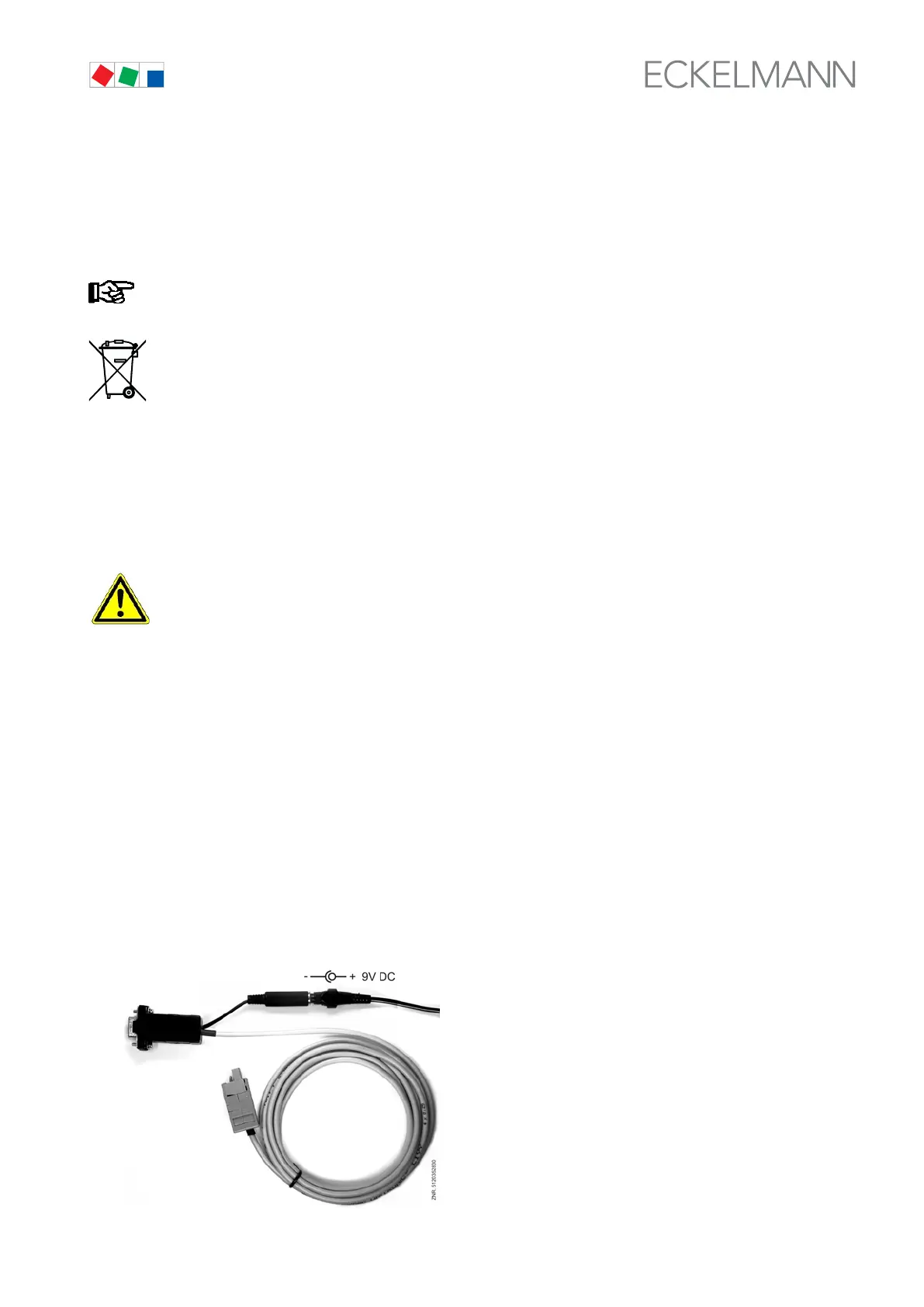
1. TTY cable with 9 V DC power supply



 To Next Page