Operation of VS 300
91
Doku-Version 2.05 - Firmware 2.10 - 15. September 2017
7.14 Operation System Centre / Store Computer / Operator Terminal
7.15 Operation possibilities
The controller provides menus and screens for the display and adjustment of values. However, no operation for
this is provided on the controller itself. The actual operation of these menus is performed externally using the
following possibilities:
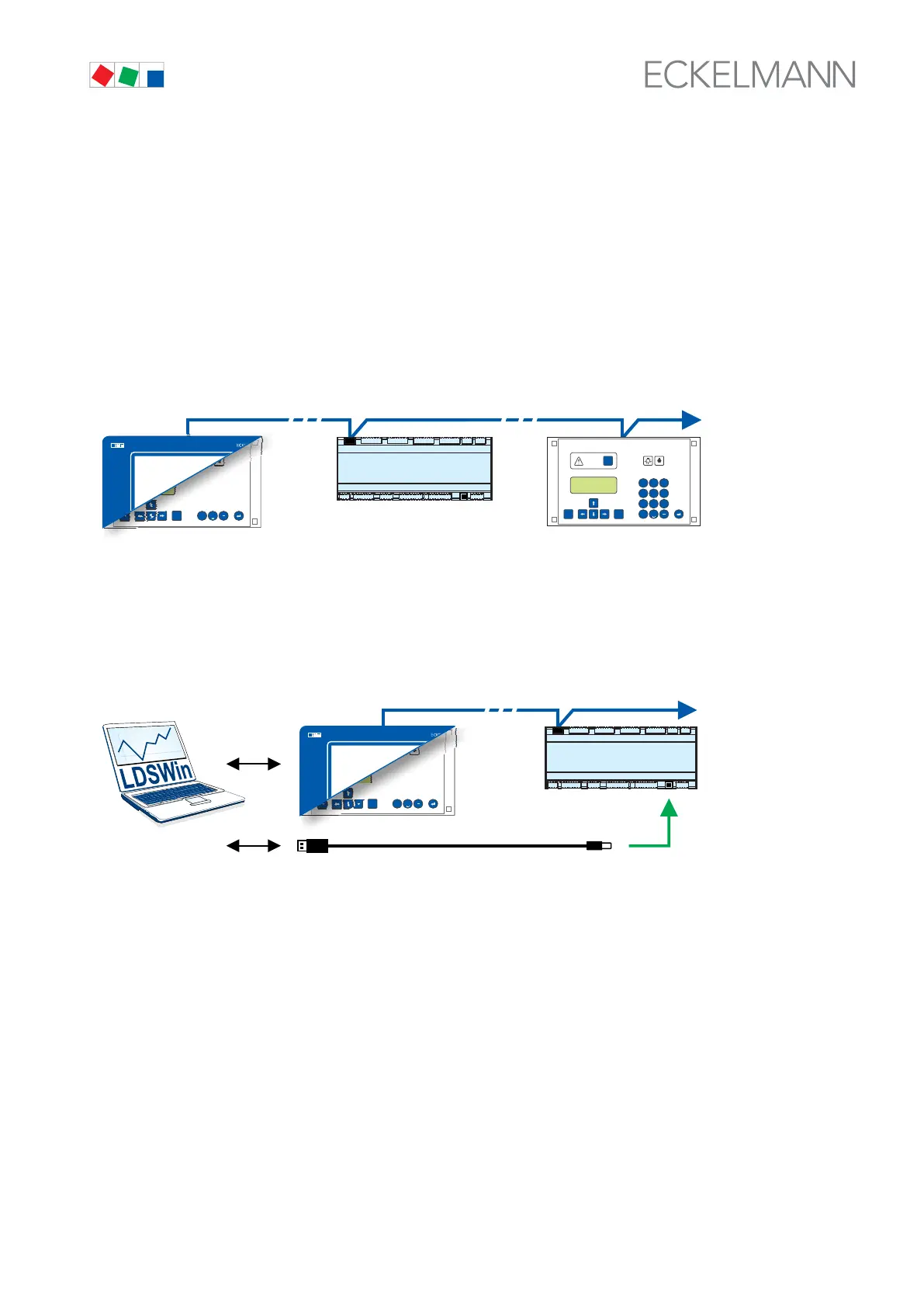
S Remote control via the terminal: The controller can be operated remotely (e.g. from the machine room) us
ing the system centre, a store computer or an operator terminal. The communication with the controller is per
formed via the CAN bus
MODEESC
PRIO 1
PRIO 2
,
9
WXYZ
7
PQRS
8
TUV
6
MNO
4
GHI
5
JKL
3
DEF
2
ABC
1
0
ALARM
RESET
AL 300
MODEESC
PRIO 1
PRIO 2
,
0
ALARM
RESET
V4.24
CI 3000
CI 3100
CI 4x00
CAN-BUS
See chapter 7.16 for details for the operation.
S Remote control with PC software LDSWin: A PC with LDSWin installed is connected to the system centre
or the store computer. The connection can be made here, for example, via the serial interface, a modem, a
network or the PC-CAN bus adapter. In this way, the controller can be operated very conveniently with the PC
software and its powerful functions such as controller analysis, evaluations, storing parameter sets, creating
lists, etc.
MODEESC
PRIO 1
PRIO 2
,
0
ALARM
RESET
V4.24
CI 3000
CI 3100
CI 4x00
CAN-BUS
USB
See the LDSWin operating instruction for details about the range of functions.



 To Next Page