Operation of VS 300
83
Doku-Version 2.05 - Firmware 2.10 - 15. September 2017
7.4 Parameter setting – general
The parameters used for configuring and setting the VS 300 Pack Controller are described in detail in section 7
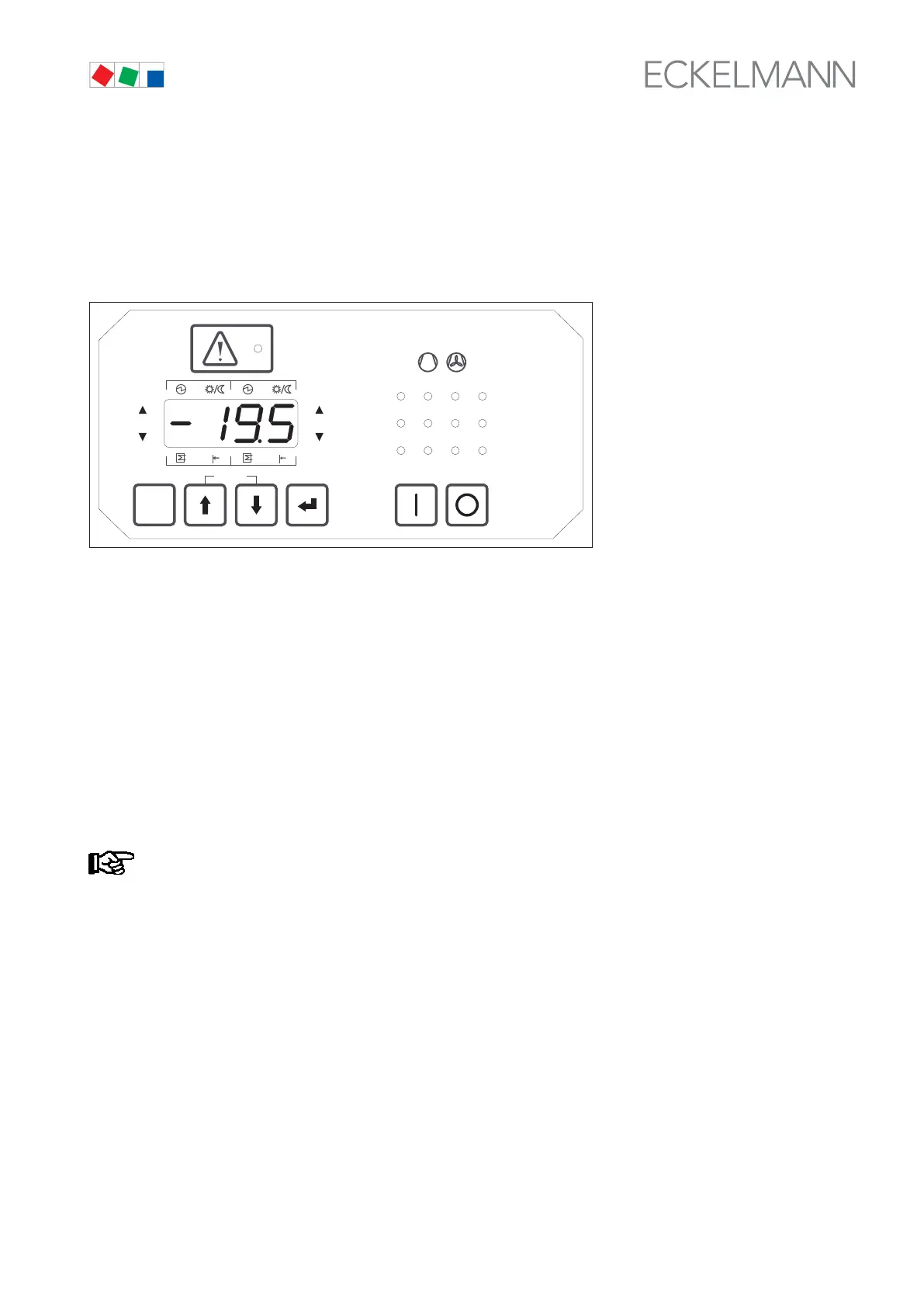
Parameter List and Menu Structure. On powering up the controller, an LED check is first performed with all sta
tus LEDs and segments on the display briefly illuminating and then extinguishing. After that the controller
switches to basic display mode.
ESC
RESET
1 2 3 4
1 2
5 6 8
9 10 11 12
7
Status
12
OFF
ZNR. 51203 50 330
OFF
7.5 Basic display mode
On powering up or after 5 minutes during which no entry is made, the VS 300 switches to basic display mode
and displays the actual value for t
1
(Control Loop 1 temperature). The control loop for which the value is shown
in basic display mode is additionally indicated by flashing of the status LEDs for Control Loop 1 Pressure High /
Neutral Zone / Low on the left of the four-digit display.
High pressure in Control Loop 1 is indicated by only the left upper LED flashing, low pressure by the lower LED
flashing and pressure within the neutral zone by both LEDs flashing. Pressing the ↑ or ↓ key changes the dis
play to t
2
(Control Loop 2 temperature). Values displayed for Control Loop 2 are indicated by flashing of the sta
tus LEDs for Control Loop 2 Pressure High / Neutral Zone / Low on the right of the four-digit display. Press the ↑
or ↓ key to change the display back to t
1
(Control Loop 1 temperature).
Actual values and setpoints for pressure [bar] and temperature [°C] are indicated on the four-digit
seven-segment LED display as follows:
Pressure: Two digits before and two digits after the decimal e.g. 11.50
Temperature: Two digits before and one digit after the decimal e.g. -20.3
A Priority 1 or Priority 2 fault is reported by a fault code on the display. Pressing the ESC/RESET key hides the
code, but it will be displayed again after about 10 seconds if the fault is still active (see section 7.13 Displaying
reported faults (Parameter List F).



 To Next Page