Operation of VS 300
82
Doku-Version 2.05 - Firmware 2.10 - 15. September 2017
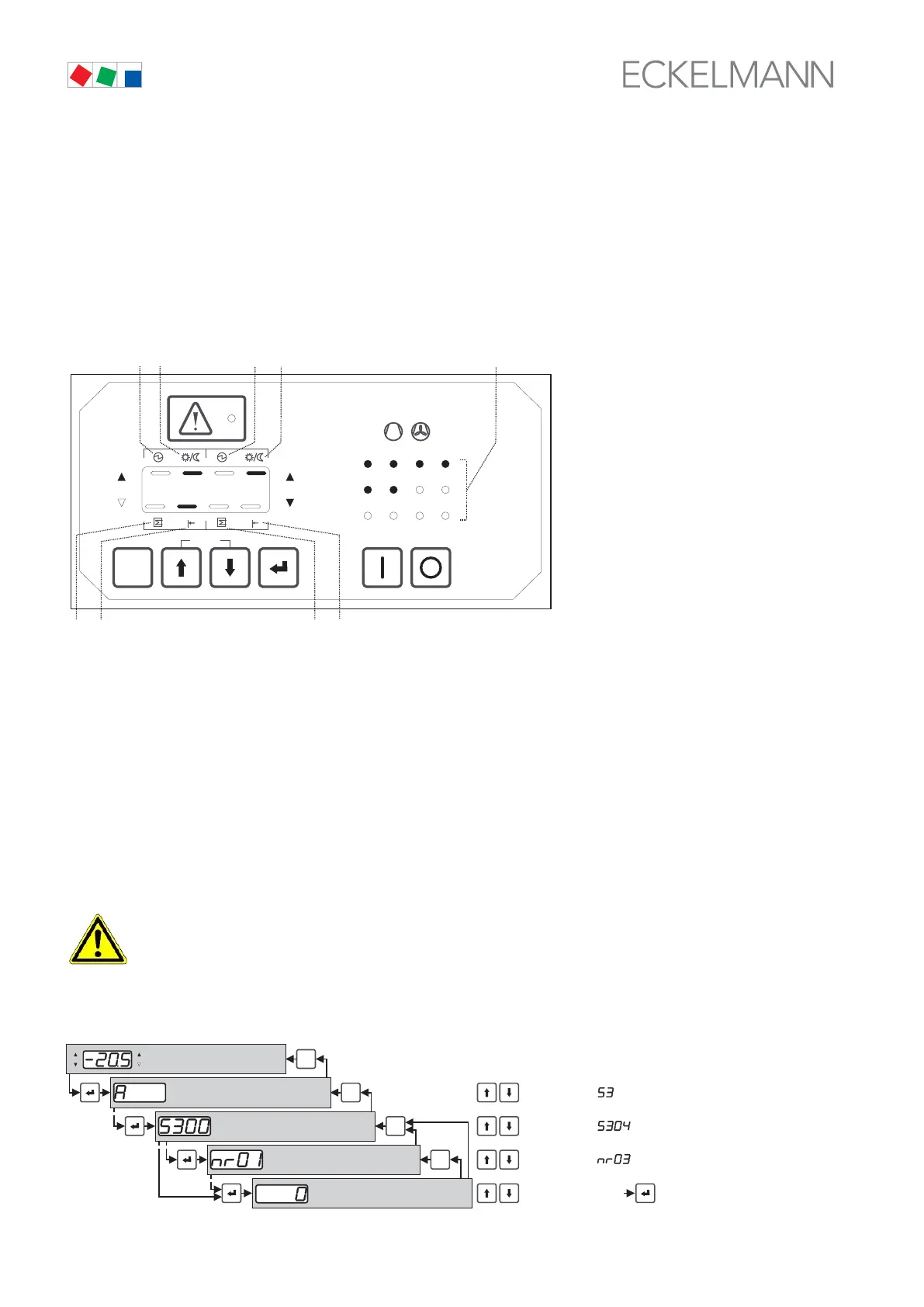
Other functions of control keys
Simultaneously pressing the ↑ and ↓ keys at any operating level, except while entering values (flashing display),
actuates status display to indicate additional status information by the upper (8/9/10/11) and lower segments
(12/13/14/15) on the display. The left segments (8/10/12/14) on the LED display relate to Control Loop 1, the right
segments (9/11/13/15) to Control Loop 2.
At the same time relay/control stages indicators (3) are switched so that the status LEDs for the compressor or
condenser relays of Control Loop 1 continue to light normally and those of Control Loop 2 flash.
This allows identification of the relay/control stages assigned to the separate control loops for differentiation of
the relay/control stages of the two loops (normally compressor and condenser contro).
ESC
RESET
1 2 3 4
1 2
5 6 8
9 10 11 12
7
Status
12
OFF
ZNR. 51203 51 330
OFF
(10)
(11)
(14)
(3)
(8)
(9)
(12) (13)
(15)
Example: The illustration shows the controller performing fast unload on Control Loop 1 (14) and working with
the second (nighttime) setpoint (10/11) (in both control loops). The status LEDs 1-4 (3) assigned to Control Loop
1 light normally, the status LEDs 5-6 (3) for Control Loop 2 are flashing. Pressing the ESC/RESET or ↵ key re
turns to basic display mode from any menu.
For additional convenience the ↑ and ↓ keys incorporate an accelerated auto-repeat function when pressed and
held down, enabling rapid scrolling and selection of parameter numbers or setpoints.
7.2 First start – Loading default values
Simultaneously pressing and holding the ESC/RESET, ↑ and ↓ keys on powering up the controller initiates first
start, which loads the default settings. The default settings can also be loaded by means of a parameter (see
section 7 Parameter List and Menu Structure).
At first startup, the default settings for all parameters are loaded and all archives, messages/alarms
and operating data (e.g. run times, starts, activity) are deleted!
7.3 Menu and operating structure of VS 300
1 2
Basicdisplay mode
Selection of parameter lists
Selection of parameter
Parameter index
Parameter setting (flashing)
ESC
RESET
Parameter setting
Selection of
Selection of
Selection of
ESC
RESET
ESC
RESET
ESC
RESET
Example:
Confirm entry
ZNR. 51 203 5
6 030 E0



 To Next Page