Startup of VS 300
70
Doku-Version 2.05 - Firmware 2.10 - 15. September 2017
Power for the PC/TTY adapter is provided by an external power supply.
Before connecting to the VS 300 or a computer (PC or notebook), check for
- correct setting of the power supply to 9 V DC and
- correct polarity of the 9 V DC power supply plug!
2. PC or notebook with serial (COM) port
3. Selfextracting update archive VS-300-upd.exe
Copy the VS-300-upd.exe file in any directory and start it. The selfextracting update archive would copy
the following files in the directory C:\VS-300: Wetupd.exe, VS_300_xxx.bin and Wetupd.INI files.
5.5.2 Updating the firmware
The following steps discribes the firmware update for the VS 300:
1. Disconnect the VS 300 Pack Controller from power.
2. Connect the power supply to the TTY cable
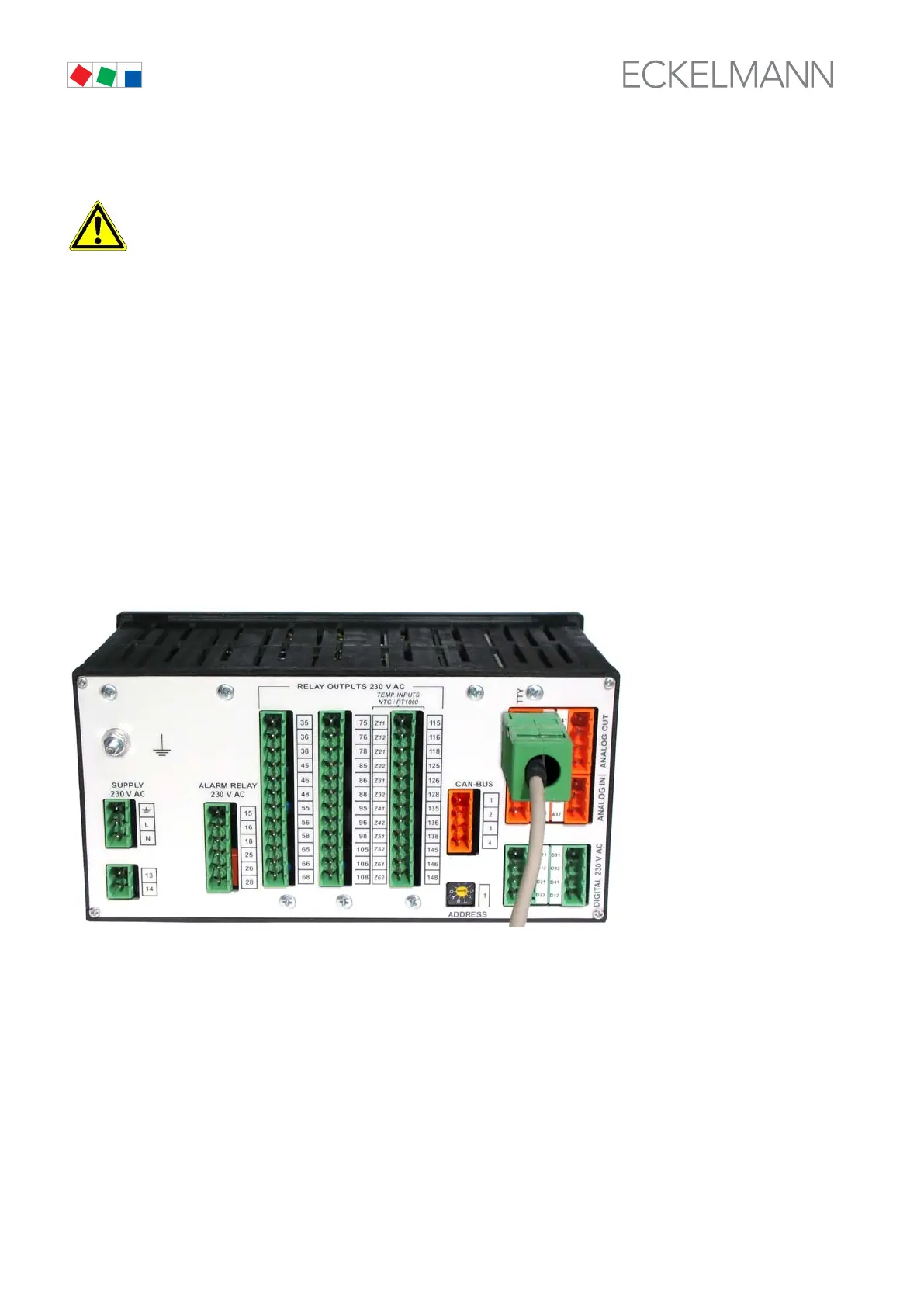
3. Connect the TTY cable to the VS 300 (see illustration) and to the serial (COM) port of the PC or
notebook computer.
4. Start the computer.
5. Connect the pack controller to the COM port of the PC or COM adapter of the notebook.



 To Next Page