Startup of VS 300
71
Doku-Version 2.05 - Firmware 2.10 - 15. September 2017
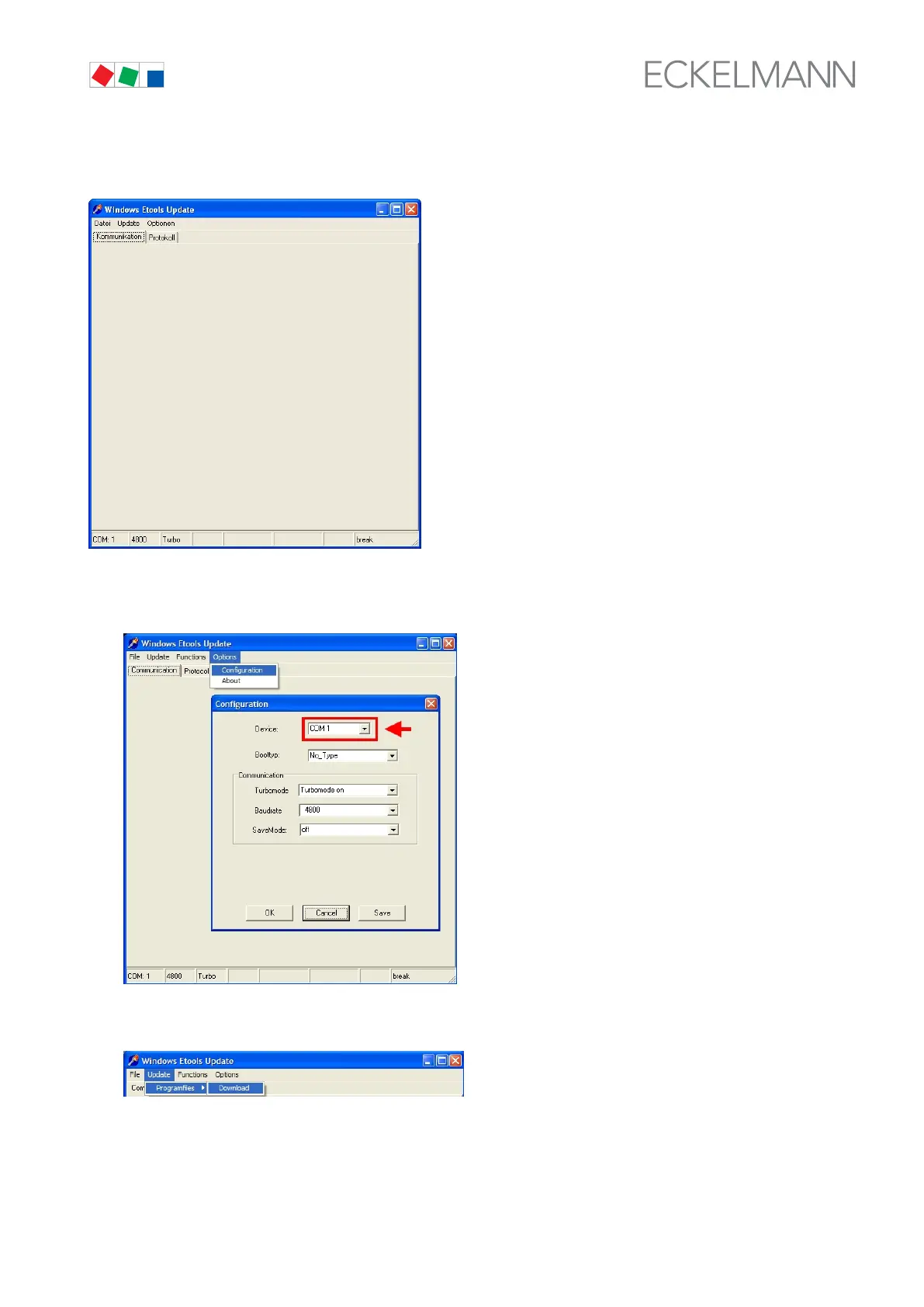
6. Start the Wetupd.exe file in the directory C:\VS-300. The Windows Etools Update programm starts:
7. Choose the Options menu and then the Configuration item, which opens the Configuration screen.
Choose the appropriate COM port and do not change the other settings. Click on OK to confirm.
8. Choose the Update menu, then Program Files, then Download.



 To Next Page