Operation of VS 300
85
Doku-Version 2.05 - Firmware 2.10 - 15. September 2017
7.7 Changing the access level
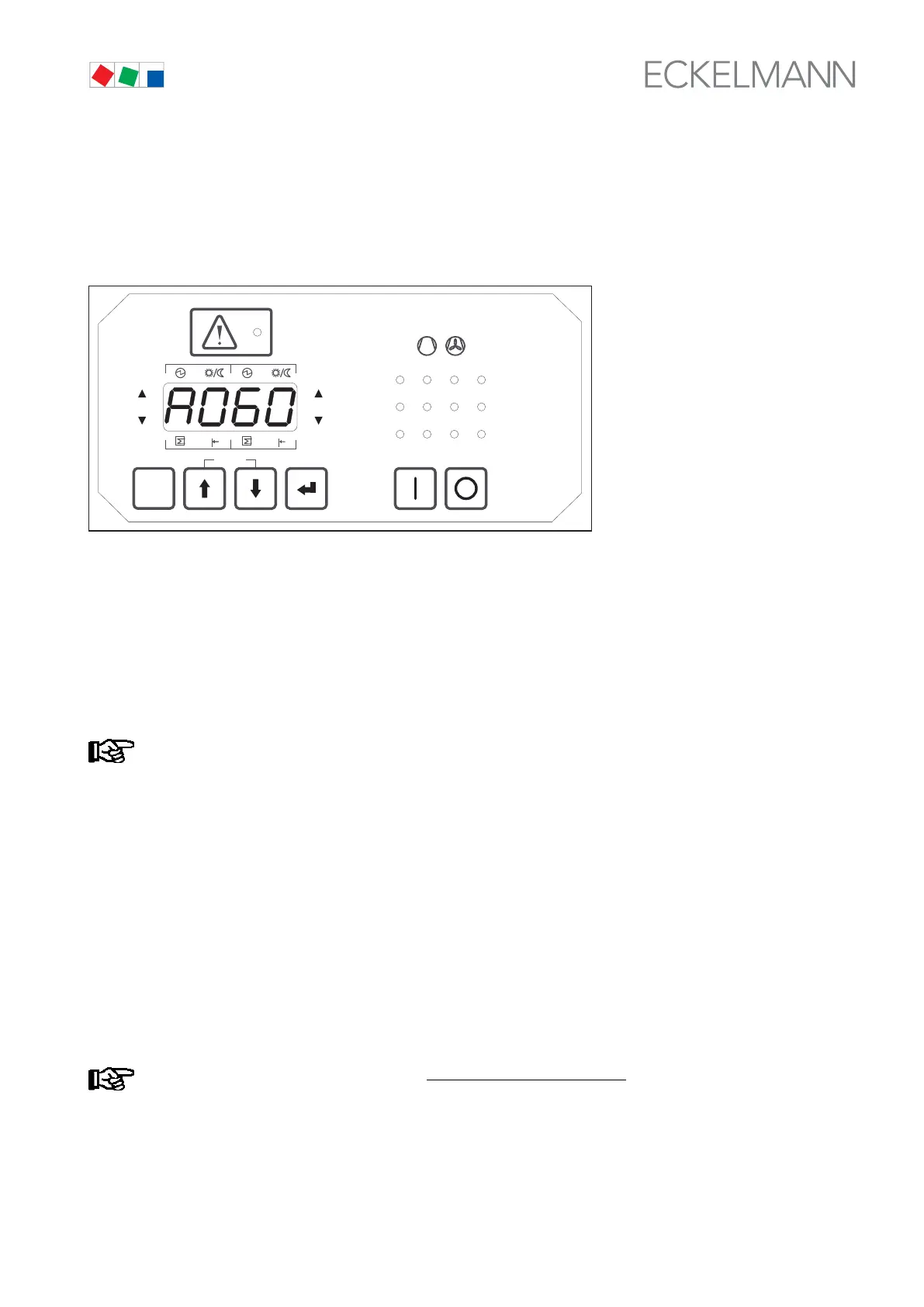
Pressing the ↵ key in basic display mode moves to parameter list selection and Parameter List A is shown on
the display. Press the ↵ key again to open Parameter List A (A000 is shown on the display). Use the ↑ or ↓ keys
to select A060.
ESC
RESET
1 2 3 4
1 2
5 6 8
9 10 11 12
7
Status
12
OFF
ZNR. 51203 50 530
OFF
Pressing the ↵ key again changes to entry or parameter setting mode. The character 0 flashes on the display,
indicating that the value can be changed. Use the ↑ key to select 1 for the Setpoint Adjustment Enabled access
level (see also section 7 Parameter List and Menu Structure):
0 = Display only
1 = Setpoint adjustment enabled
10 = Superuser mode – additional parameters can be accessed and set
Press the ↵ key to confirm the entry and return to Parameter List A (A060 is shown on the display).
Figures other than 0, 1 or 10 are not valid for access level and any other figure entered will be ignored! If
no key is pressed for a certain time (5 minutes), the controller automatically changes to basic display
mode and entry of setpoints is blocked.
Pressing the ESC/RESET key returns to parameter list selection (A is shown on the display). The ↑ key can be
used to select a parameter list. Pressing the ESC/RESET key again returns to basic display mode and the ac
tual value for t
1
(Control Loop 1) is displayed.
7.8 Displaying actual values and setting parameters (Parameter Lists A and S1 - S4)
System actual values are displayed with Parameter List A (System Data). These values cannot be changed (ex
cept Parameter A060 to enable access level)! Parameter Lists S1 - S4 contain the setpoints, which can be
changed (see section 7 Parameter List and Menu Structure). Parameter S100 is taken as an example to de
scribe operation of the VS 300 and changing of setpoints in the parameter lists (S1 - S4).
Setpoints can only be changed at the Setpoint Adjustment Enabled
access level (see section 7.7
Changing the Access Level). The LED display flashes to indicate when values (setpoints) can be
changed.



 To Next Page