Startup of VS 300
67
Doku-Version 2.05 - Firmware 2.10 - 15. September 2017
5.3.2.5 Setting the current date and time
The current date and time of day can be changed under Parameter List S2 (see section 7 Parameter List and
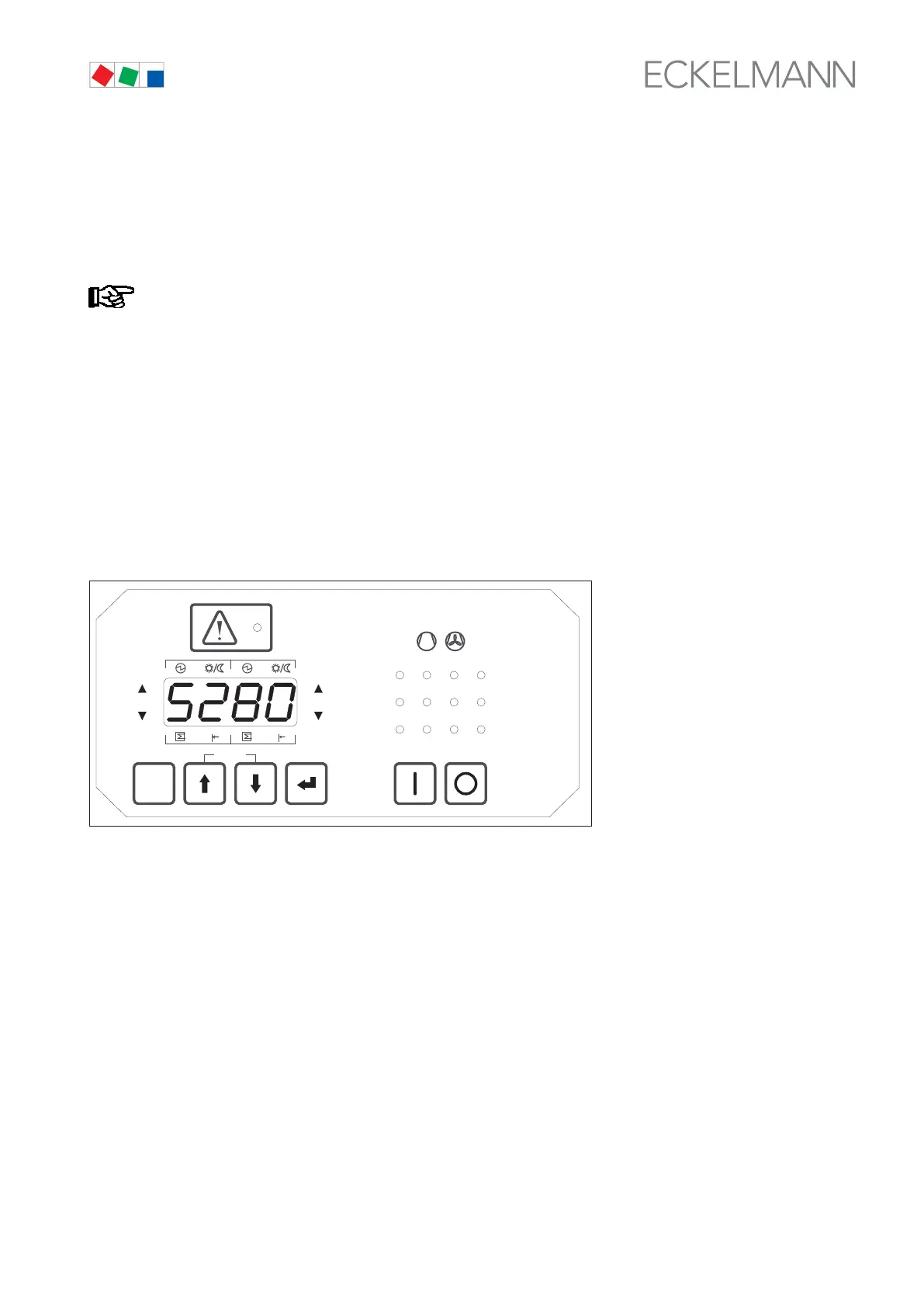
Menu Structure). Parameter S280 is taken as an example to explain how the setpoints for date and time are
changed.
Date and time settings are only needed in stand-alone operation and can only be made in this mode!
If the VS 300 is connected through the CAN bus module to a master clock (CI 3000 or AL 300), the
date and time will be supplied by the master and applied to the VS 300, meaning that they can then
not be changed.
Adjustment of setpoints is only allowed at the setpoint adjustment access level (see section 5.3.2.2
Changing the Access Level)! The LED display flashes as an indication when values (setpoints) can
be changed!
Pressing the ↵ key in basic display mode moves to parameter list selection and Parameter List A is shown on
the display. Use the ↑ key to select Parameter List S2. Pressing the ↵ key again (S200 is then shown on dis
play) enables the parameters of Parameter List S2 to be selected with the ↑ and ↓ keys.
When the parameter wanted (e.g. S280) is shown on the display (see illustration), press the ↵ key to change to
parameter setting mode. The current setpoint for the hour of day (0-23) is displayed:
ESC
RESET
1 2 3 4
1 2
5 6 8
9 10 11 12
7
Status
12
OFF
ZNR. 51203 50
830
OFF
The value can then be changed within the permissible range by pressing the ↓ and ↑ keys. See section 7 Pa
rameter List and Menu Structure for detailed information on the VS 300 parameter list. A description is given of
the parameters that are available, the conditions under which they can be changed and the range within which
they can be changed.
Pressing the ↵ key again applies the set value and returns to parameter selection mode. When setpoint adjust
ment is not enabled, any selected setpoint will be displayed but cannot be changed with the ↑ and ↓ keys. This
is indicated by the display not flashing in this instance.
Parameters for setting date and time
S280 Current time, hour S283 Current date, month
S281 Current time, minute S284 Current date, year
S282 Current date, day S285 Daylight saving time change



 To Next Page