Operation of VS 300
81
Doku-Version 2.05 - Firmware 2.10 - 15. September 2017
7.1.2 Controls
ESC
RESET
1 2 3 4
1 2
5 6 8
9 10 11 12
7
Status
12
OFF
ZNR. 51203 50
730
OFF
(4)
(1)
(2)
(16)(17)
(8)
(10)
(9)(11) (3)
(12) (14) (13)
(15)
(5)
(6)
(7)
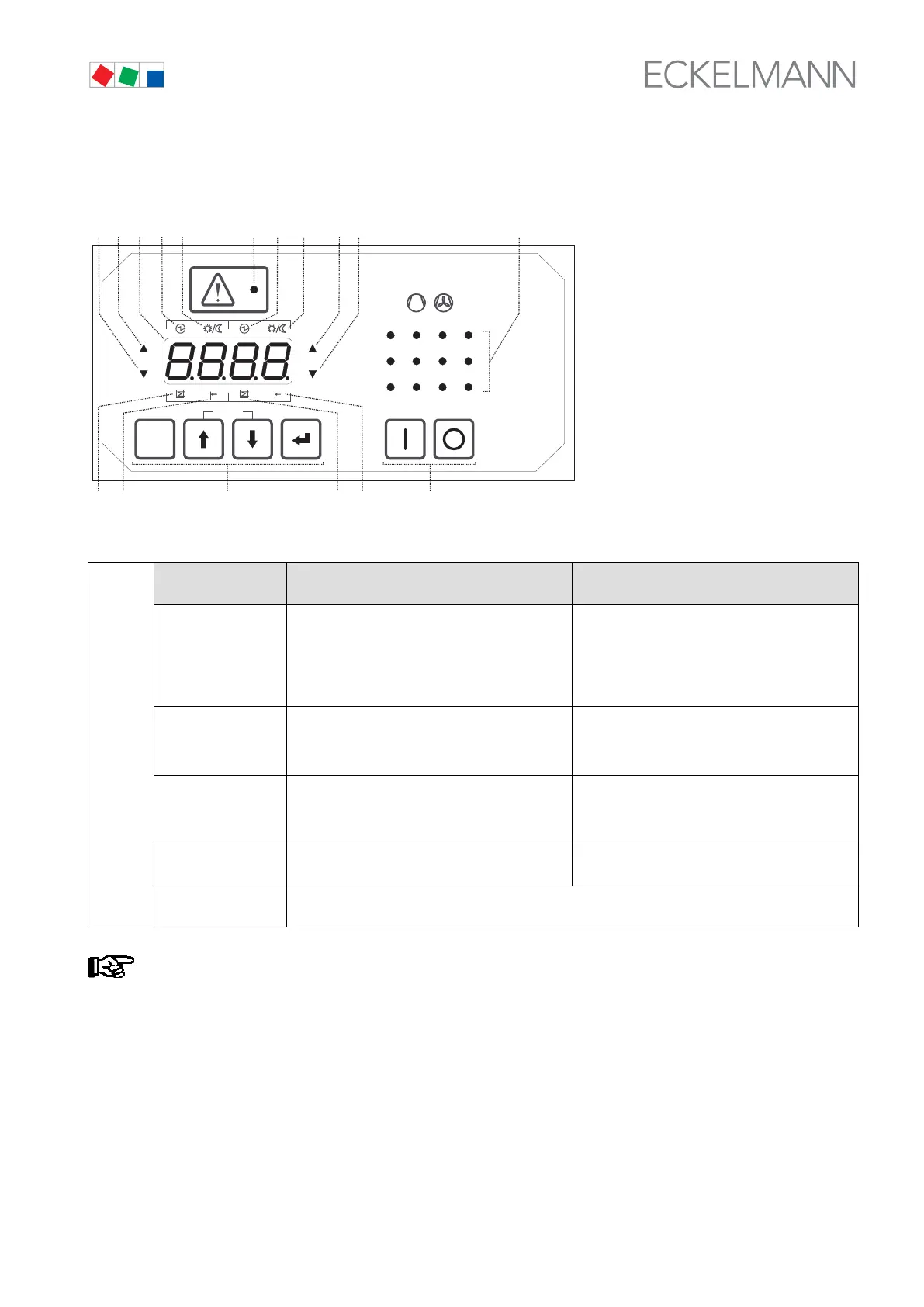
Description of controls and their function (see illustration).
(16)
(17)
Key/Switch Function in basic display mode
(see chapter 7.5)
Function in parameter setting mode
ESC/RESET Short press:
quit messages/alarms
Delete message display
Long term press:
delete message - condition:
message has a send time stamp
Cancel entry at any operating level
Exit operation level (moves back one entry level
every time key is pressed)
↑ Up Change to other control loope and display tempe
rature for
CL1: 4, 4/5 or 5 flashing or
CL2: 6, 6/7 or 7 flashing
Select parameter lists/parameters
Increase values within their range
(see chapter 7 Parameter List)
↓ Down Change to other control loope and display tempe
rature for
CL1: 4, 4/5 or 5 flashing or
CL2: 6, 6/7 or 7 flashing
Select parameter lists/parameters
Decrease values within their range
(see chapter 7 Parameter List)
↵ ENTER Start parameter setting
(Open parameter list selection)
Enter parameters/confirm entries
Move to next operating level
I-O On-off switch for external devices
Contacts lead out on rear of controller casing (see section 5 Pin and Terminal Assignments).
Flashing of values on the seven-segment LED display indicates that these values can be changed
(setpoints, type of refrigerant, number of compressor stages, etc.).



 To Next Page