224
224
Using the DVD Player
Visual Operations
■ Fast forwarding and fast
reversing
You can fast forward or fast reverse the
currently playing video.
● :
Fast forward the video.
:
Fast reverse the video.
Fast forward (or fast reverse) operates
until you release your finger from the
switch.
■ Pausing a video
● During pause, touch and hold or
to perform slow playback.
● During pause, touch to restart
playback.
■ Stopping a video
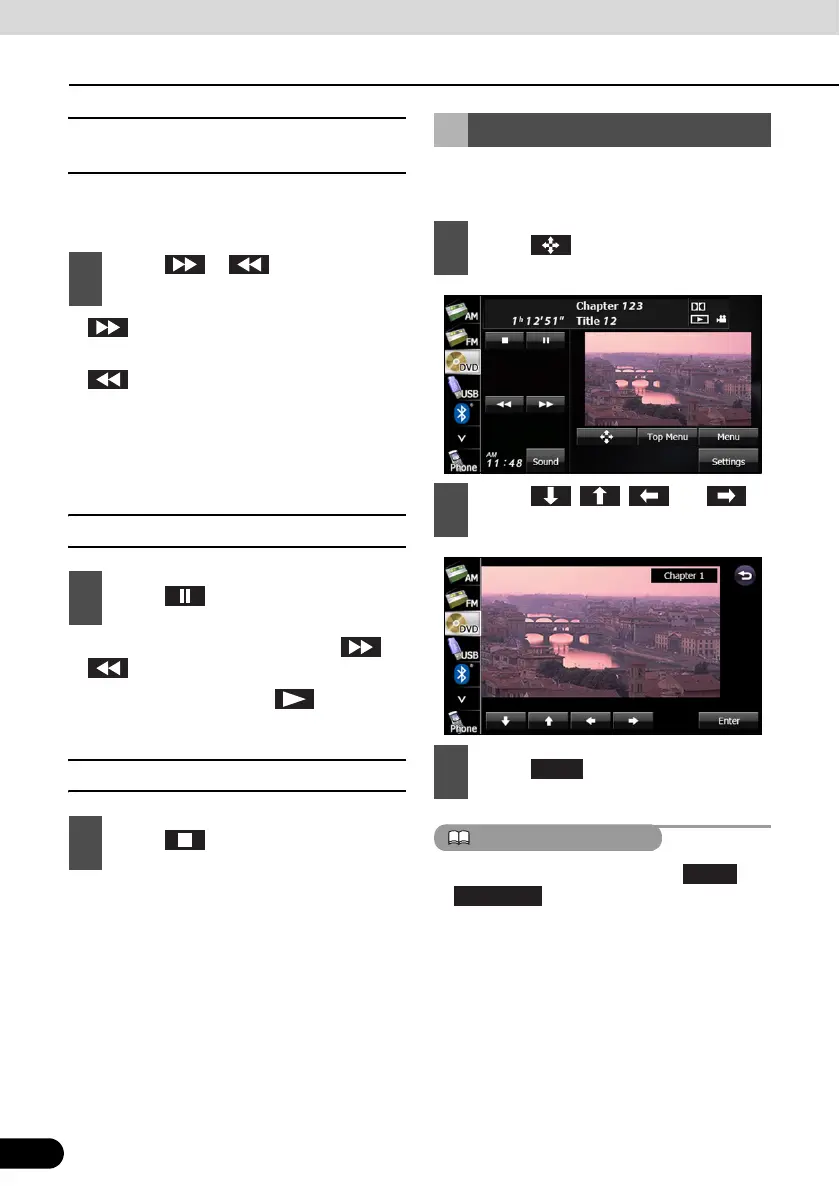
You can operate the menu recorded on the
disc.
● Display menu by touching or
.
● The recorded menu items vary depending
on the disc. This machine plays what is
recorded on the inserted disc; therefore,
functions may not operate as intend.
1
Touch or for 1 second or
more.
1
Touch .
1
Touch .
Disc Menu Operations
1
Touch .
2
Touch , , and
select the play-back menu.
3
Touch .
Top Menu



 To Next Page